

Razer finally coming to their senses
Personally, I’ve been an outspoken enemy of installing hardware vendor software on my machine. For a number of reasons, where the biggest is that it’s often not necessary, but also because of privacy, software bloat and updates, a messy task manager, and generally bad software.
If I’m being honest, most of this hatred comes from an early install of Razer Synapse, back when I was using the original DeathAdder, waaay back. But, my burning hatred was fueled further by a Huntsman test back a few years ago (that keyboard was returned FYI).
The idea of having to 1) download a software package, and 2) create a user account, complete with a password, just to configure a device that is physically connected to your machine, well, the word agitated doesn’t quite cover my feelings. But since this is written text on the internet, I’ll hold back on the stronger language.
It’s enough for me to put my money and focus toward devices that do the opposite, brands like Keychron and Zowie.
Synapse launches on the web (beta)
However, Razer is fixing this! They’ve clearly seen where the industry is moving, and are adjusting course.
Razer is launching Synapse on the web, meaning that for certain keyboards, configuration will work much like QMK and VIA. Simply enter synapse.razer.com in your browser, and configure your device, no local install required. This also means you can configure your keyboard on a work laptop or a shared machine.
While Synapse Web currently only works for select Huntsman V3 keyboards, I see this as a line in the sand. A clear signal that simpler, install-free configuration is being taken seriously.
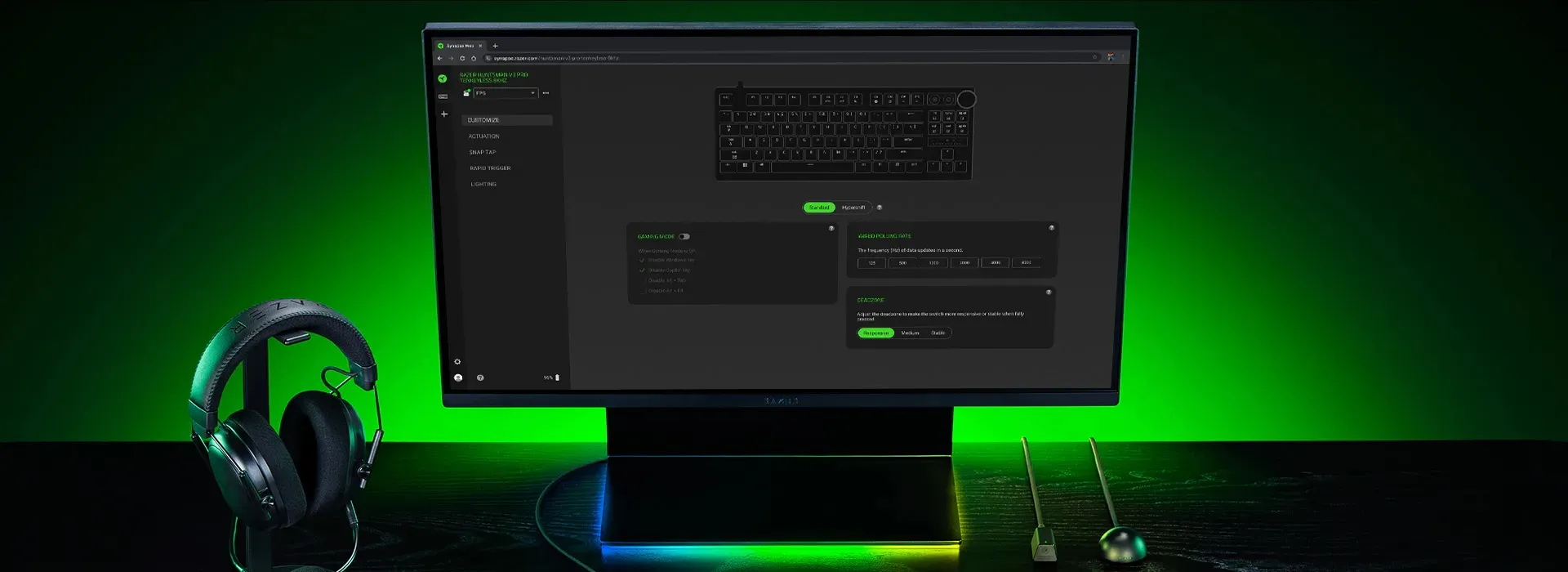 Razer Synapse web in all its glory | Credit Razer
Keyboards supported by Razer Synapse Web
This list is expected to grow over time, but as of now, the following keyboards, and keyboards only, are supported:
- Huntsman V3 Pro Mini
- Huntsman V3 Pro TKL 8K
- Huntsman V3 Pro 8K
Keyboards only, for now
Unfortunately, there’s currently no news about mice being supported by Synapse Web.
That’s a shame, and I certainly hope that mice, like the DeathAdder V4 Pro, will be supported down the line.
Hopefully, Razer will expand support to include more devices, and ideally all future launches.
Difference between the Razer Synapse app and web
Razer is clear that Synapse Web complements rather than replaces the desktop app. The web version handles the essentials, like keybinds, quick RGB effects, on-board profiles, while Synapse 4 remains for deeper features like multi-device Chroma sync and game-specific profiles.
That’s fair. For tournament players or anyone on a IT locked-down machine, having browser access to basic settings is very useful.
But if you want the full experience, you’re still installing software and creating an account. The door is half way open.
Still, I’m happy to see Razer, one of the biggest offenders when it comes to mandatory software installs, move in this direction.
Here, you can find the complete press release from Razer.
