
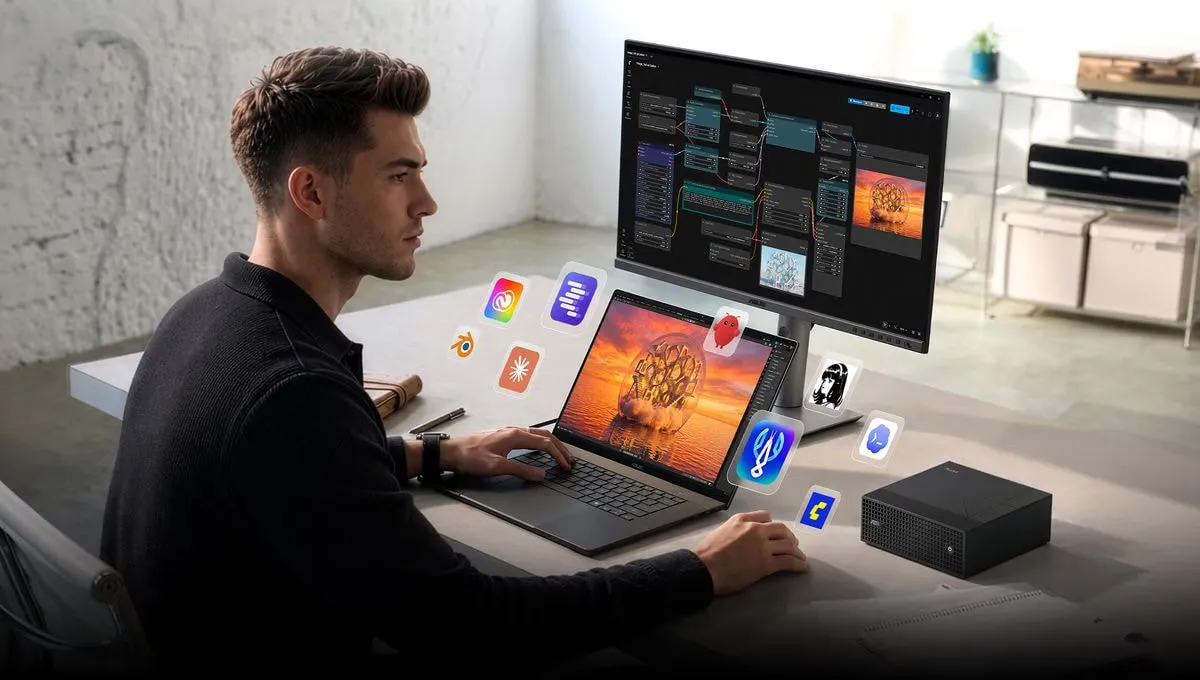
The Sparks are flying!
You’ve most likely caught the launch of RTX Spark, Nvidia’s bet on processors and maybe a revolution for Windows.
Nvidia RTX Spark was announced at Computex in May, with the launch now in October - and the machines are in reviewers’ hands as of mid-October.
Here’s my explanation of what it is and why you should care.
What is RTX Spark?
Nvidia, known for graphics cards and growth on the stock market, is launching new processors for Windows PCs. Nvidia RTX Spark is an Arm chip with a built-in Blackwell GPU, where the processor and the GPU share up to 128 GB of unified memory.
Put simply, it’s Nvidia’s answer to Apple’s M series.
Unified memory is the whole point. In a regular PC the graphics card has its own memory, and regular graphics cards tend to top out at 24 or 32 GB (if you’re a millionaire).
In RTX Spark the graphics can use all of the memory, up to 128 GB. The processor and the graphics share the same memory pool, so nothing has to be copied back and forth between them.
This is especially handy for - yes, you guessed it - local AI models. An AI model has to fit in the memory the GPU can access, and big, good models need a lot of memory. A 120B model needs around 70 GB, and that’s after it has been quantized, i.e. compressed down.
Put simply: the bigger the model - the better it is at handling complex tasks. The online models we know, like Opus 5.5 and Sol 6, are way too big and complex to run locally.
Apple’s M series has used unified memory for a long time, and has been able to run heavier local AI models because of it. What Apple lacks is CUDA. CUDA is the platform a lot of AI software is written for, and it’s the same stack that tends to run in the data centers of OpenAI and Anthropic. More on that further down.
So the news is that we’re getting Arm-based Windows machines with unified memory and built-in CUDA support.
 “Remember to eat something, don’t just game” / “Yeah, yeah, mom…” / Credit: Nvidia
So what is Arm?
x64 and Arm are two different processor architectures, in other words two different ways a processor is built to understand and do its job. x64 (also called x86-64) is the architecture we find in PCs with processors from Intel and AMD.
Arm, on the other hand, has mostly been used in phones and tablets, but in recent years it has become more common in computers too, especially through Apple’s M series and Qualcomm’s Snapdragon.
x64 and Arm can mostly do the same tasks, but they go about them in different ways.
The biggest practical difference is power draw, efficiency and which programs you can run. Arm is often very power efficient, since the architecture was made for phones and laptops.
x64 has been around forever and has broad support for software and games, especially on Windows.
Arm can also deliver crazy high performance, as Apple has shown us with the Pro and Max beasts in the M series, which combine memory, a powerful GPU and the CPU in the same chip. But Arm isn’t automatically better than x64. It depends on how the processor itself is made.
The biggest challenge with Arm is that programs made for x64 have to be translated or emulated to work.
Windows has existed in Arm versions for a long time. I remember when the Surface RT came out with Windows RT in 2012. The processor in it was a Tegra 3, from none other than… Nvidia. Windows on Arm wasn’t a big success back then, even though I think Microsoft was onto something with the same kind of chips in Windows phones and laptops in the early 2010s.
Can you game on Arm?
Yes! Steam only sees that you’re running Windows, and doesn’t care whether your processor is Arm or x64.
The challenge is that the people who make the games, and game engines like Unity and Unreal, compile the games for specific architectures, usually x64.
Windows then has to translate the instructions made for x64 so they become Arm compatible. This emulation layer is called Prism and is built into Windows on Arm. When you launch an x64 program, Prism translates the processor instructions to Arm on the fly. Steam itself is just another x64 program running through the same layer. The Mac actually does the same thing, from x64 to Arm, through Rosetta.
The reason this works for games is that only the CPU part is emulated. A game, or an app, roughly consists of two things: the logic, which runs on the processor, and the graphics, which go through DirectX to the graphics driver.
 Gaming on Arm is not to be confused with a gaming arm, as pictured. / Credit: Pulsar
The DirectX calls aren’t translated. They go straight to Nvidia’s own Arm driver, and the graphics work itself is done by the built-in GPU. That still doesn’t mean emulated games perform as well as native ones. The processor still has to feed the graphics with work through the emulation, the drivers are new, and the memory bandwidth in a chip with unified memory is lower than on a dedicated card with its own memory. All of this can affect performance.
Nvidia showed 100 fps at 1440p on RTX Spark at Computex, with ray tracing and DLSS turned on. How well that holds up in independent testing, game by game, remains to be seen.
Either way, I think RTX Spark is made primarily for local AI models, and being able to play games is secondary.
Historically, anti-cheat has been one of the biggest obstacles for gaming on Arm. Systems like Easy Anti-Cheat, BattlEye and Vanguard operate deep down in the Windows kernel, and can’t be emulated through Prism.
But a lot has happened here. Microsoft and Nvidia have worked with game developers and the anti-cheat vendors to get them running on Arm. From the launch on October 16, Nvidia says you can play Counter-Strike 2, Dota 2, Fortnite, Marvel Rivals, Rocket League, ARC Raiders and The Finals, among others, with anti-cheat in place, while support for the remaining systems, including Vanguard and Ricochet, is still in the works. Call of Duty is promised in 2027.
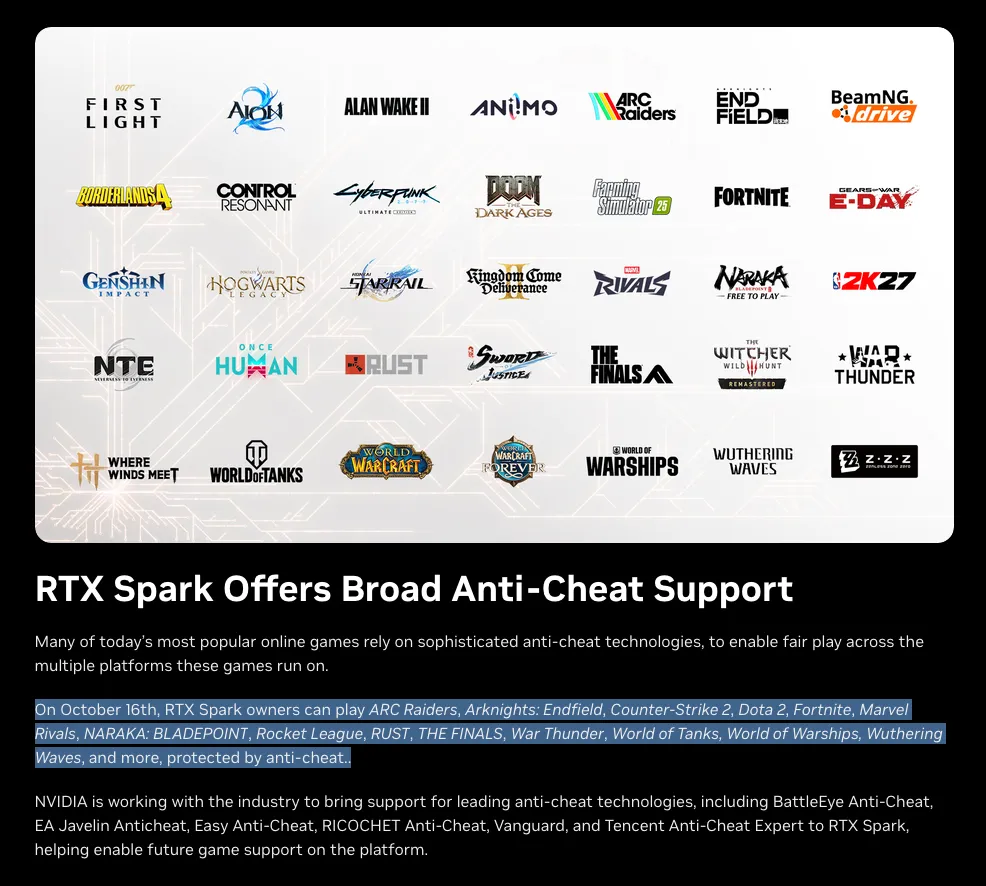 Some of the games supported from October 16, 2026. / Credit: Nvidia
That doesn’t mean every game suddenly works, but one of the biggest hurdles for Windows on Arm is on its way out.
So what is CUDA?
CUDA is Nvidia’s way of letting regular programs use the graphics card for things other than graphics.
A CPU has a few powerful cores that handle all sorts of things. A graphics card has thousands of small cores doing the same simple calculation at the same time, originally to work out millions of pixels, fast.
AI needs almost the same thing: billions of small multiplications, run at the same time.
CUDA, which Nvidia launched in 2007, is the platform that makes this possible. It’s a set of tools and libraries that let developers use the graphics card for calculations that would otherwise run on the processor.
For almost twenty years Nvidia has built ready-made building blocks on top of it, for matrix math, for neural networks, for inference, and all the big AI tools are written against those blocks. PyTorch, which a lot of AI research uses, has had CUDA as its first choice since the start. When AI exploded, CUDA was already there and established. That’s why CUDA is a competitive advantage and not just a technical detail.
Apple has Metal and MLX, AMD has ROCm, but most AI code is written for CUDA first and ported to the others afterwards.
Buy Nvidia, and you run the code the way it was written. Buy a Mac, and you may have to wait for the code to be translated to MLX or Metal.
That’s the real reason Nvidia is worth what it’s worth on the stock market: the whole AI industry depends on its chips and technology.
Laptops and desktops out now
The first wave of RTX Spark machines comes from Microsoft, ASUS, Dell, HP, Lenovo and MSI. What they all have in common is that they’re expensive. Several Norwegian web stores already have versions in stock.
The chip itself comes in two versions. The bigger one has 20 CPU cores and 6144 CUDA cores in the graphics. The smaller one has 18 CPU cores and 5120 CUDA cores. The 18-core version supports configurations with up to 64 GB of memory, while the 20-core version supports up to 128 GB.
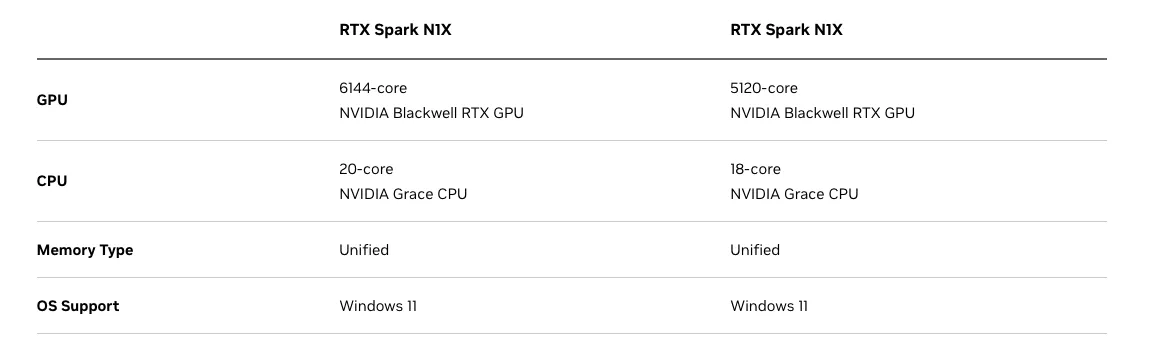 The two versions of RTX Spark. Both are called N1X. / Credit: Nvidia
This is nothing new: the weaker batches are sold with a few cores switched off, so chips that don’t hit the full spec at the factory can still be sold.
At the same time, I’d like to take the opportunity to criticize Nvidia for using the complicated name RTX Spark N1X.
I’d rather have called the series N1, and saved the X for the beefy model. BUT NOBODY ASKED ME.
If you’re considering one, keep an eye on the core count.
Who is RTX Spark for?
Firstly, these are expensive laptops - precisely because they come with a lot of memory. And as we all know, we’re in the middle of the RAMpocalypse, where AI data centers are gulping up all the available juicy memory. And unless that bubble bursts, that is gonna last.
But for some people it doesn’t matter whether the machine costs $2,500 or $5,000. A lot of consultants out there in Norway already sit on expensive machines. Many of them write code, and have tasks that can run on local AI models right on the machine, without any data being sent to OpenAI or Anthropic.
If the alternative is risking that the company’s important code goes through either American or Chinese servers, the cost of the machine might be a relatively small price to pay for security, and for being completely sure the IP stays within the company’s four walls.
They’re exactly the core audience for RTX Spark. The people who develop, test, research and run AI models locally.
 “I just LOVE using AI in my job #blessed” / Credit: Nvidia
What happens next?
For me this really comes down to one thing, namely that Windows can finally compete with Apple’s M series. Especially among heavy developers.
Walk into any IT agency, among the developers - and you’ll see plenty of MacBooks! I know why, they are excellent. It’s been that way since the M1 arrived, because few Windows machines could match battery life, performance, developer friendliness and unified memory in the same package.
With RTX Spark, Windows gets a new and exciting alternative to Apple’s M series. Especially for developers working with CUDA and local AI models, this could get interesting, because the code runs natively.
Whether Nvidia and its hardware partners can compete with Apple on performance, battery life and user experience remains to be seen.
That won’t be decided by the chip alone. It will be decided by whether the tools work on Windows on Arm from day one, and whether the anti-cheat vendors deliver the rest of their list. We’ll know more about both over the winter.
I’m excited to get one in my hands, and I’ll keep following along. I haven’t tested RTX Spark yet, but the Windows spark has been lit.
