
The short version
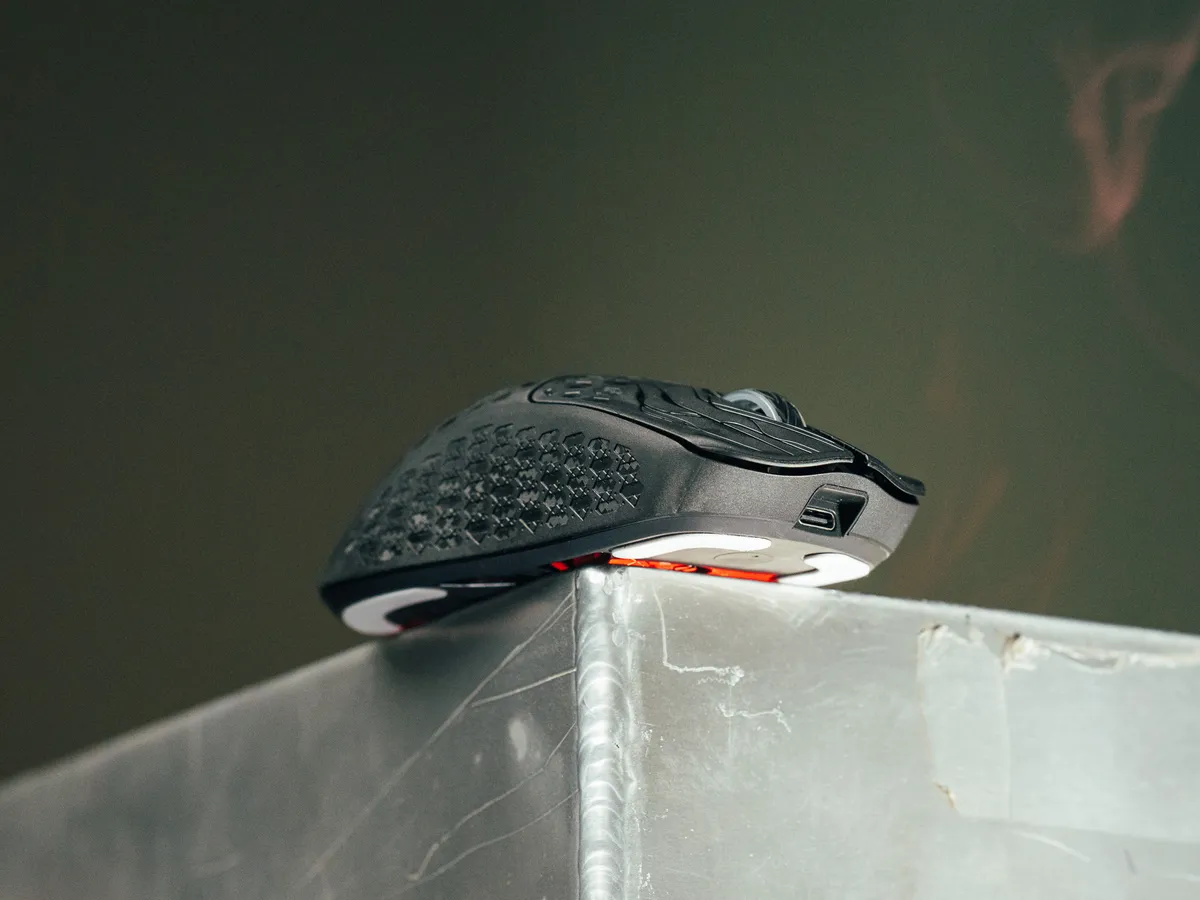
The Keychron G5 is a wireless carbon fiber gaming mouse, listed at 43 grams, with a PixArt 3950 sensor and polling rates up to 8000 Hz.
What I wanted to find out was simple: how does it feel in use?
The short version is that this is one of the better first impressions I have had in a while.
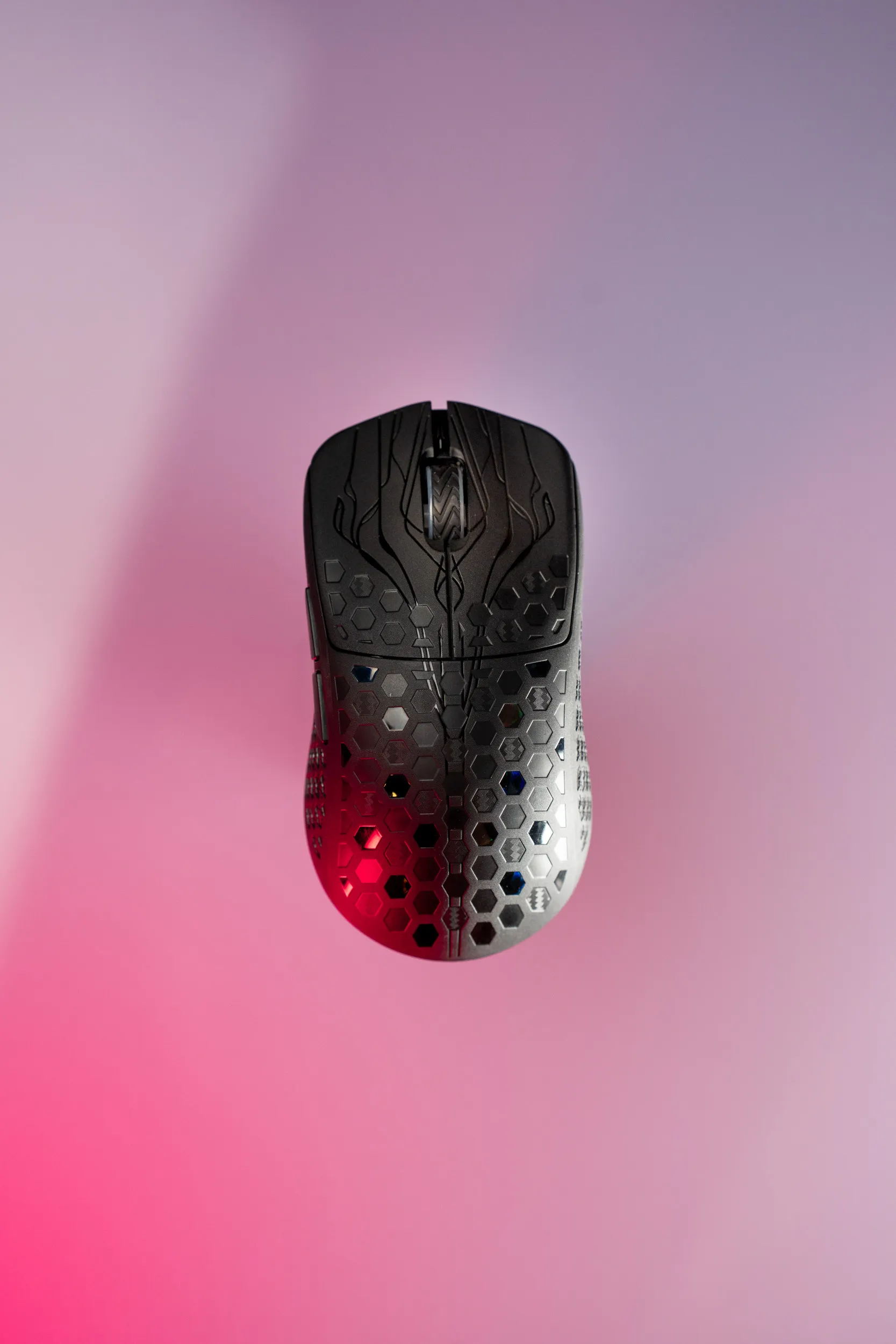 The Keychron G5 seen from straight above. / credit kaytomas.com
2.6 grams heavier than claimed?!
Keychron says 43 grams. Mine weighed 45.6 grams on a Hario VST-2000, measured straight out of the box with the skates that come mounted from the factory. That is 2.6 grams over the stated weight for an unknown reason.
I do not know if the stated weight is with or without skates, so be prepared for it to weigh in a little higher. It is still light, noticeably lighter than many of the mice I have tested. The marketing name “Ultra Light” is deserved.
Finally enough adapters
The 2.4 GHz receiver itself is USB-A, something I mentioned as a con earlier.
But here is the kicker: Keychron includes adapters! The charging cable is a high-quality USB-C to USB-C. So you can connect no matter what, even if your machine only has USB-C, like a MacBook Air or the thin Windows laptops. It is 2026, and this should be standard. Several mice I have tested lately are missing exactly this piece, so it is great to see.
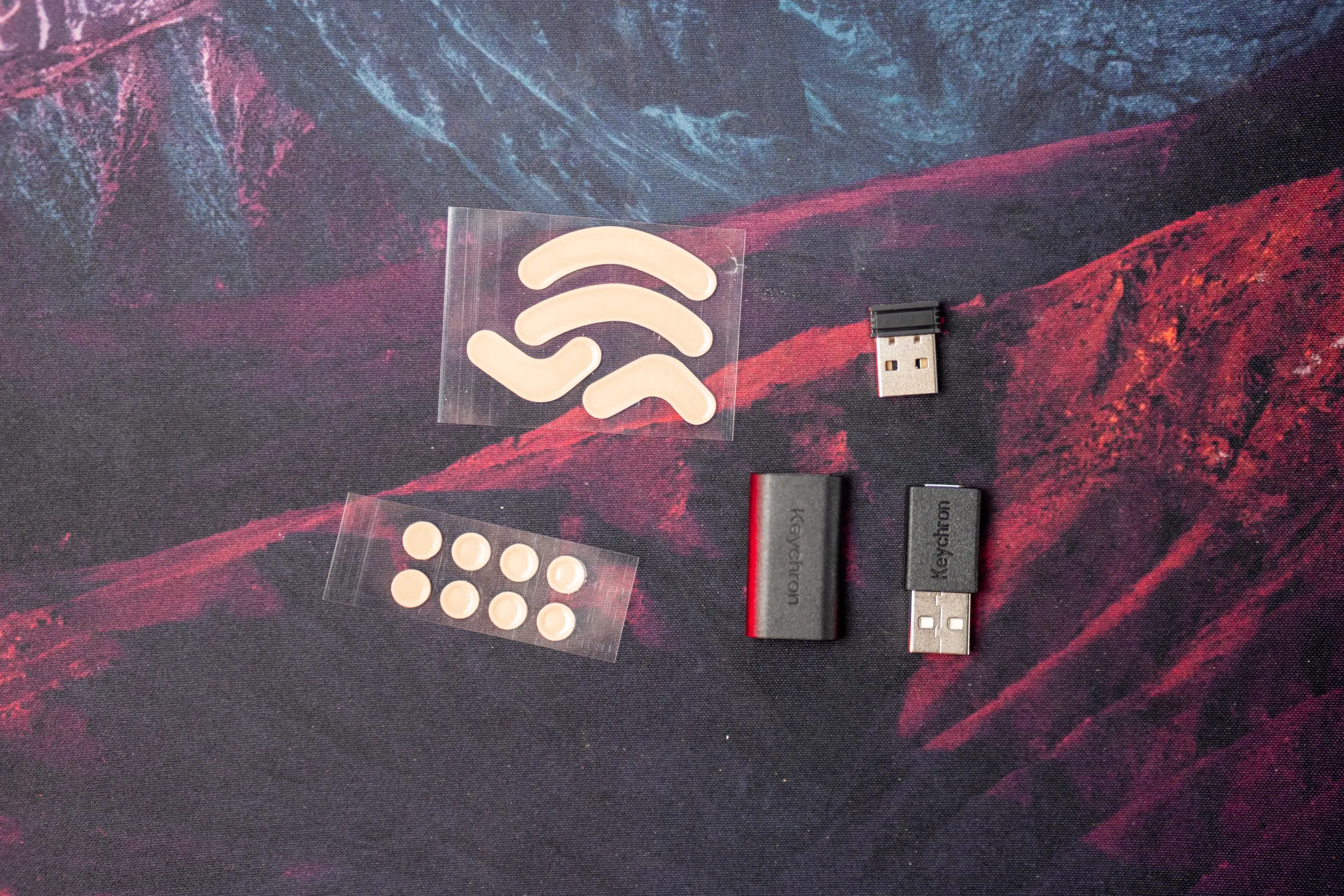 The box contents: two types of extra skates, the 2.4 GHz receiver, the extender and the adapter. / credit kaytomas.com
One more neat detail: the USB-C end that goes into the mouse is angled, so the cable points up and you can play while charging. This is genius, and something I expect others to copy. Other vendors might be doing this, but it is the first time I’ve seen it in person.
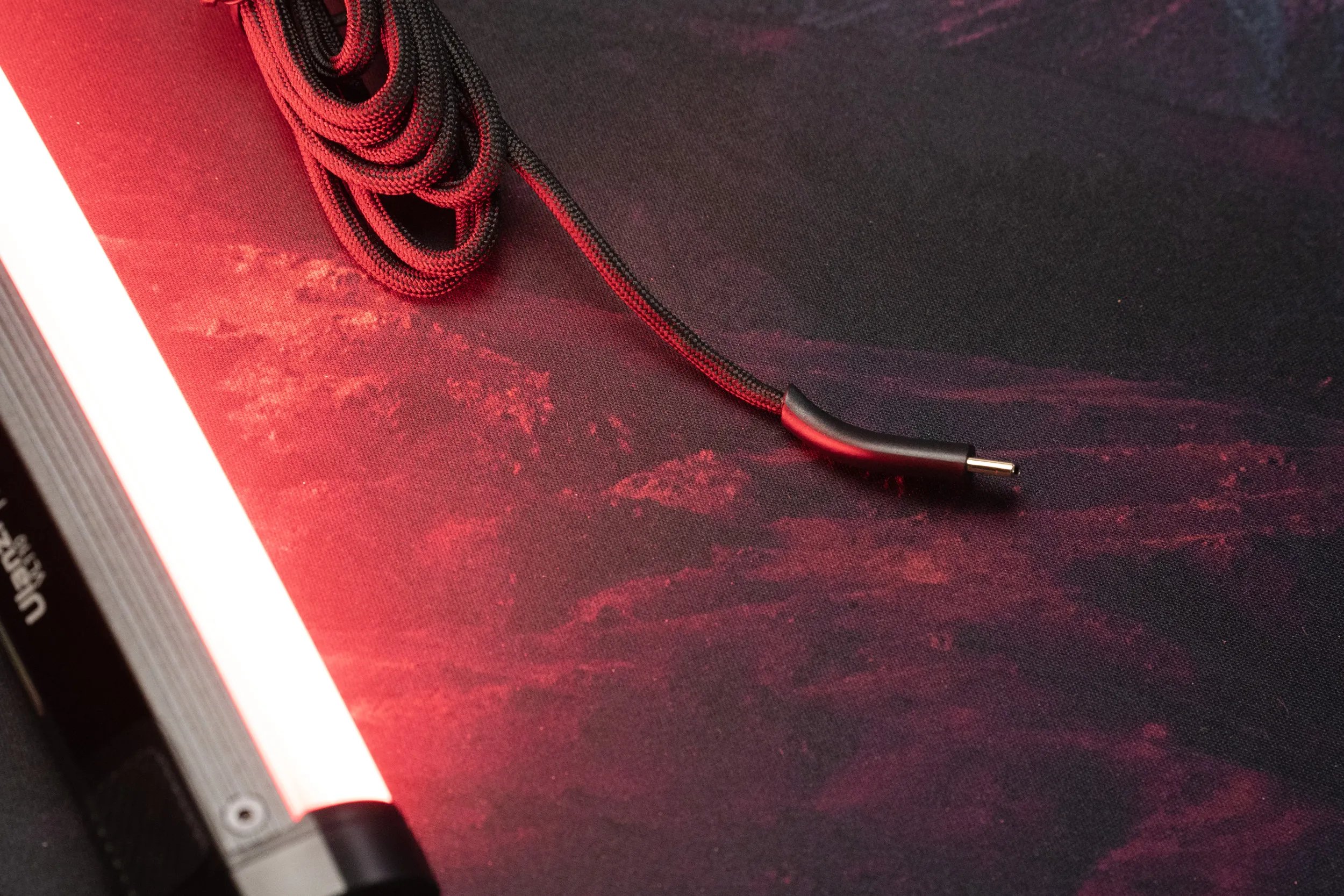 The included cable is braided, USB-C on both ends and angled at the mouse end. / credit kaytomas.com
Works out of the box
Configuration happens in the browser through Keychron Launcher, so no install needed. I did not even have to plug the USB C cable into the mouse! The receiver was detected right away, then the mouse. Launcher could verify the firmware was up to date on both devices.
I set the DPI to my preferred 1200 and left the polling rate at the default 1000 Hz.
The standard button and scroll wheel functions are all I need, but they can be remapped in Keychron Launcher for those crazy enough to do that.
Keychron G5 Bluetooth pairing
Bluetooth works really well too. The first time you set the switch under the mouse to Bluetooth, it is discoverable and shows up on your computer as “Keychron G5”.
Bluetooth can get stuck now and then, though. One time I went to connect it, the mouse only showed up as “Bluetooth device”. So I did a factory reset by holding down the left, right and both side buttons at the same time. After that it showed up as Keychron G5 under Bluetooth devices.
Matte shell and soft clicks
The shell is matte and does not pick up fingerprints or finger grease.
The G5 has a hexagon pattern in the carbon fiber, but no hexagon holes. My immediate thought was that they could have shaved off even more grams, but maybe at the cost of feel or usability. This is not a honeycomb mouse with openings all over the shell.
Where the thumb, index finger and pinky land, there is a separate pattern that gives a solid grip.
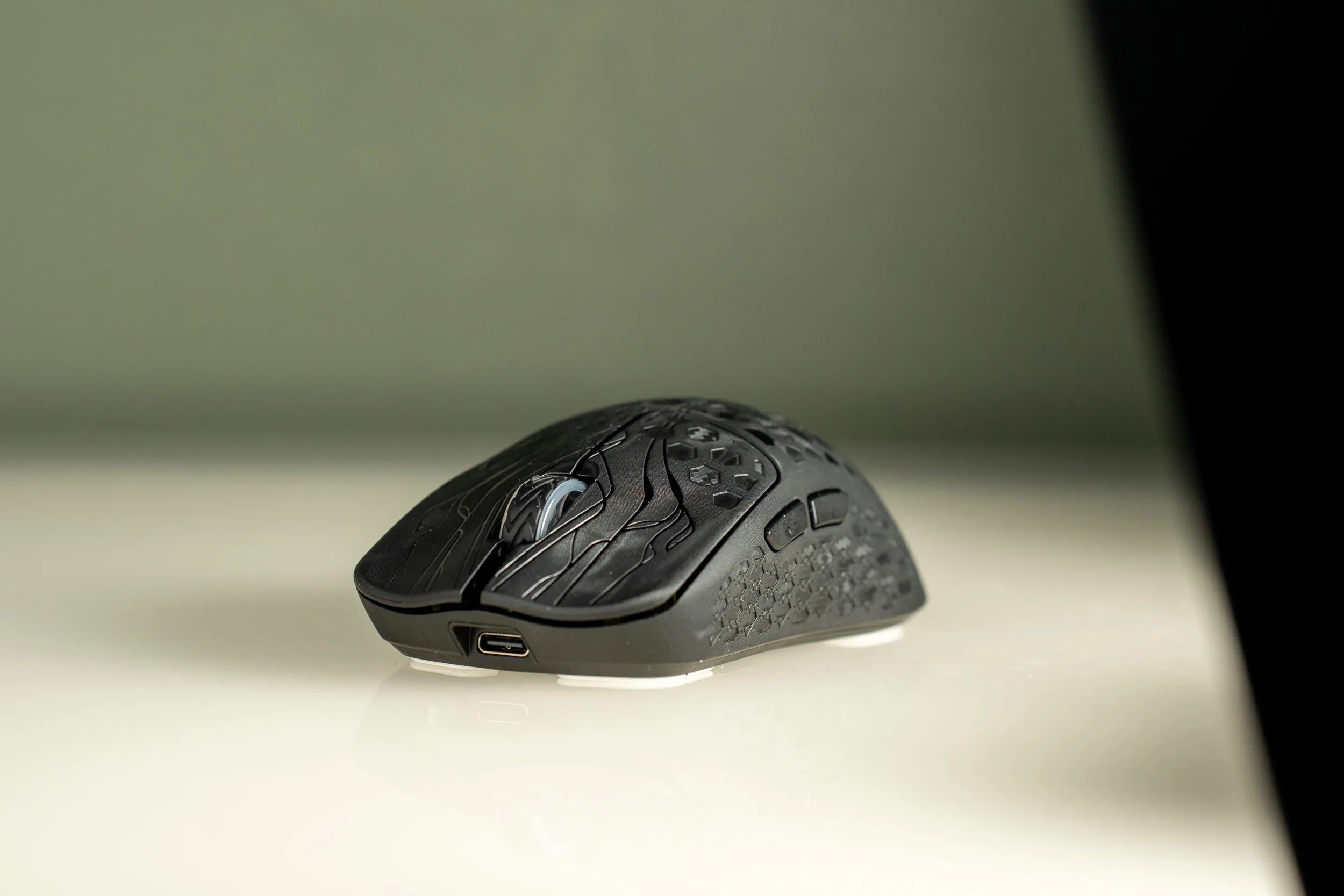 The hexagon pattern is in the carbon fiber shell itself, no holes. / credit kaytomas.com
I would describe the clicks from the Huano switches as slightly soft, in the pleasant way. The scroll wheel has the same soft character. How that feels over time, against my Keychron M4 and other references, is a question for a potential full review. The box also holds extra skates in two types, so you can swap to taste.
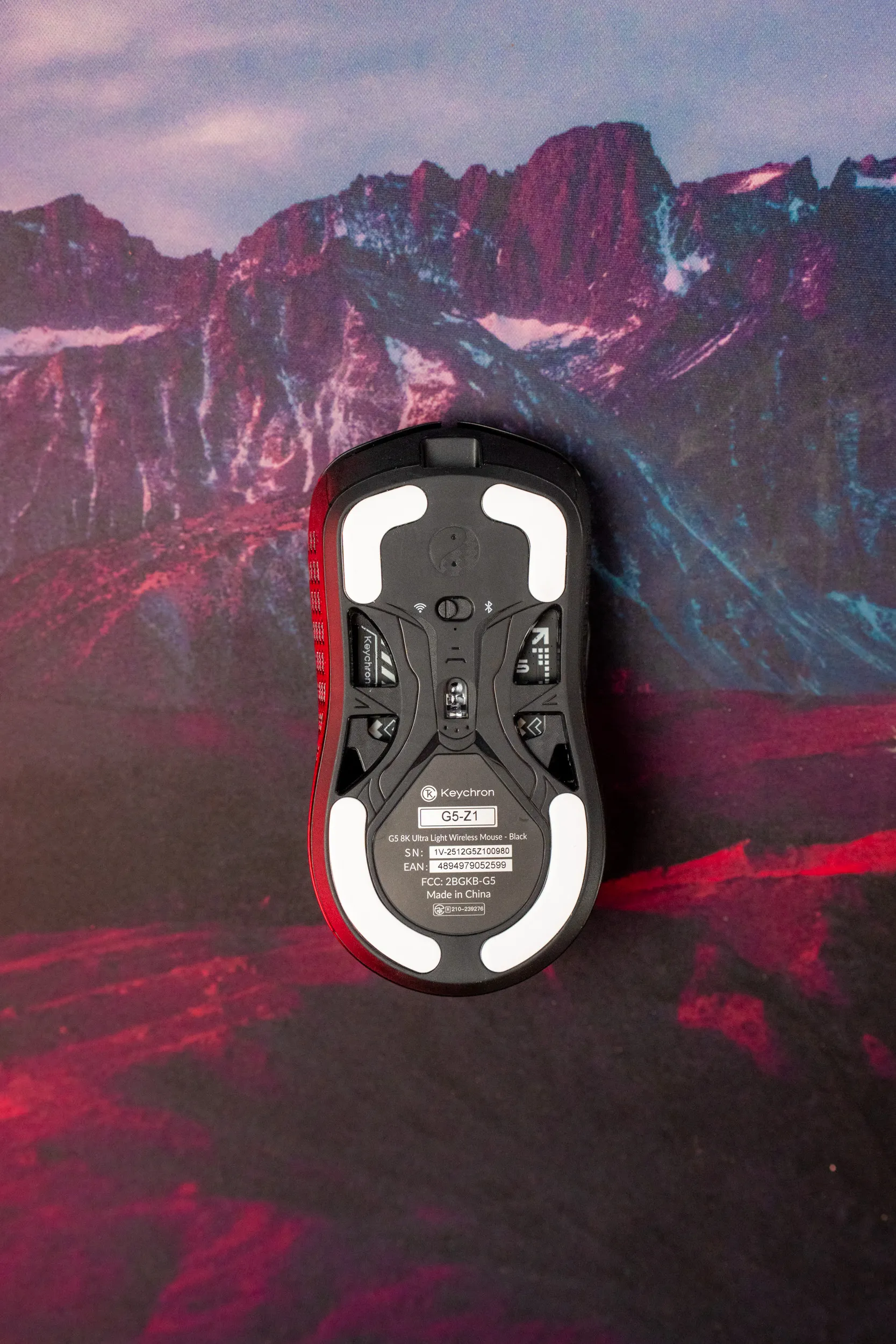 The underside with the factory-mounted skates and the switches for connectivity mode. / credit kaytomas.com
A texture reminiscent of 3D printing
What is extra interesting, and just barely visible to the naked eye, is the texture across the entire surface of the mouse. The photos show it clearly: it consists of lines reminiscent of the layers from an ultra fine 3D printer.
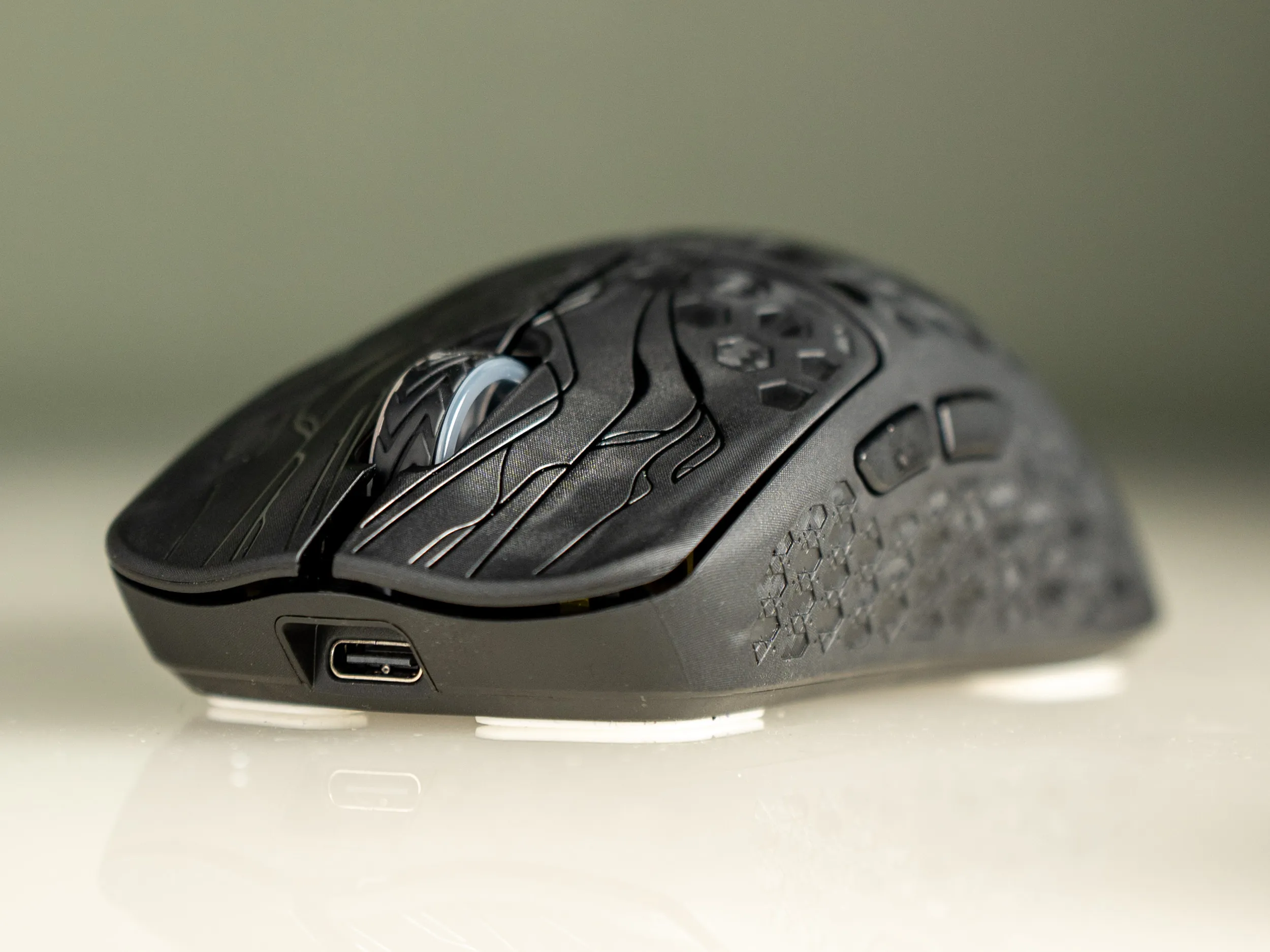 The lines in the texture, up close. / credit kaytomas.com
I do not know Keychron’s production process, but this is undeniably part of why your fingers sit so well on the G5. An interesting find, and something I will dig into for a potential full review.
I went through all the specifications and pricing when the mouse launched in April, so have a look there if you want any more numbers.

So far the first impression is very positive: light, great in the hand. Good performance, comfortable to use. It works right away and ships with extra adapters and skates in the box.
Beyond it just working, I also like the finish, with different patterns in different places. It gives the fingertips much better grip than a completely smooth, patternless mouse. I love it when design is used to make a product easier to use, like this.
My original estimate was only 49 NOK off: at the time of writing the Keychron G5 sells for 1249 NOK at Maxgaming here in Norway, with a list price of $109.99 in the States.
Disclosure
Keychron sent this mouse for review. They do not see the article before publishing and have no say in what I write.
