
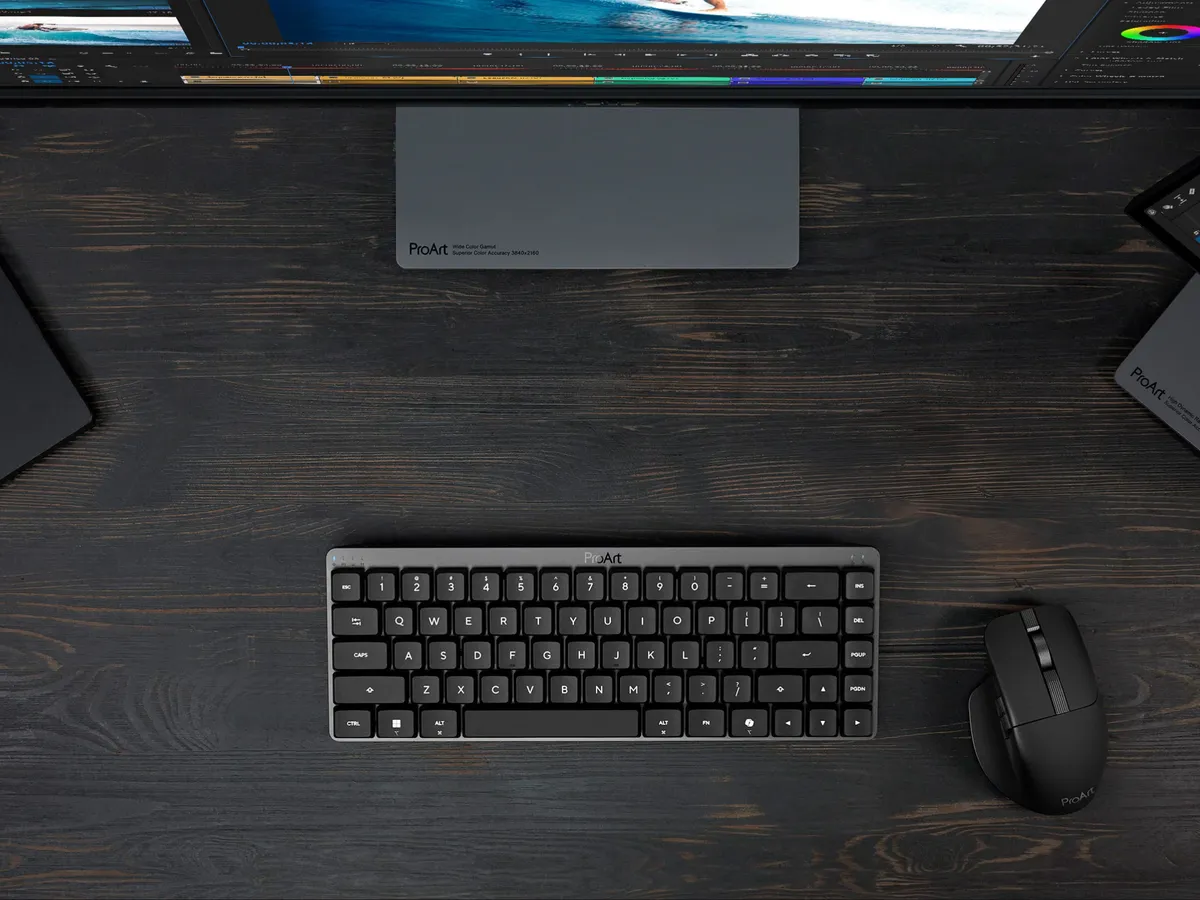
ASUS launches a ProArt keyboard, The KD300
I’ve had my eye on the ASUS ProArt line for a while now. It started with their GPUs, which caught my attention for being unusually tasteful and slim, in a sea of aggressive gamer aesthetics.
Then came the ProArt monitors, high resolution, accurate colour, clearly aimed at creators rather than the RGB-maxed teenager crowd. Not for sweaty gamers, per se, but for the creative gamer. You know, mature like me.
That distinction matters to me. I’ve felt for years that this segment has been largely ignored. And, we are the ones who have the spending money for the gear. ProArt has been quietly building towards that, and now they’ve launched a slim keyboard. Exciting!
And reading the KD300 spec sheet, it’s clear who they’ve built it for: the creative who carries their keyboard. The person who works at a studio desk by day, plays or writes at home in the evening, and doesn’t want two different keyboards or fine tune two different sets of muscle memory. I
It’s built slim, built light, and built to last months on a charge, which is exactly what you want in your bag when traveling to work.
What is the KD300?
The ProArt Keyboard KD300 is a 65% low-profile keyboard with a 26.8mm slim profile and an aluminium top cover.
Being 65% means the full function row (F1–F12) is gone, that’s the main trade-off.
What you do keep is a full set of arrow keys plus Insert, Delete, Page Up, and Page Down. Keys that some people, but definitely not everyone, use for day-to-day navigation.
Personally, I find these keys awkward. I never use Insert, Page Up nor Down, but I do use Home and End. But these keys are (probably) re-mappable in the ASUS Gear Link software.
At 26.8mm it’s genuinely slim, and low enough to sit comfortably under your wrists without a palm rest. Plus flat enough to disappear into a laptop sleeve or bag.
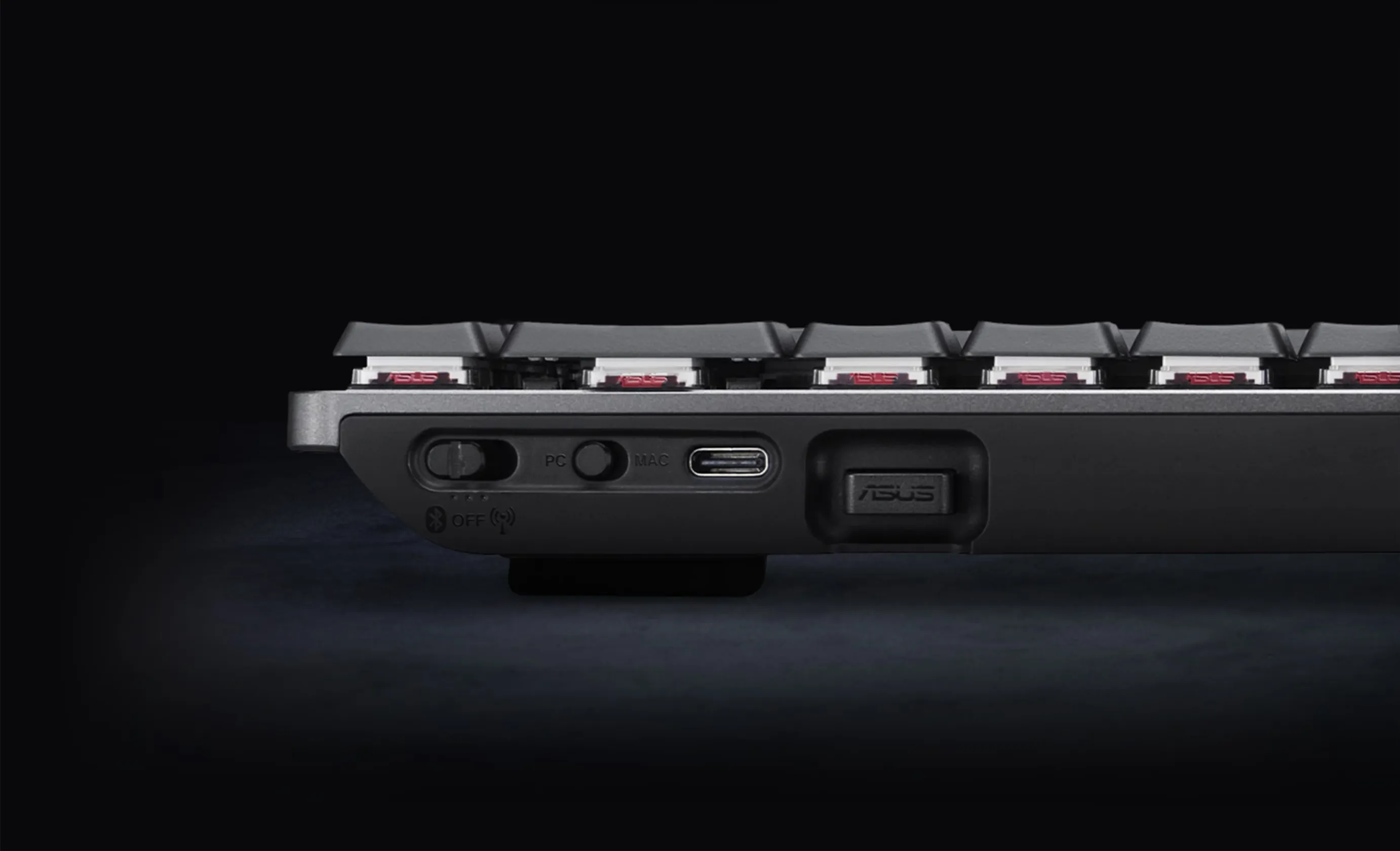 26.8mm slim profile with connections on the right back edge. /Credit ASUS
ASUS hasn’t confirmed weight yet, but a low-profile 65% with aluminium top is not going to be heavy. I’d expect it to travel very well.
Connectivity
It comes with the well known tri-mode wireless. Meaning 2.4 GHz, Bluetooth, and USB-C.
Bluetooth supports up to five devices in memory, so you can bounce between your PC, laptop, tablet, and whatever else is on your desk.
There’s also a dedicated PC/Mac toggle switch, which is a small but genuinely useful feature if you’re working across platforms. Like I’ve said before, personally I adapt what key acts as Ctrl and Cmd on the fly, but I acknowledge that not everyone does.
The 2.4 GHz dongle has a magnetic storage slot built into the keyboard body. It sounds like a minor thing, but this is a detail I really like. Who hasn’t lost a wireless dongle before?
The touch panel
On the back edge of the keyboard there’s a built-in touch panel combined with a multi-function switch.
You can use it to control volume, manage media playback, and adjust keyboard lighting without touching a key or reaching for the mouse.
It’s not a revolutionary concept, but in a keyboard aimed at people who are actively switching between creative workflows and music, it’s the right call.
How this will work in practice is anyone’s guess at this moment. As a matter of fact, I think we as a peripheral community can say we have had mixed results with touch panels overall. A manual knob is always better, but I am not disregarding this before I have tested it.
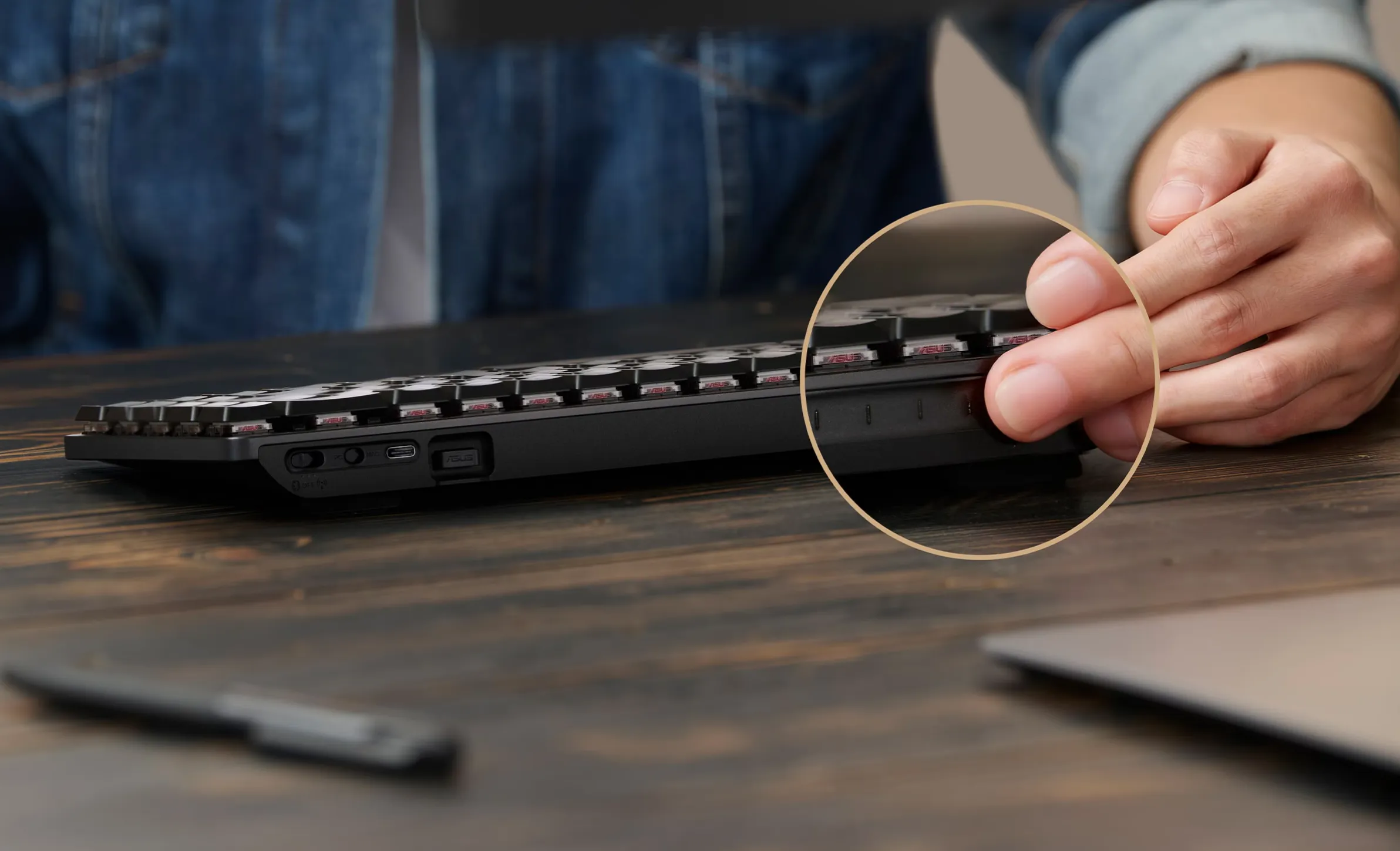 The touch panel and multi-function switch on the back edge / credit: ASUS
Gear Link and AI Hot Keys
Customization is handled through a web-based interface called Gear Link, which covers profiles, key mappings, macros, and lighting.
Web-based is nice, and the way to do this in 2026. Following suit of Wooting, Fractal Design and even Razer.

The more curious feature is what ASUS calls AI Hot Keys; Ten preset showcards for Adobe application shortcuts.
The idea is that common Adobe workflows get mapped to dedicated keys, reducing the need to remember or hunt for shortcut combinations.
Whether that’s genuinely useful or mostly a marketing talking point is something I’d have to test in practice, but my guess is that the Adobe professionals already know their shortcuts.
Hopefully I’m able to review the ASUS ProArt KD300 down the line.
The switches and why I am not certain about ‘em
The KD300 uses ASUS RX Red Low-Profile optical switches.
According to the press release: fast 1.0mm actuation, a smooth linear feel, and 40–55 gram-force key feedback across the travel range.
I’ll be honest: I have a complicated history with red switches. They’ve always felt a little too light and forgiving for my typing style. I end up mistyping constantly and struggling more than I’d like. My experience with the Keychron K3 Max left me appreciating… a bit more resistance in the stroke.
That said, the ASUS RX Red Low-Profile switches aren’t the same as a standard Cherry MX Red.
Reviews of the ROG Falchion RX, a board that uses the same switches, describe them as smoother and more satisfying than expected for a linear. With the silicone dampening doing serious work on the acoustics.
The 1.0mm actuation point is fast, which benefits gaming, but may require an adjustment to your muscle memory if you are a heavy typist.
The dual silicone dampening foam is also worth noting here. ASUS has used two layers of integrated foam specifically to absorb pinging and echoes, which is usually the thing that makes cheap low-profile boards sound hollow and plasticky.
Whether it completely solves that problem in real-world use is something I’d want to verify personally, but at least we know that some measures has been taken to address this common issue with low-profile boards.
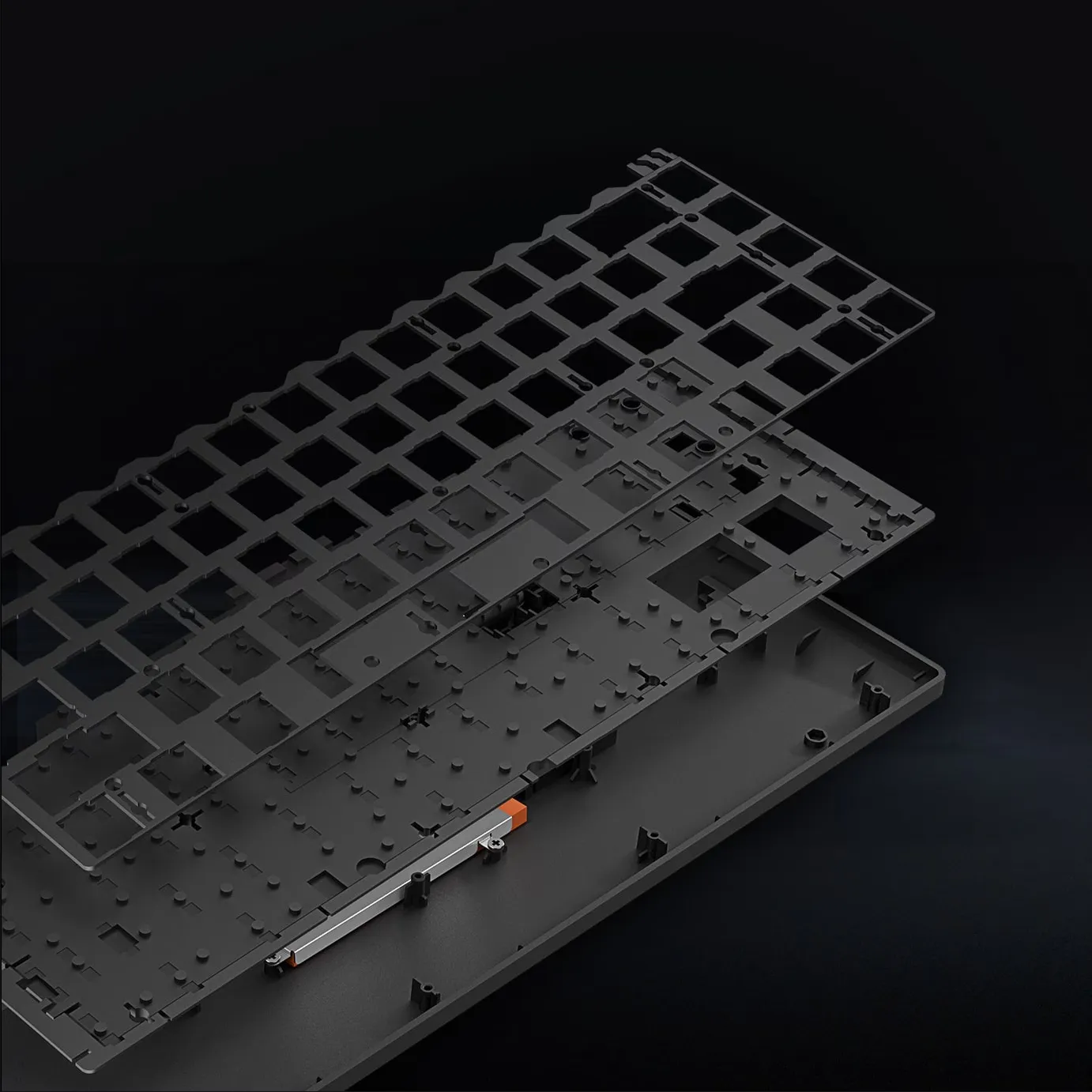 Dual silicone dampening foam layers — ASUS’s answer to the hollow low-profile sound problem / credit: ASUS
Battery life - 16 months??!
This is the headline spec.
ASUS claims up to 16 months on a full charge with RGB off in 2.4 GHz mode.
Even with full brightness RGB on, ASUS claims up to 100 days. In Bluetooth mode you’re looking at around nine months without RGB, or 86 days with it.
I thought Keychron had good battery life, but this is on another level.
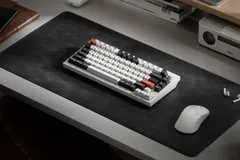
I don’t tend to trust battery claims at face value, but even if the reality is half of what’s advertised, this is exceptional for a wireless keyboard.
For anyone commuting or working across locations, it means the charger stays home. The battery indicator is also nicely handled, the top row of keys lights up to show charge level at a glance, turning red when you’re below 20%.
What about Price and ISO / JIS?
Pricing, availability, and layout options are unknown at this point.
Personally I’d love to know whether ISO and JIS variants will be available. This has not been confirmed yet. I am reaching out directly to ASUS to ask, and I’ll update this article as soon as I hear back.
Quick take
The KD300 looks like a strong entry into a segment that genuinely needed more options. A slim 65% with 16-month battery life, tri-mode wireless, dongle storage, and an aluminium cover. Everything aimed at someone who wants the same keyboard at the studio, at home, and in the bag between them.
Pricing, availability and the RX Red switches are the only thing giving me slight pause, but that’s personal preference and not a knock on the keyboard itself.
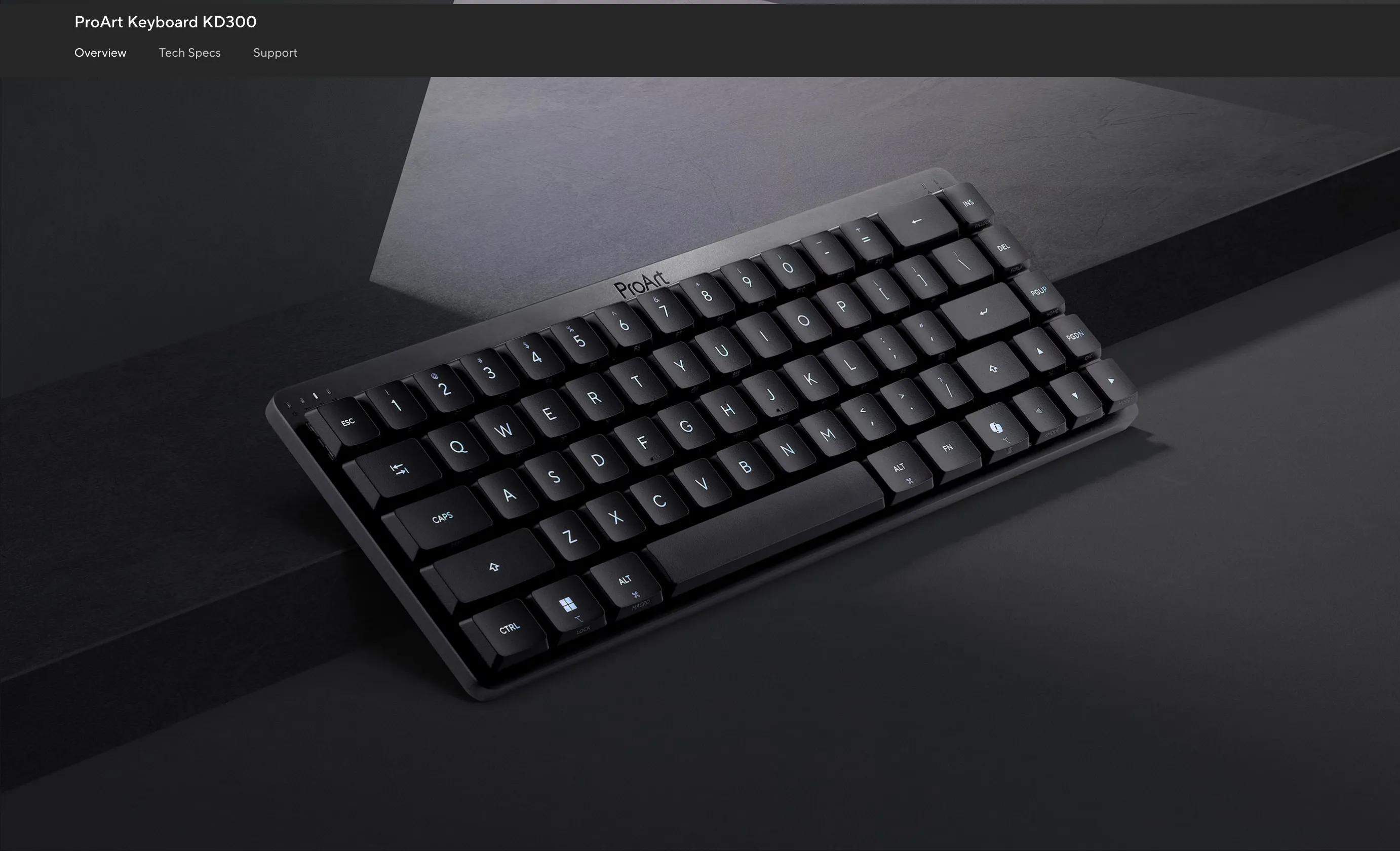 Clean lines, little RGB. The KD300 looks good / credit: ASUS
ProArt has been carving out a special space for people who want their hardware to look like it belongs in a studio, not a LAN party.
I want to try this one.
