

Can Steam Frame solve VR friction?
I have used a lot of VR headsets. The original Oculus dev kit, the DK2, the Rift, Quest 1, 2, 3 and the Pro, the Valve Index, the HTC Vive (which I used to travel around with), the Pico 4, HP Reverb G1, and the Apple Vision Pro to name… a few. That is a decent cross-section of everything the industry has produced over the past decade.
They all share the same: friction.
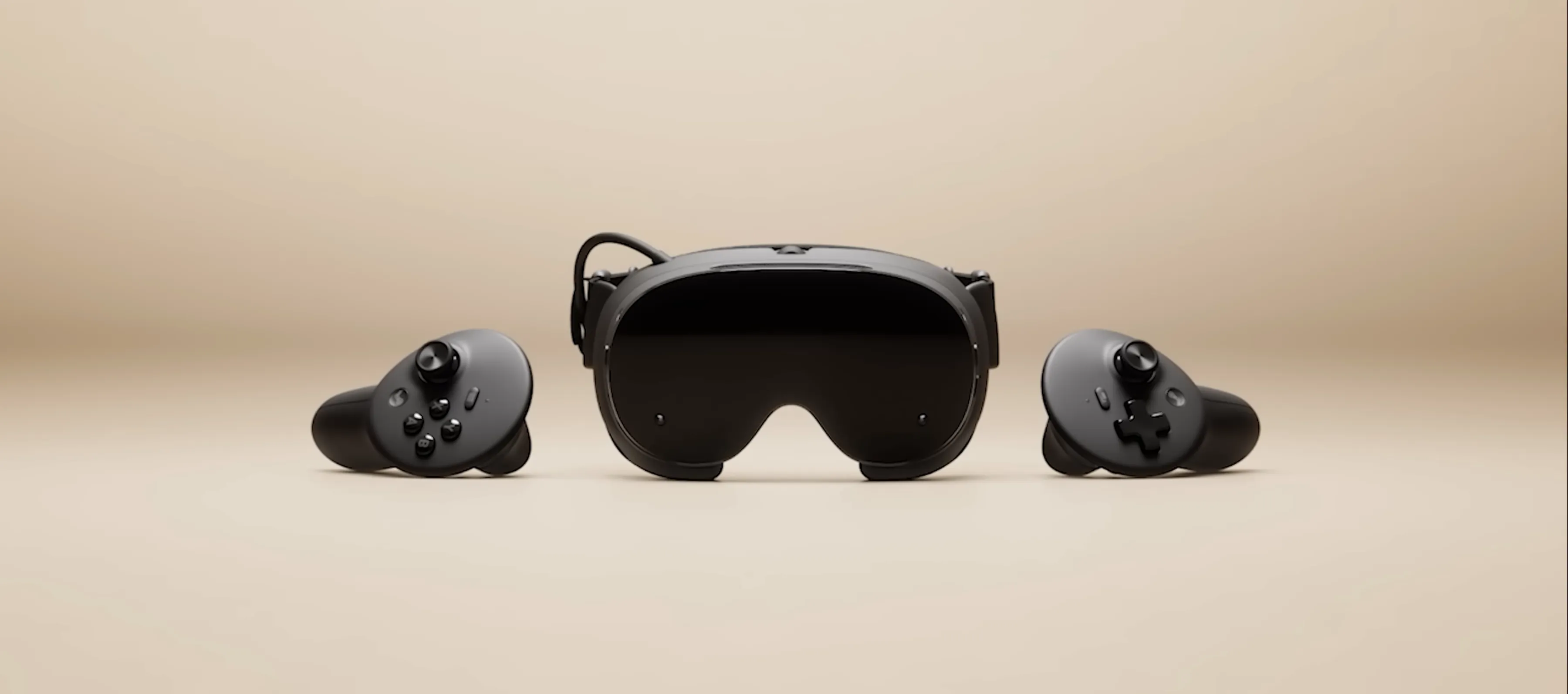 Steam Frame press image / Credit Valve
Before you can do anything, you need the headset charged or plugged in. You need it connected to the right machine, or paired over Wi-Fi, or docked into a link cable.
Then you need SteamVR running, or OpenVR, or Windows Mixed Reality, or the Meta app, or some specific runtime that only works if another runtime is not also trying to start.
Then you need to clear your floor space, set up your guardian boundaries, and wait for the tracking to settle. By the time you are actually in a game, you have spent more mental energy on setup than on the experience itself.
 Man using Steam Frame in a somewhat hazardous environment / Credit Valve
You might rightfully call me lazy, but that process is a major turn off of using VR headsets. And either way, it is a lot more hassle than just sitting down at your desk, wiggling the mouse a little to wake your machine.
The Apple Vision Pro is no exception, and for me in Norway it comes with an extra layer of friction on top of just being a headset. Since the AVP is not sold here, I use a US iTunes account to access the App Store. Free apps only, because getting a US payment method attached to that account is, fittingly, too much hassle.
It just works?
My personal opinion is that Valve understood the friction problem when they shipped the Steam Deck. Because friction has also been a problem with handheld PCs.
SteamOS stripped out everything that was in the way. You press a button, the library appears, and you play. “It just works”, but applied to a handheld gaming device running Linux. The result was a commercial hit that created an entire new category; handheld gaming PCs.
Now Valve is answering the same questions with VR. At GDC 2026, they revealed more details about the Steam Frame, and the new details look promising.
Frame on your Face
The Frame is a standalone VR headset designed as the successor to the Valve Index, running SteamOS on ARM hardware. No external tracking stations or tethered PC required.
It runs on a Snapdragon 8 Gen 3 SoC with 16GB of memory, dual 2160x2160 LCD displays, refresh rates up to 144Hz(!), and internal storage up to 1TB. For those who want to push further, it can stream your games from your PC.
Those 16GB of RAM is what is causing problems with actually releasing the device.


That streaming side of things gets an interesting upgrade with a small USB device you plug into your PC. This is very smart. This device creates a separate WiFi between your Frame and PC, securing the necessary bandwidth for foveated rendering, tracking where your eyes are looking and rendering that area at full resolution while dropping detail at the periphery where you are not focused.
How well this will work remains to be seen, but considering how well Quest 3 works with the Steam Link app, I think the streaming quality will be rock solid.
Norman Chan’s excellent and thorough YouTube walkthrough indicates just that:
He streamed Half-Life Alyx via the Wi-Fi dongle and said he noticed no compression artifacts or banding, and that if someone had told him it was a tethered connection he would have believed them.
 Foveated rendering in action / Credit Valve
The result is that your PC is doing significantly less work per frame, which means you can stream higher quality visuals to the headset without maxing your GPU. It is a smart way to close the gap between standalone and tethered performance without asking you to buy a new graphics card.
 Pixels indicating that your main machine is rendering less. / Credit Valve, YouTube
Play every game you own
Every game you already own on Steam - is a potential game for the Steam Frame.
Play less demanding 2d titles natively on the Steam Frame in a big screen in front of you.
Play existing VR titles on Steam natively or streamed from your main PC.
 Half Life Alyx is one of those games I think the Frame will play very well. Credit Valve, YouTube
The library you have built up over years is right there, and the streaming WiFi dongle means you can use your powerful rig and enjoy the fruits on the Steam Frame.


This mad-woman is even playing Hades 2 outside! / Credit Valve, YouTube
Using a Quest 3 with Steam via Air Link or a link cable is technically possible today, but the setup is exactly the friction problem I described above. You are bridging two ecosystems that were not designed for each other, and it shows every single time. The Steam Frame, being native to the Steam ecosystem, should not have that problem. There is no Meta account to manage alongside your Steam account, no separate runtime fighting for priority. You put the headset on and you are already home.
Valve’s track record with the Steam Deck gives them genuine credibility here. They demonstrated they can take a complicated platform, the full Steam library running on Linux through Proton, and make it feel effortless. The Steam Frame Verified program requires 90 FPS for standalone VR titles, which is the right baseline for comfort. They are building the same kind of compatibility guarantee that made the Steam Deck trustworthy.
…so, can it?
VR has been five years away from mainstream adoption for about a decade now.
The hardware we now have access to is really good. The content is there.
The missing piece has always been that the experience asks too much of the person using it before they get to play.
If Valve can do for VR what they did for handheld PC gaming, the Steam Frame might be the device that finally kicks VR into full main-stream.
