

Six mice, two shapes, three materials and personalized sensitivity
Corsair is launching the Sabre v3 Pro PureVector today, the successor to the Sabre v2 Pro. It comes in a lot of versions, symmetrical and ergo, with three options in each.
The lightest symmetrical one, in ABS, weighs 37 grams. Then there’s magnesium alloy (which looks amazing) at 49 grams, and carbon fiber at 48 grams. The ergo versions are a few grams heavier.
All six get the new Marksman X sensor, 8000 Hz wireless, optical switches and PureVector. PureVector is the real news; a five minute calibration in Aimlabs that measures which directions you miss, and stores a corrected sensitivity in the mouse firmware.
Personally I’m excited and jumping on the hype train, so I’ve written a separate article on what it is and whether it’s legal.

I’ve gone through Corsair’s press briefing with a magnifying glass and a notebook, and Corsair has sent me a test unit. Sabre v3 Pro PureVector review (might be) incoming!
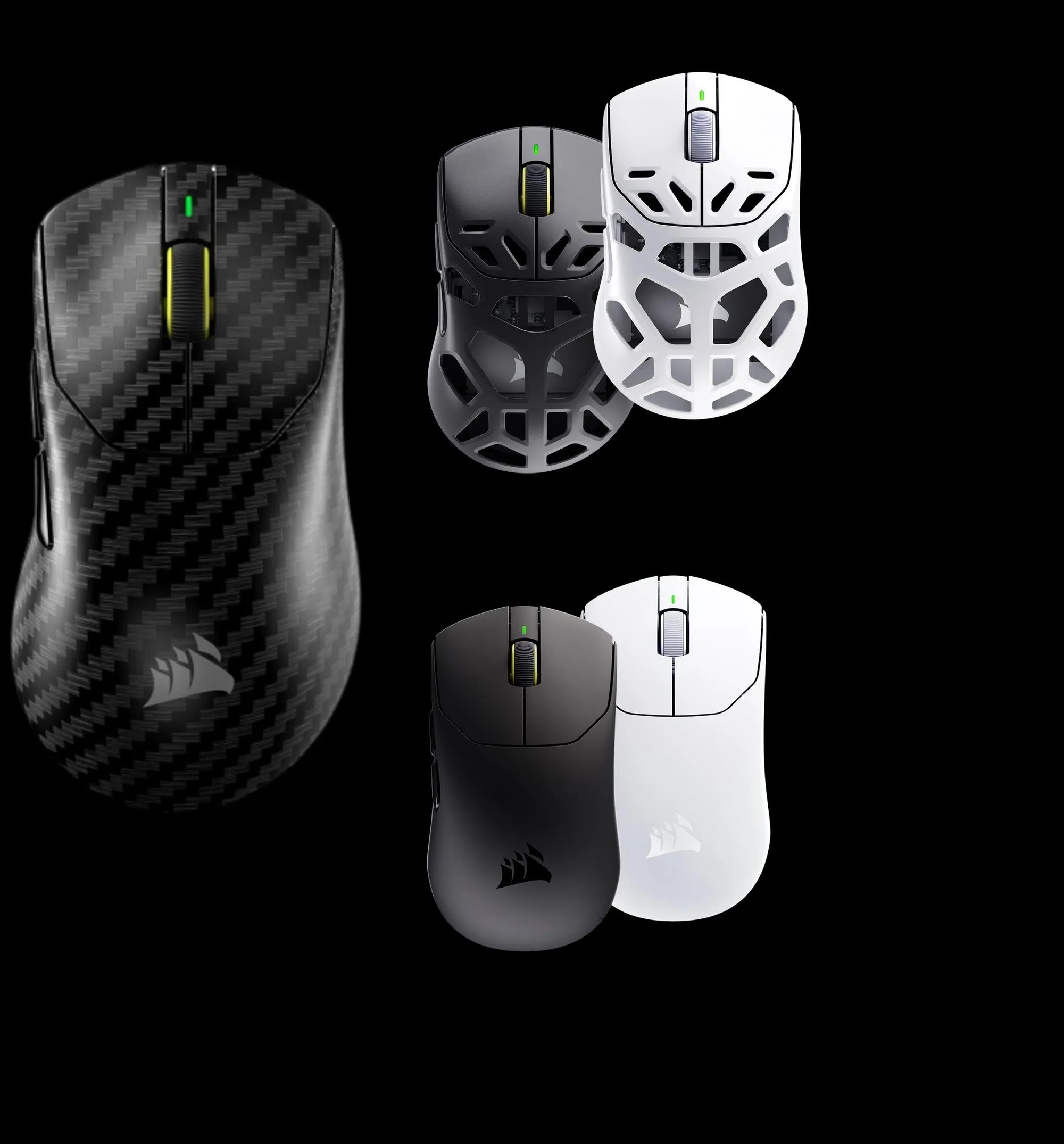 The three materials. Carbon fiber in front, magnesium alloy top right, ABS at the bottom. / Credit: Corsair
The models
| Model | Shape | Weight | Price (US) | Price (Norway) |
|---|---|---|---|---|
| Ultralight (ABS) | Symmetrical | 37 g | $179.99 | 1990 NOK |
| Magnesium | Symmetrical | 49 g | $199.99 | 2290 NOK |
| Carbon fiber | Symmetrical | 48 g | $229.99 | 2390 NOK |
| Ultralight Ergo (ABS) | Ergo | 41 g | $179.99 | 1990 NOK |
| Magnesium Ergo | Ergo | 55 g | $199.99 | 2290 NOK |
| Carbon fiber Ergo | Ergo | 54 g | $229.99 | 2390 NOK |
The ergo shape is new for v3. As usual, ergonomic only works if you use the mouse in your right hand (sorry lefties). The ergo versions are a bit bigger and a few grams heavier than the symmetrical ones, with the buttons where your fingers land. The symmetrical shape suits claw, palm and fingertip.
Ultralight and magnesium come in black and white. Carbon fiber comes in black only, and is sold only by Corsair directly. The other four go to regular retail.
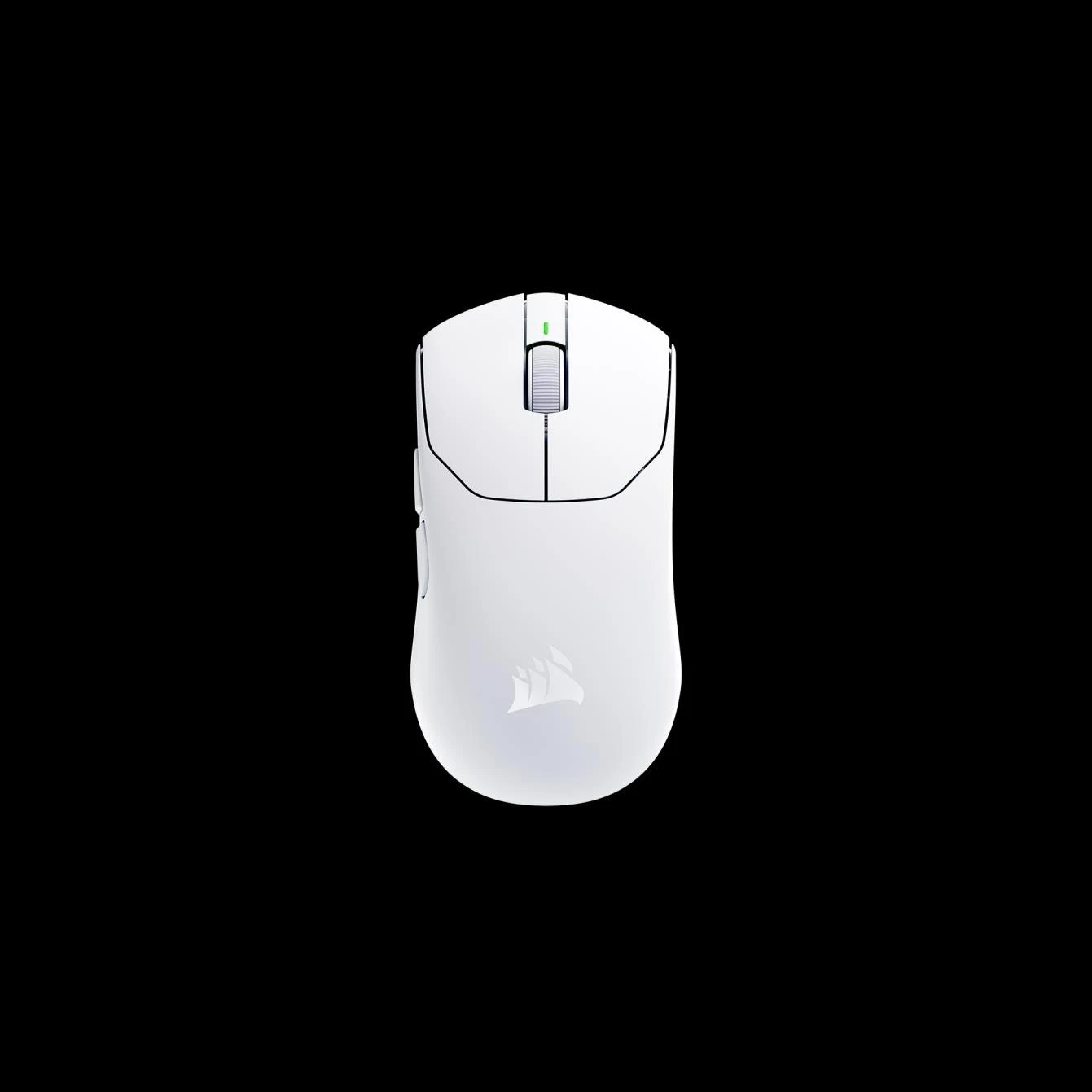
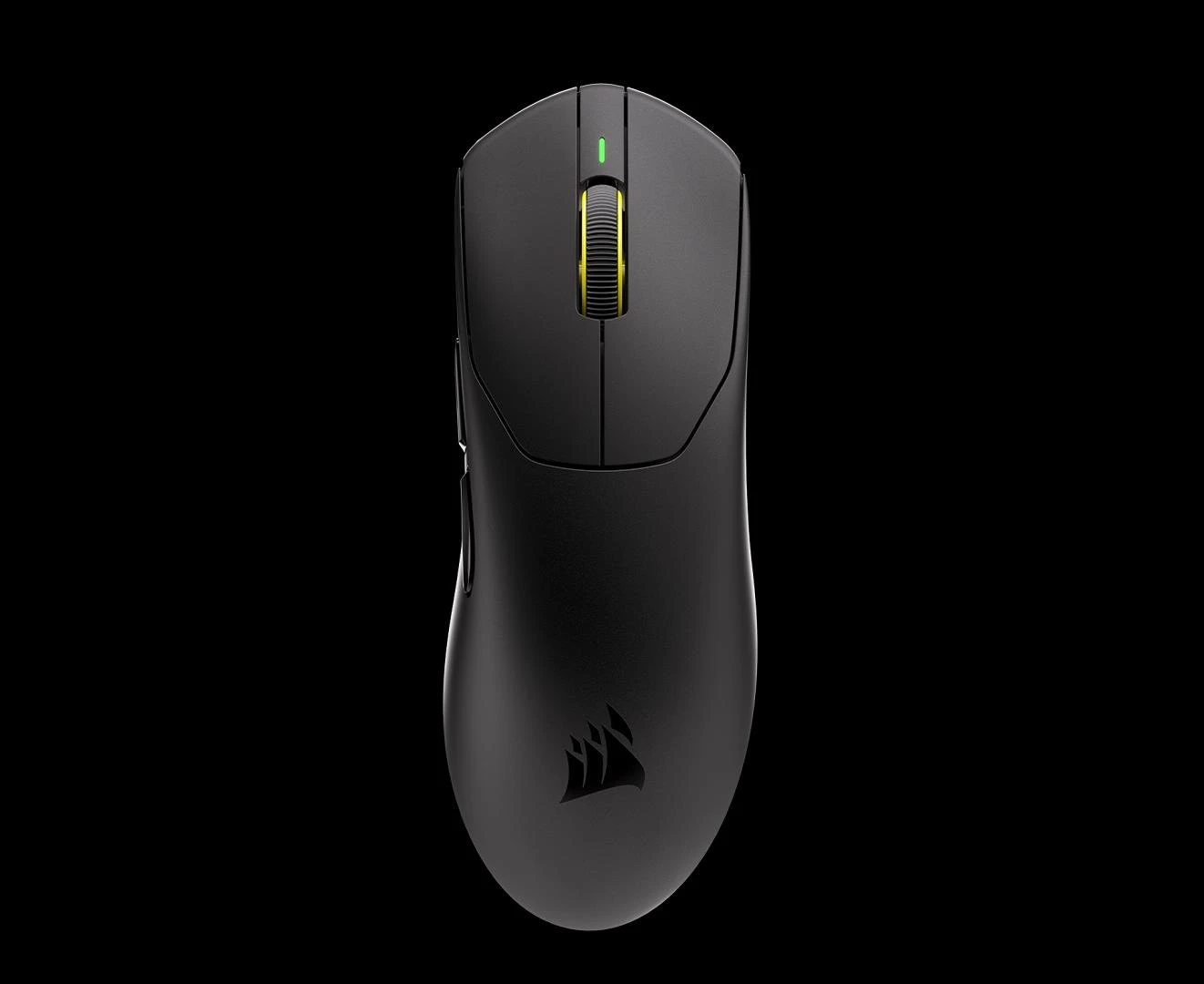
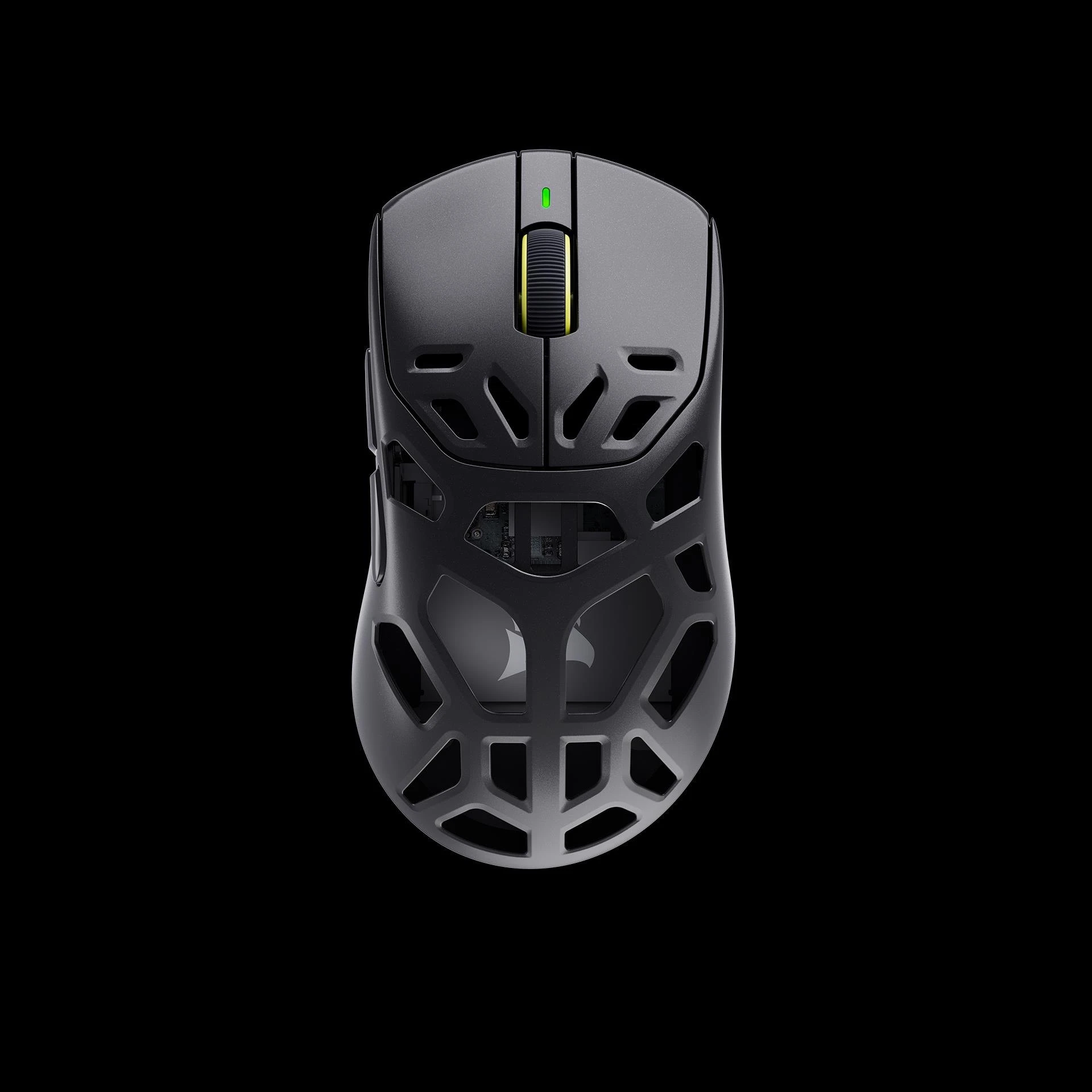
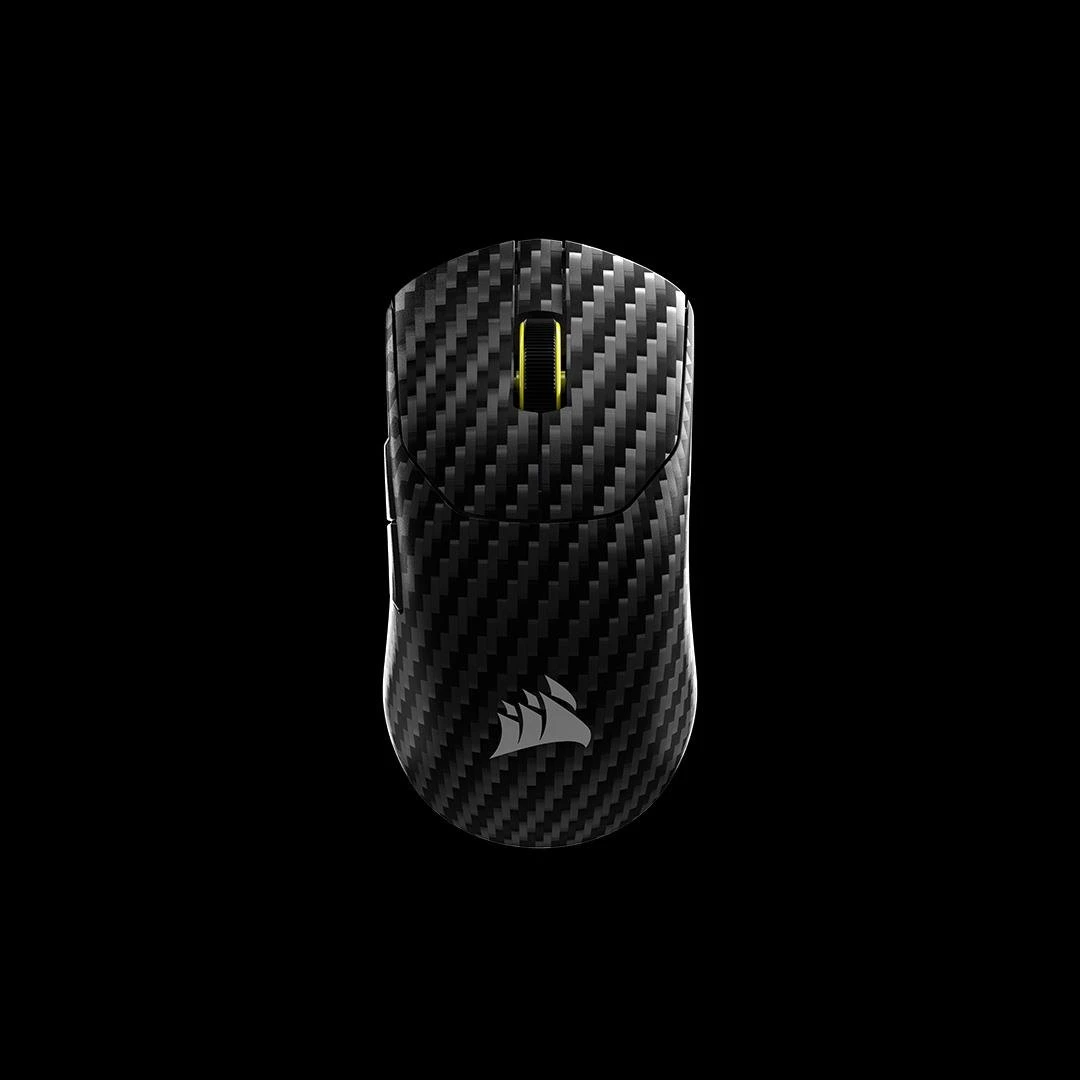
Ultralight in white, Ultralight Ergo in black, magnesium in black and carbon fiber. Renders. / Credit: Corsair
Marksman X, Corsair’s new sensor
The Sabre v3 Pro has the brand new Marksman X sensor, with 42,000 DPI, 800 IPS and 70 G acceleration. The Sabre v2 Pro had the Marksman S with 33,000 DPI. A fitting name for a mouse sensor. Sounds cool and edgy.
As usual, these are the very outer limits and not something anyone actually uses, but they say something about the sensor’s resolution and capabilities. What matters is that the sensor tracks cleanly at the DPI range people actually use.
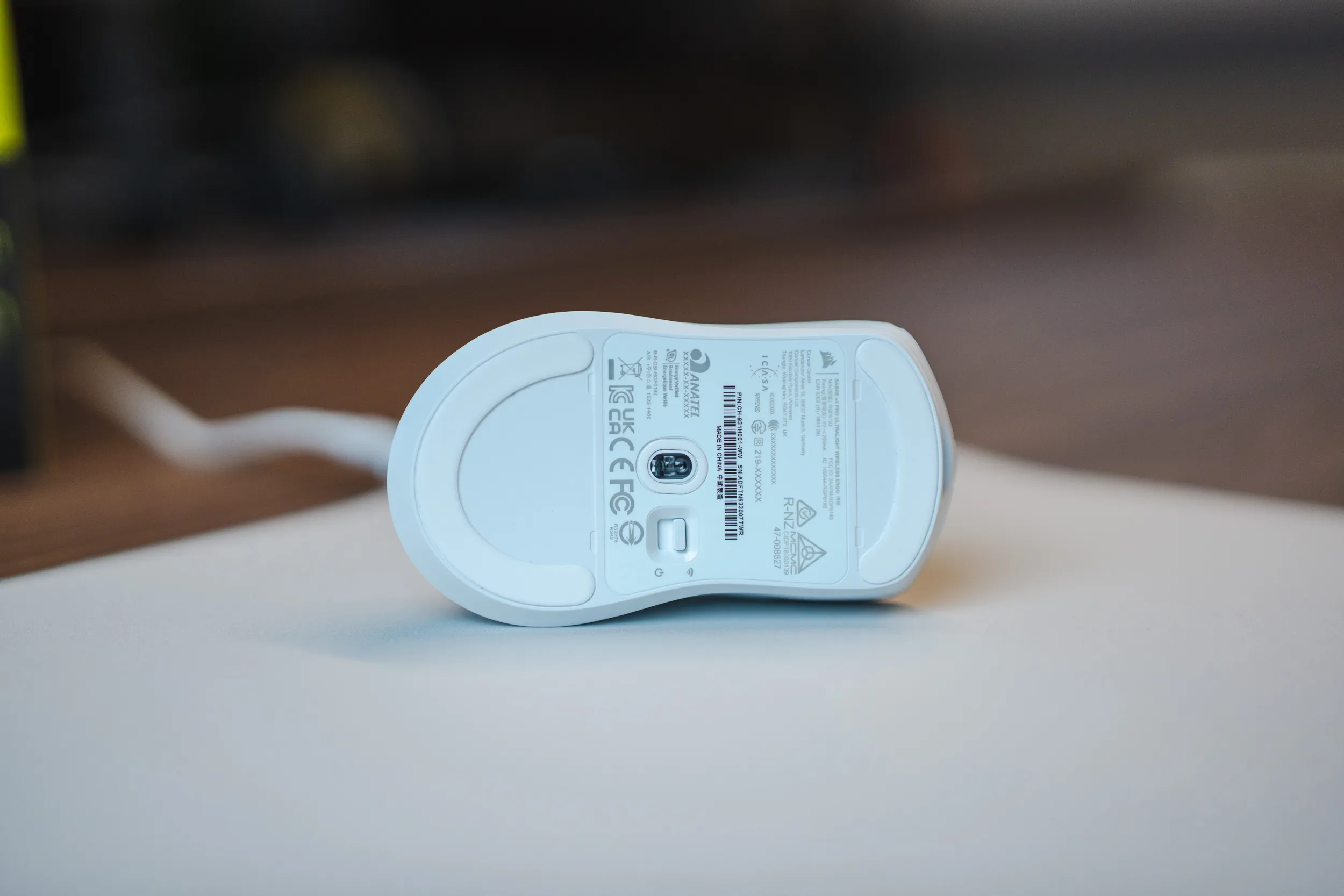 The sensor seen on the underside of the Sabre v3 ABS Ergo. / Credit: kaytomas.com
The brain of the mouse is a Nordic 54 series microcontroller, the same generation Logitech built its NxLOGI chip on. It gives you 8000 Hz both wired and wireless, and Corsair quotes 0.25 milliseconds average click latency. As usual, 8000 Hz requires your PC to keep up with 8000 updates per second - so use at your own risk.
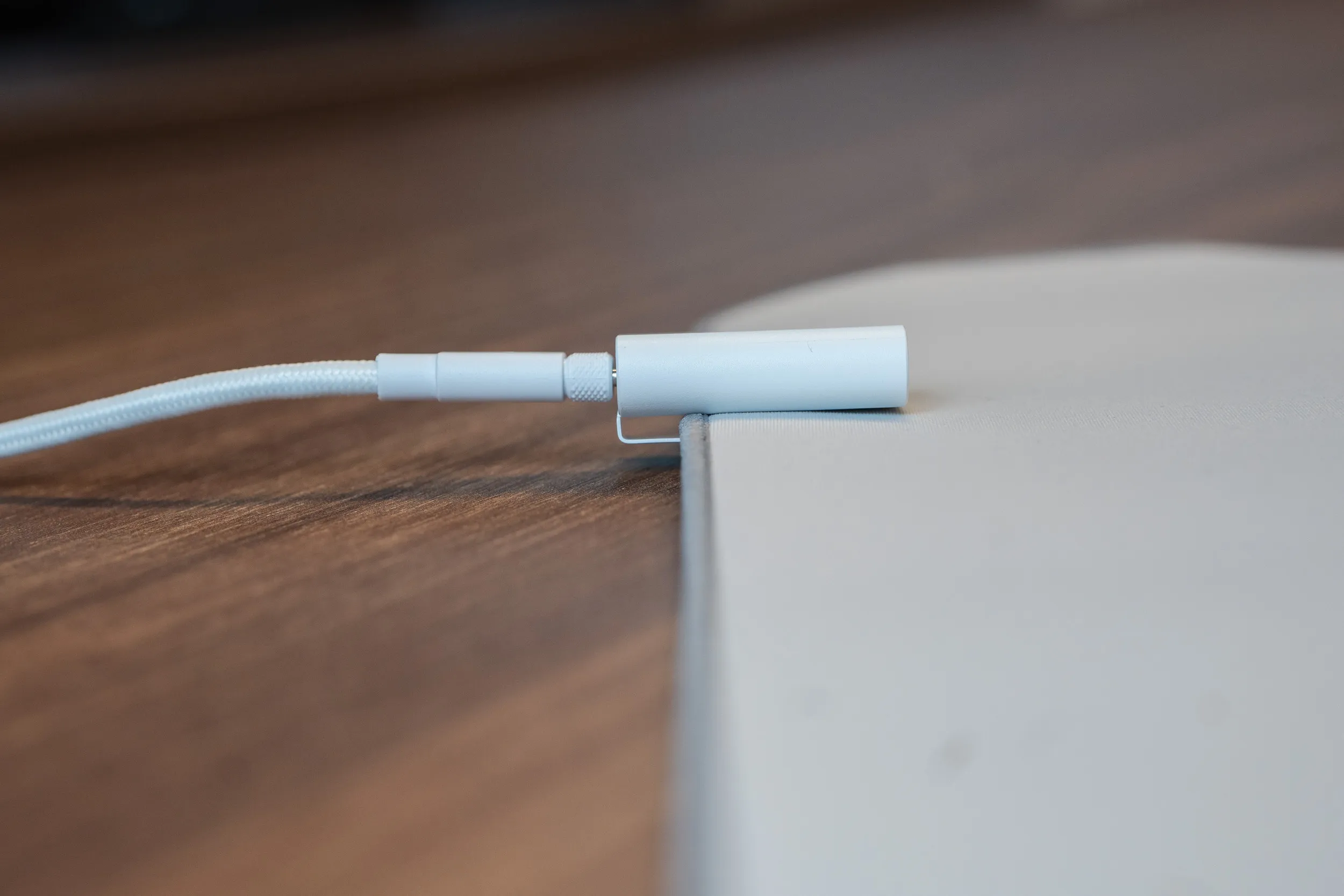 The receiver is included, and it has a clip! Smart! / Credit: kaytomas.com
Battery life from 140 to 200 hours
The new sensor also brings longer battery life. Magnesium and carbon fiber get 200 hours, and the lightest ABS versions get 140 hours. Both figures are measured at 1000 Hz.
At 8000 Hz it drops to 25 hours on the Ultralight and 31 hours on magnesium and carbon fiber.
Magnesium and carbon fiber also have Bluetooth, with up to 200 hours of battery life. The Ultralight only has 2.4 GHz and wired. The battery in the Ultralight is 210 mAh, which explains how they got it down to 37 grams for the symmetrical and 41 grams for the ergonomic one.
I think dropping Bluetooth and reducing battery life for achieving less weight and a smaller price is a good compromise.
Optical switches and an optical wheel
The main buttons use Corsair’s own optical switches, rated for 100 million clicks. Optical switches have no mechanical debounce, meaning no waiting time to filter out double clicks, and that’s part of the explanation for those 0.25 milliseconds.
The scroll wheel has an optical encoder too. The actuation force on the buttons can’t be adjusted, so this is not a Superstrike competitor on that particular point.
In the box
You also get grip tape and skates in the box. Grip tape in both black and white, and a set of larger mouse feet on top of the ones fitted from the factory. Plus a 1.8 meter braided cable and the receiver.
I keep criticizing manufacturers for USB-C to USB-A cables, I do, and that’s exactly what you get in this box too. Gosh, I’ll be a happy man the day I get USB-C on both ends!
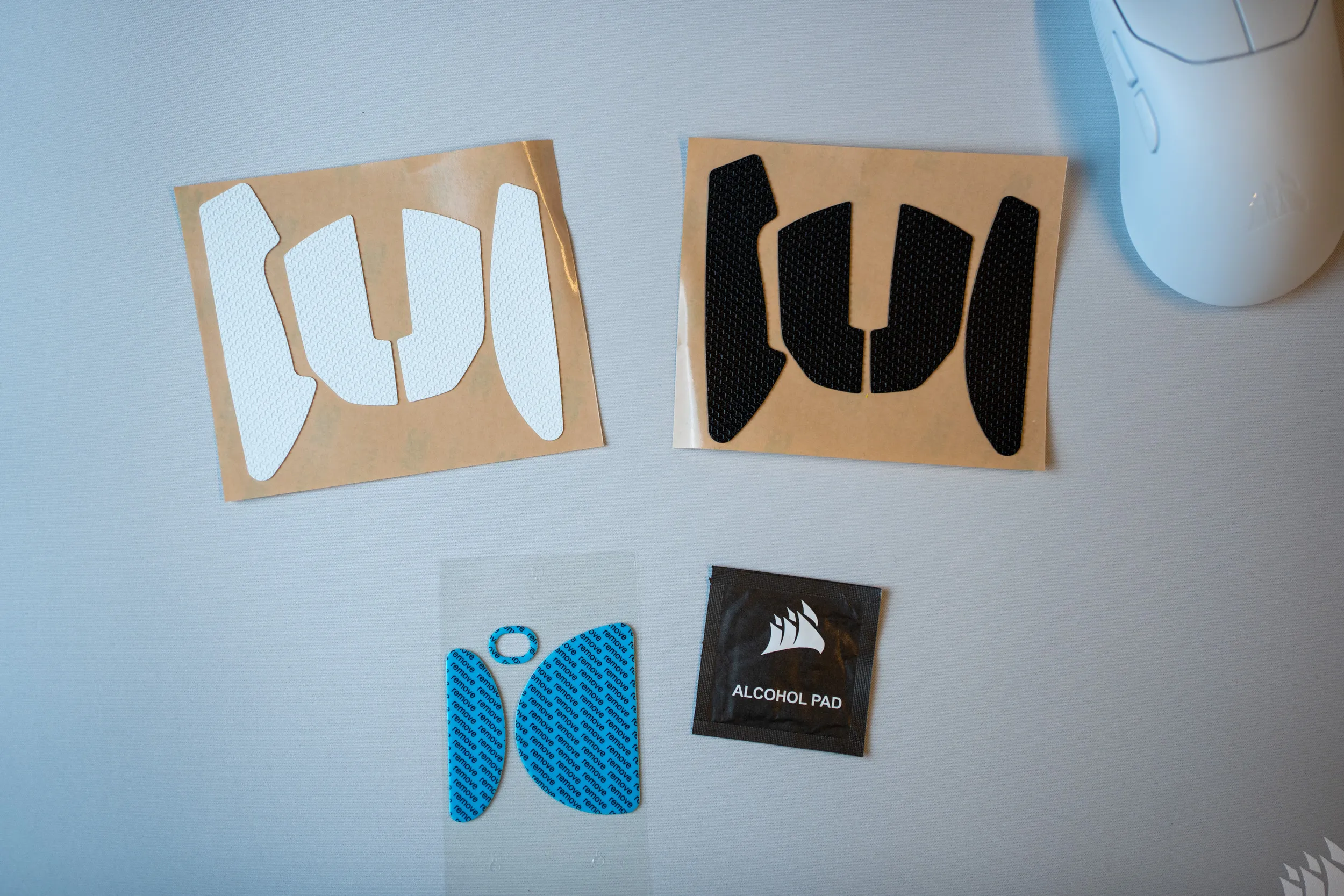 Grip tape in black and white is included in the box. / Credit: kaytomas.com
Configuration in the browser
I also like that this is configurable in Corsair Web Hub. Nothing to install on your local machine, everything happens in the browser: PureVector, buttons, macros, DPI steps, polling rate, lift-off distance and surface.
This is also where you start the PureVector calibration. It’s done via DPI, and on my test unit it launched a special version of Aimlabs. Either way, make sure you’ve updated the firmware to the latest version, along with an updated version of Aimlabs.
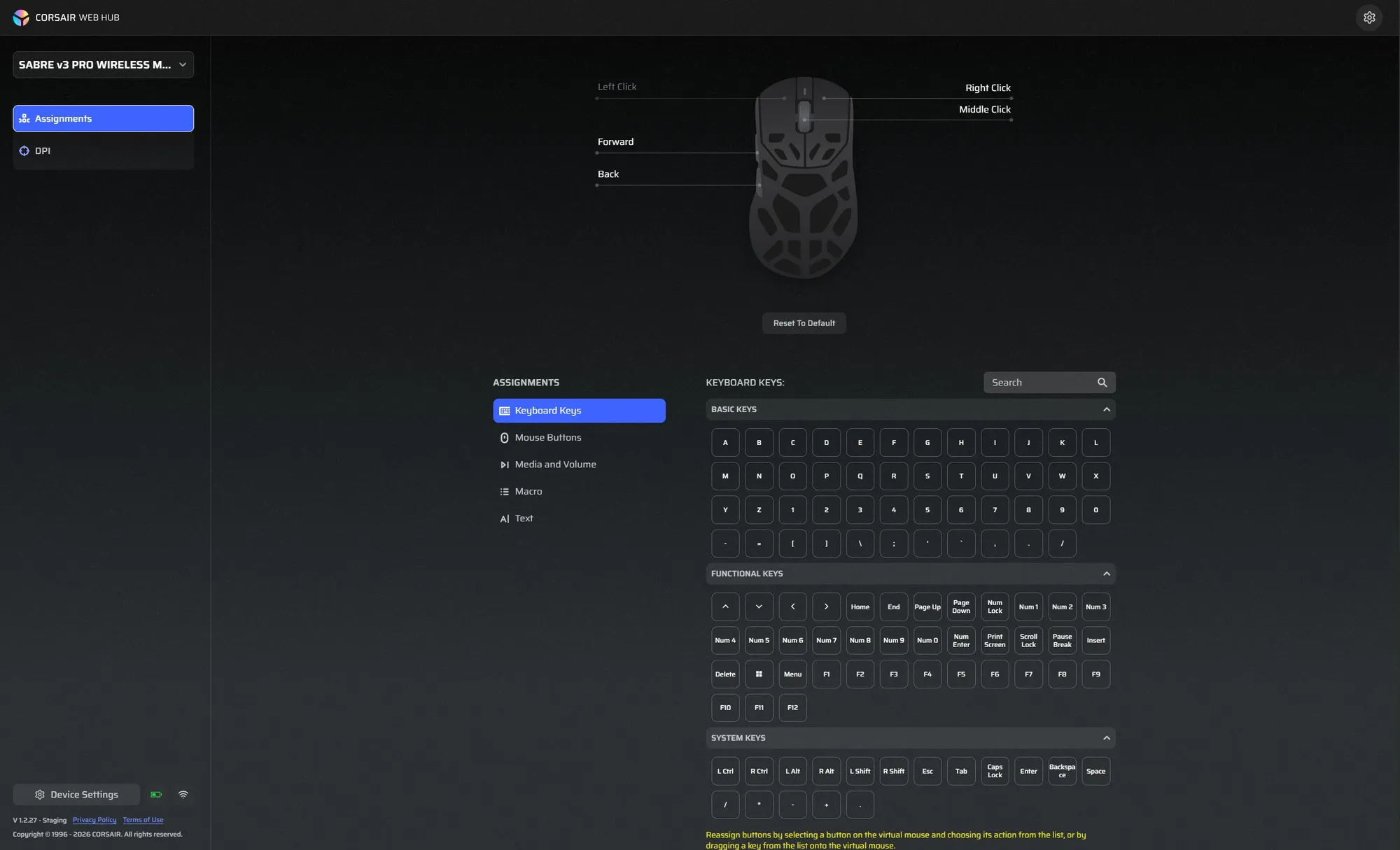 Corsair Web Hub. Five programmable buttons. / Screenshot: Corsair
Two things worth mentioning. Web Hub uses WebHID, so Firefox and Safari are out (a familiar issue). And the mouse has no dedicated DPI button, but you can switch DPI steps by holding the right mouse button and the back button for three seconds, and the LED flashes the color of the step.
Whether you need to switch DPI at all once PureVector is set up, I honestly don’t know, since running the PureVector tuning sets one DPI setting on your mouse.
The price has gone up, and the competition is heavy
The Sabre v2 Pro cost €109.99 at launch. The Sabre v3 Pro Ultralight starts at $179.99, €179.99, £159.99 and 1990 NOK in the Nordics. Magnesium costs $199.99 and carbon fiber $229.99.
That’s 70 euros more than its predecessor for the cheapest model. You get a new sensor, Nordic 54, better battery and PureVector for the money, but you’re right up there nodding along in the premium mouse segment. Here’s how it stacks up against mice I’ve tested:
| Mouse | Weight | Price in Norway |
|---|---|---|
| Corsair Sabre v3 Pro Ultralight | 37 g | 1990 NOK |
| Corsair Sabre v2 Pro | 36 g | €109.99 at launch |
| Razer Viper V4 Pro | 49 g | approx. 1700 NOK |
| Razer DeathAdder V4 Pro | 56 g | approx. 1900 NOK |
| Logitech G Pro X Superlight 2 | 60 g | approx. 1050 NOK |
| Logitech G Pro X2 Superstrike | 61 g | approx. 2000 NOK |
Neither Logitech nor Razer has anything under 40 grams. The closest in weight is the Pulsar X2F CrazyLight at 29 grams, but that’s a fingertip mouse with half the shell missing, not an all-rounder.
Corsair has taken some criticism in the past for perceived build quality, which is very good in the top segment from Logitech and Razer. So it’ll be fun to properly test the Sabre v3 and see how it feels to me.
Launch is October 20, 2026. I have a test unit on my desk now, so you’ll soon find out whether five minutes in Aimlabs makes a difference to the aim of a grown-up gamer!
