
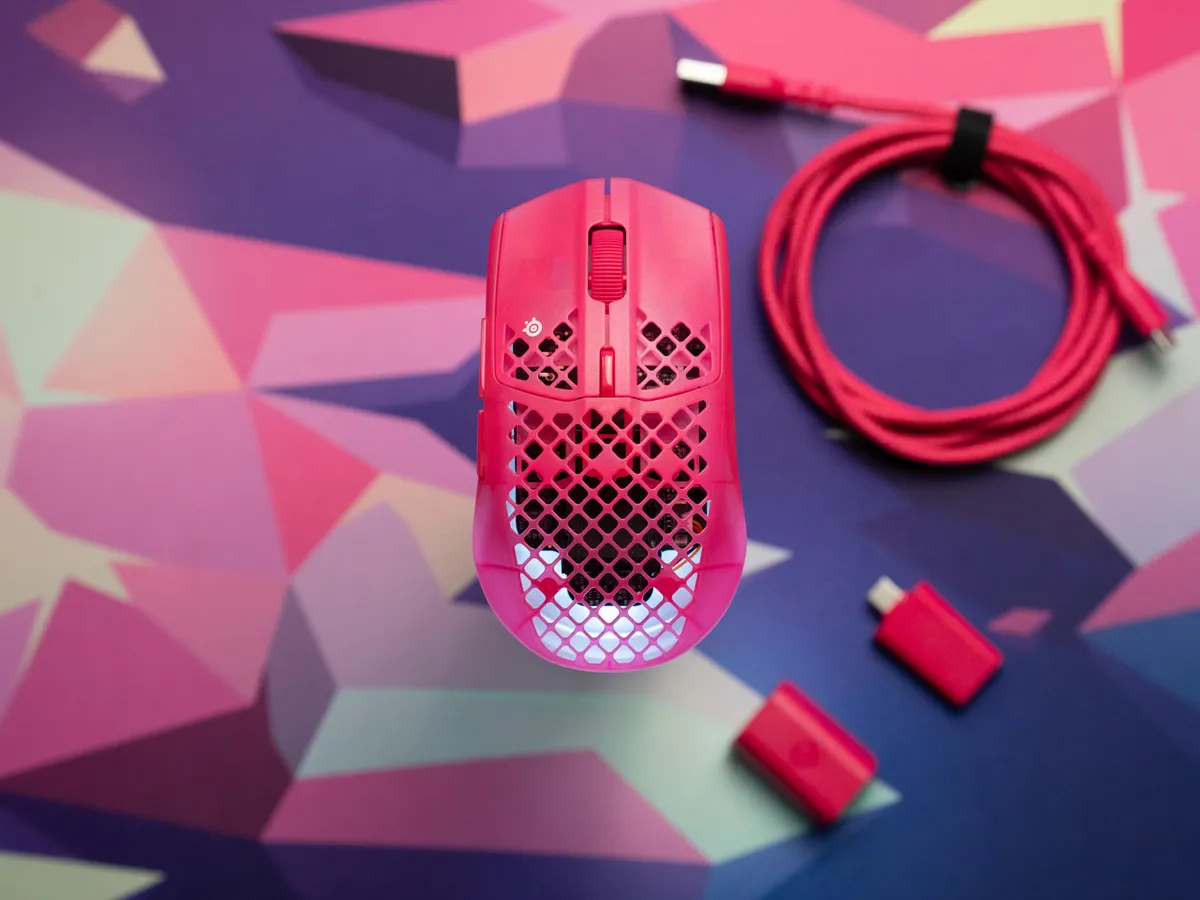
A pink mouse in a sea of matte black
The Aerox 3 Wireless Gen 2, this colorful pink thing, has been in for testing the last few weeks. It’s on loan from SteelSeries, and during the test period I’ve used it on several machines, both Windows and Macs.
First and foremost, the Aerox strikes me as a more playful mouse than the typical alternatives from Logitech and Razer. And SteelSeries deserves some credit for that. Where other models usually come in a matte black shell, the Aerox has a two part shell where the top is done in matte hot pink (it also comes in white and black).
SteelSeries has also worked hard to make the RGB colors shine, with a light translucent baseplate at the bottom that the five LEDs shine through. They’ve used a diffuser here to make the light really clear and even.
Already here we can see what SteelSeries has chosen as its main priority: the RGB colors. Because the battery, the LEDs and the diffusion layer all weigh something. So I see the Aerox 3 is a mouse for people who prioritize colors over competitive edge.
And that leads me to the next question: who exactly is a 68 gram RGB mouse at $109.99 for in 2026?
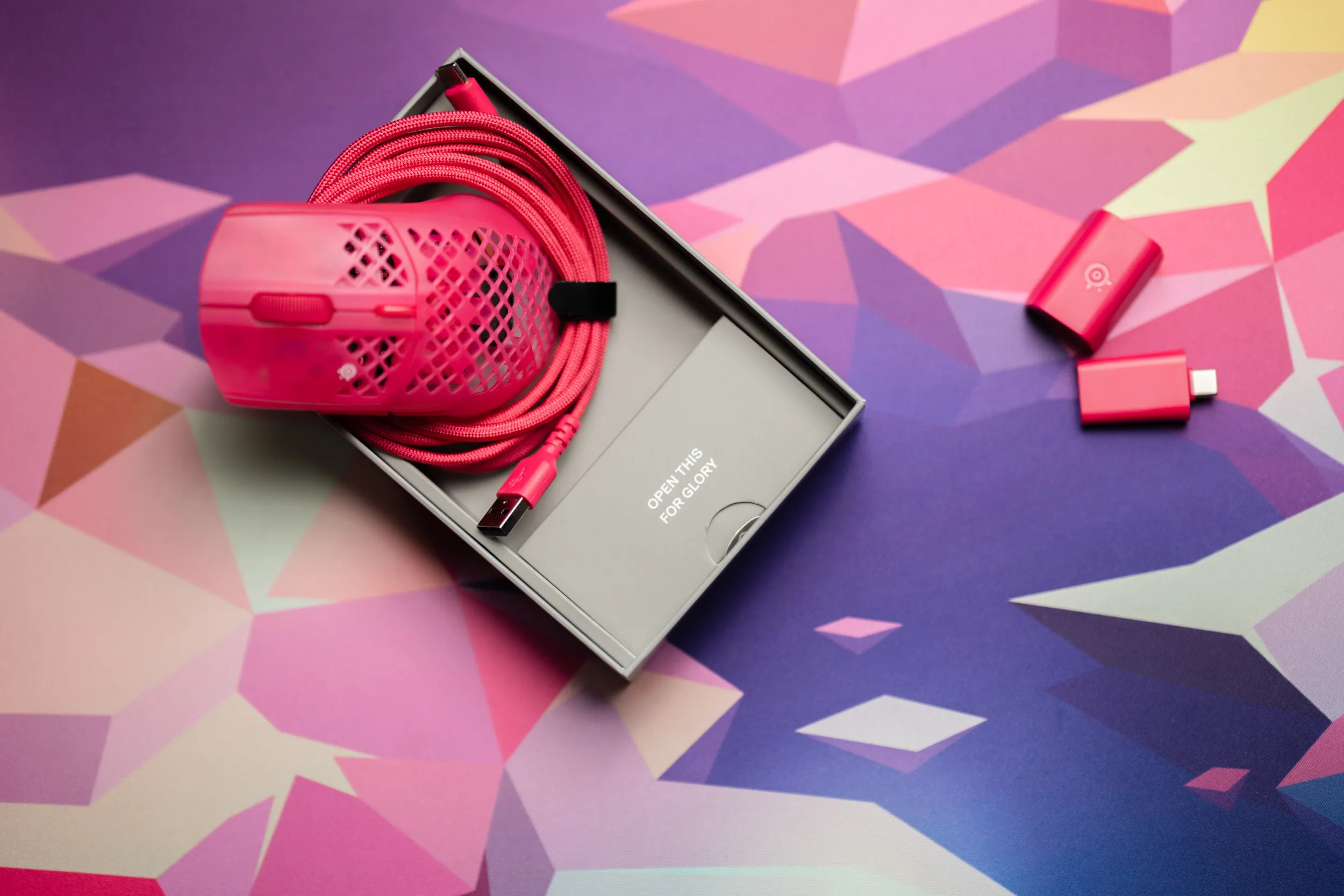 The box says “Open this for glory”. Inside you get the mouse, a pink USB-C to USB-A cable, a 2.4 GHz receiver and an extender. | Credit kaytomas.com
Designed in Denmark
SteelSeries is from Denmark, and they have been at it since the early 2000s. They’re almost from the time before gaming accessories existed! The company was started in Copenhagen in 2001 by CS player Jacob Wolff-Petersen, and the very first product was the Icemat, a mousepad made of glass. The QcK pads followed in 2004 and are still sold to this day, while the SteelSeries name didn’t arrive until 2007.
Today they’re owned by Danish GN, the company behind Jabra. You can read more about the history here.
I think it’s really cool that the box says designed in Denmark. Things do actually get made here in Scandinavia, and that is worth celebrating.
Playful design with a honeycomb shell
The mouse weighs 68 grams. Which in 2026 can only be called middle of the pack.
SteelSeries themselves write “Ultra lightweight design” on the packaging, which is something that is not true in 2026.
Interestingly, they’ve gone with a hollow honeycomb shell, so you look straight into the internals. Considering the weight, the holes don’t seem to do much, because it’s still pretty heavy for a honeycomb design.
The shape is ambidextrous, meaning it goes both ways and can be used for both right and left handed users. The buttons though, are only really accessible for right handed users. Exactly what you’re used to from most other mice, leaving lefties left out.
The clicks are good, left and right sound identical, and the thumb buttons have a nice tactile feel too. The mouse also comes with an IP54 rating, making it resistant to both water splashes and dust particles. That’s pretty unusual on gaming mice, and a spec I appreciate seeing included.
SteelSeries has actually tested it under water, even though they don’t recommend it and are clear that it’s not meant for that. It does sound like a tempting experiment…
And the mouse is good in use! On paper heavier than many other options in 2026, but you don’t really notice it during office work. For gaming it depends on what you’re used to. If you’ve been playing with a lighter mouse, you will feel these 68 grams after some time.
The Aerox 3 Wireless under water in SteelSeries’ own test. | Credit SteelSeries
Trouble during the test period
I have had one concrete problem during the test period though, and it’s very easy to reproduce. On Mac, the mouse doesn’t come back over 2.4 GHz after the machine has been asleep.
The strange part is that I can wake the machine with the mouse, but the pointer refuses to move afterwards. Over Bluetooth I can’t reproduce the bug, and I’ve verified (checked Reddit) that other users are seeing the same thing.
Mac users are hardly the main audience here, but at the same time plenty of people use a Mac for work and productivity. When SteelSeries GG officially supports Mac, this is the kind of problem you should expect to be ironed out, at least after I’ve run a firmware update.
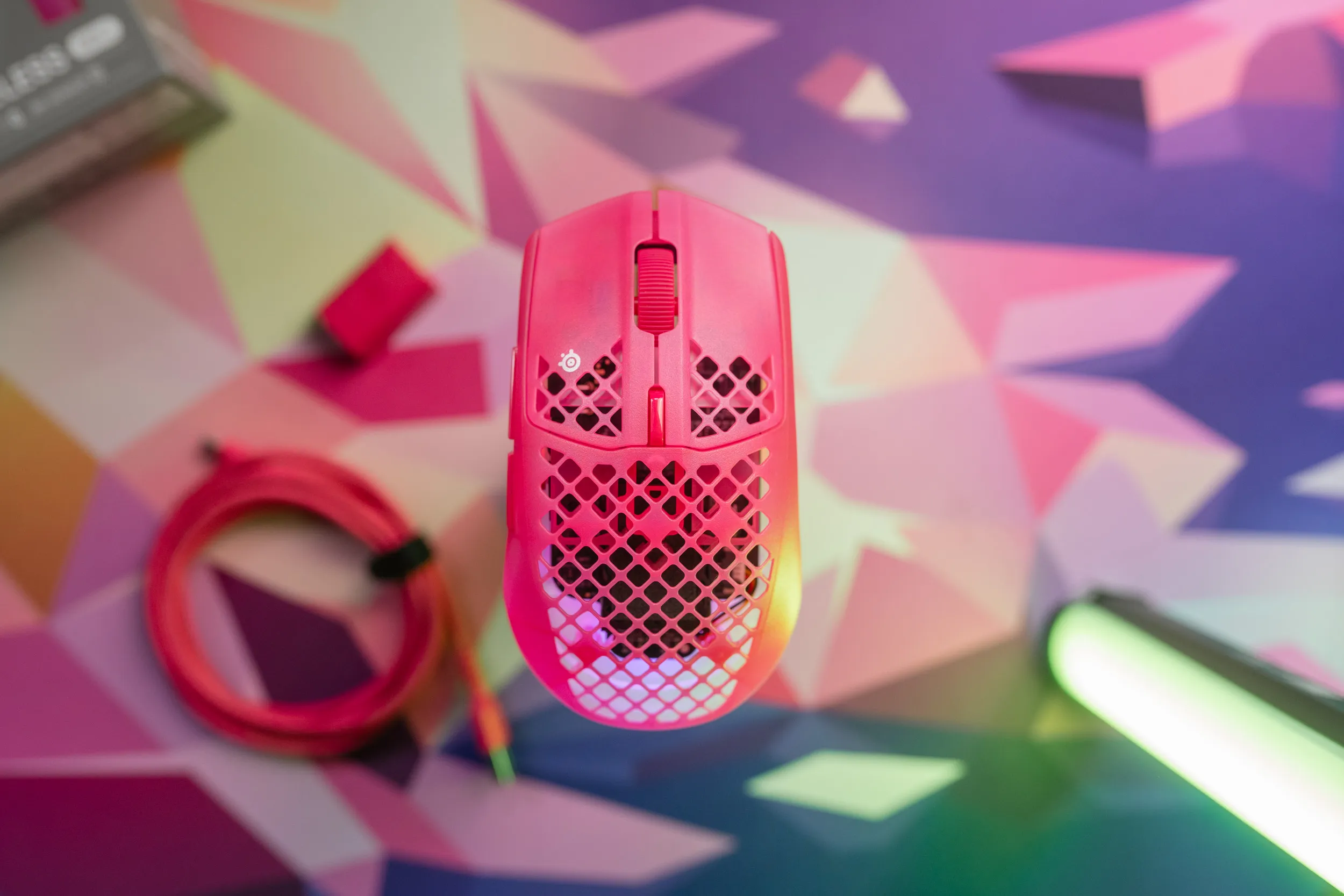 The light comes from five LEDs in the bottom and shines through both the baseplate and the holes. | Credit kaytomas.com
The underside is pretty, but impossible to read
The transparent underside lets the colors shine through, but it also makes it nearly impossible to read what’s printed there.
I have real trouble seeing what the switch underneath is set to, because there’s simply so much light that the text drowns.
Why not use black text here? A prime example of bad design in my eyes.
A small thing, sure, but we’re supposed to adjust that switch every time we turn the mouse on and off?
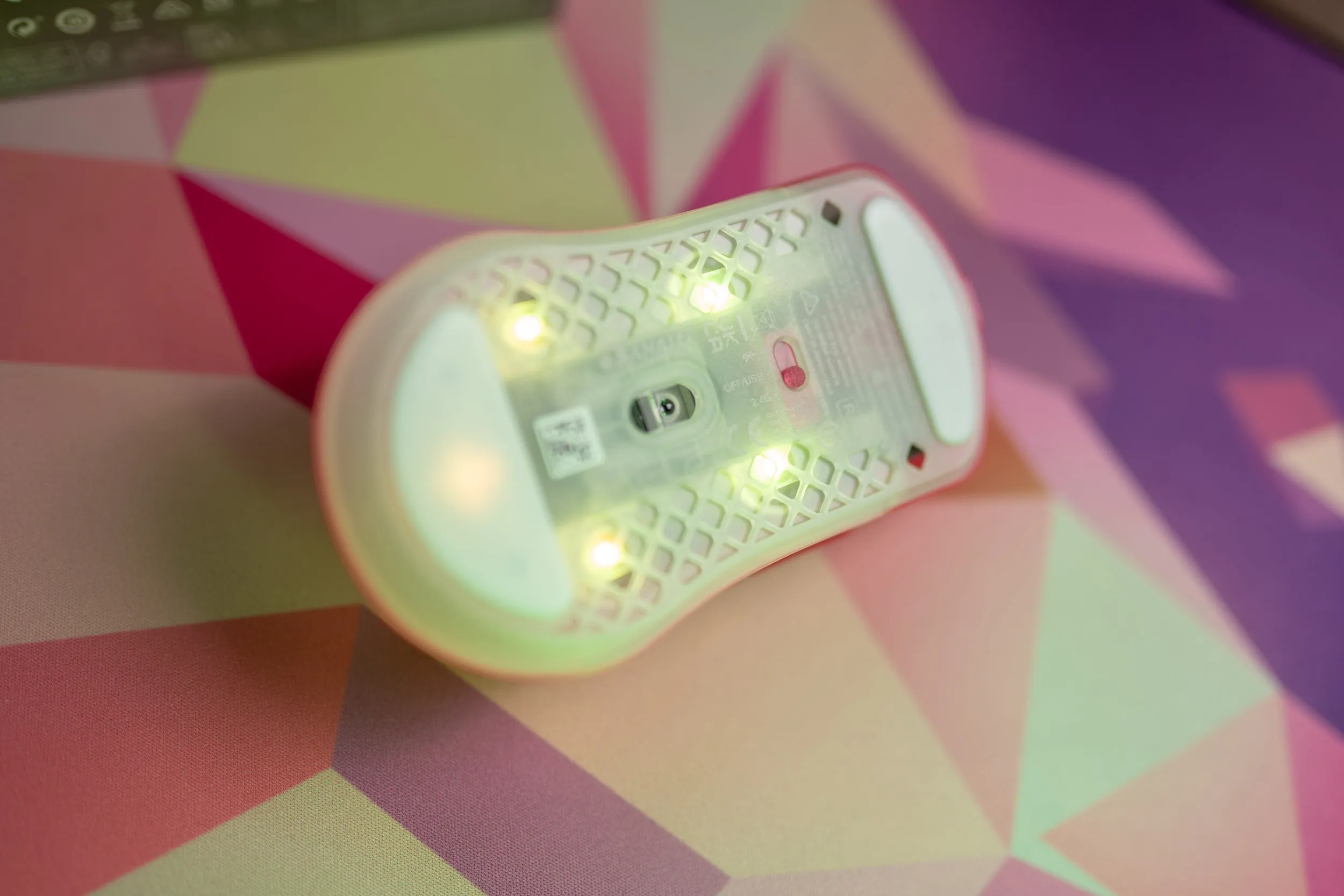 Zoom in and you can just about make out what it says. Choose between off, USB and 2.4 GHz. Good luck reading it! | Credit kaytomas.com
Sensor and placement
The sensor is SteelSeries’ own TrueMove 26K. It has a DPI ceiling of 26,000, handles 400 IPS and 40 G, and supports up to 4000 Hz polling wirelessly. On paper that’s well within what you can expect in this price range, and in use I’ve had nothing to complain about with the tracking.
The sensor sits on the rear half, close to the wrist. That means wrist flicks produce less cursor movement than on mice with a centered sensor, where the sensor sits closer to your fingers.
Not wrong, just unfamiliar, and most noticeable for those who aim with their wrist.
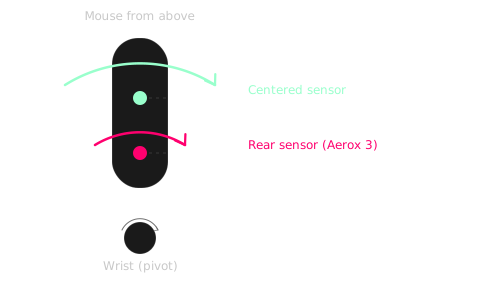
With the same movement, the sensor closest to the wrist moves the least.
Tri-mode: Bluetooth drops the polling rate
For connectivity this one supports tri-mode, meaning Bluetooth, cable or wireless 2.4 GHz receiver.
Bluetooth is activated by holding down the CPI button (mouse 6) on top while flipping the switch underneath to Bluetooth, then pairing through the OS.
I’ve tested the mouse in all three modes: wired, over Bluetooth and on 2.4 GHz. The cable is braided (and very pink), and using the mouse wired works fine, while charging at the same time.
On Bluetooth the polling rate locks to 125 Hz, and settings like button bindings and lighting effects reset to default. So Bluetooth is more of an office and travel mode, not a gaming mode. If you want full performance, the 2.4 GHz receiver is the way to go.
The box includes an extender, which makes it possible to place the receiver at the end of the pink cable instead of straight into the port on your machine. Say you have your PC under the desk and want the receiver on top of it. Fine enough, but I would absolutely rather have a USB-C to C cable in the box. A (very) few manufacturers do this, and I will keep nagging about USB-A until it becomes standard.
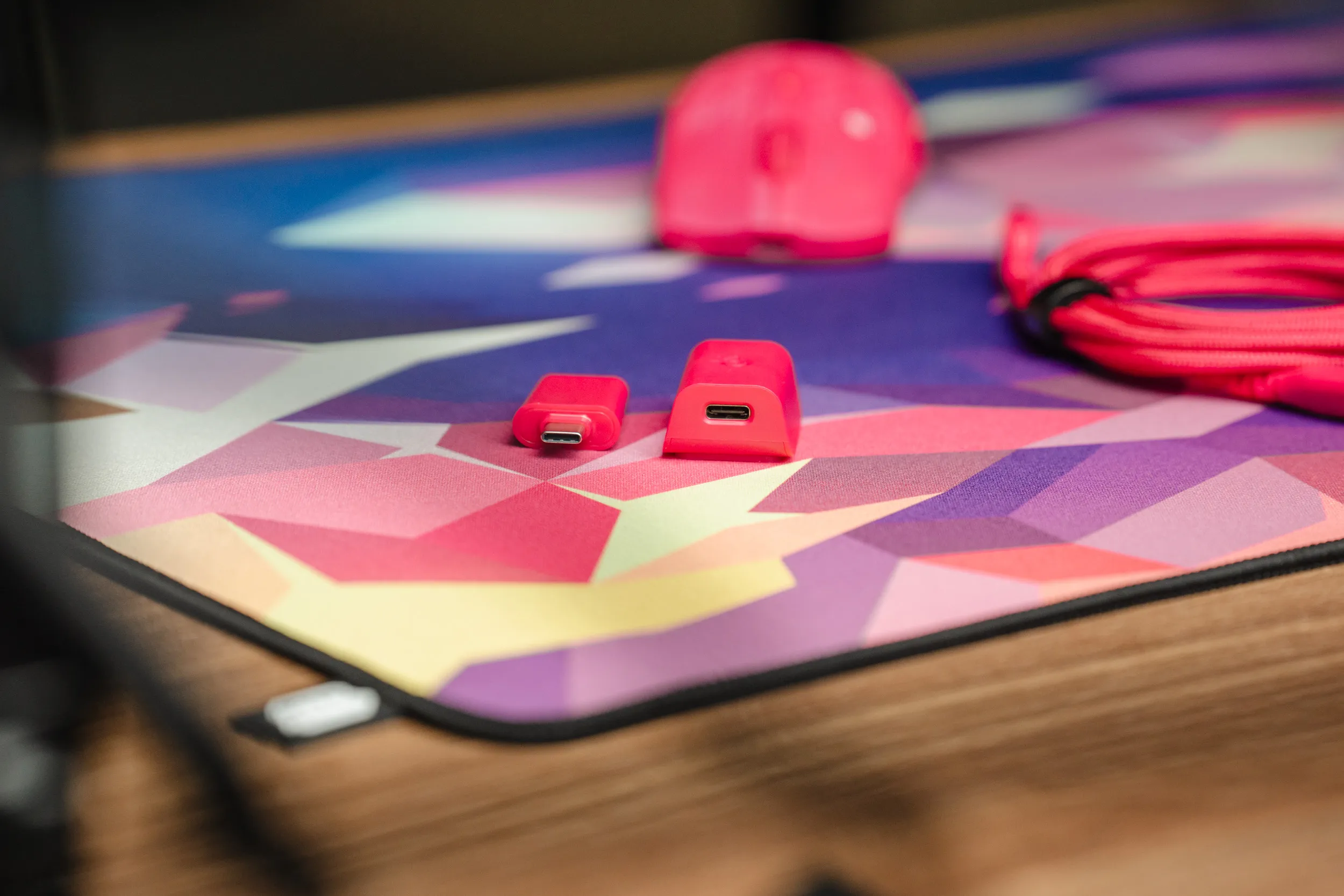 The extender lets you move the receiver out to the end of the cable, a plus for signal and for your port. | Credit kaytomas.com
And when the mouse primarily sells itself on light and colors, something that demonstrably costs battery, I wish it came with a dock - or an easier way to charge when it’s not in use. Especially at the price this one sells for.
SteelSeries quotes 120 hours at 1000 Hz without lighting. Turn on 4K polling and that drops to around 35 hours - and that’s without colors.
SteelSeries GG requires a login, unfortunately
I’ve been around SteelSeries GG before. To me the app is known for being decent at things like audio tuning and equalizers.
The download is straightforward, but one massive annoyance is that GG asks you to create an account and log in to configure your devices. Yes, I understand the point, but I hate that configuring a mouse requires logging in with email and password.
On Mac the setup is even more tedious, with several permission prompts from System Settings. The app isn’t native on Apple Silicon either, it runs as an Intel app emulated through Rosetta. I won’t dwell on this, other than pointing out that this has to change before Apple stops supporting Rosetta, which is planned for fall 2027.
The app itself is easy enough to navigate. On the left side you have Engine, where the device itself lives. There are also tabs for giveaways and news - both examples of what I dislike these apps pushing on consumers who have bought a device.
On top of that you have things like “Aim Trainer” and “Moments”. In other words yet another piece of software that runs in the background, eats system resources and continuously records your computer use.
The first thing that greets me is a firmware update, and it works without a hitch.
For the mouse itself there’s plenty to configure. A total of 6 buttons can be remapped, and I, someone who struggles to push new information into my already full muscle memory, really like getting a sixth key to assign to whatever I want in game. I often use these buttons for things like push to talk, melee or crouch.
The DPI stages can be set freely from 50 to 26,000, with five stages as standard, and you can even set different DPI on the X and Y axis. Lift-off distance also has two options, 1 or 2 millimeters.
Worth noting that 1000 Hz polling is the default, and that 2000 and 4000 have to be enabled through the app.
Wired connection only supports 1000 Hz. I ran it at 1000 Hz through the whole test period. The response gave me no reason to go higher, and under 35 hours of battery doesn’t tempt me.
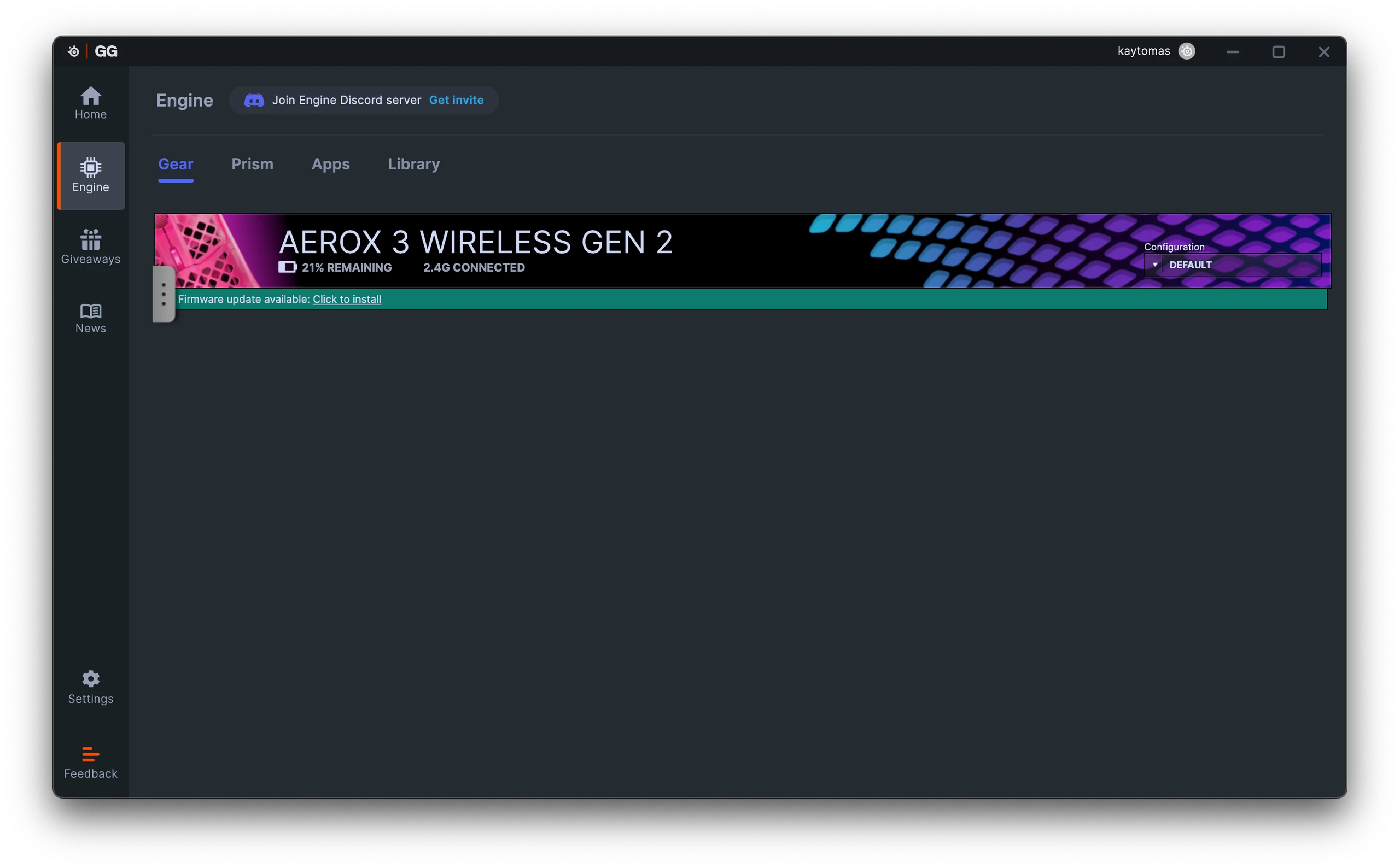
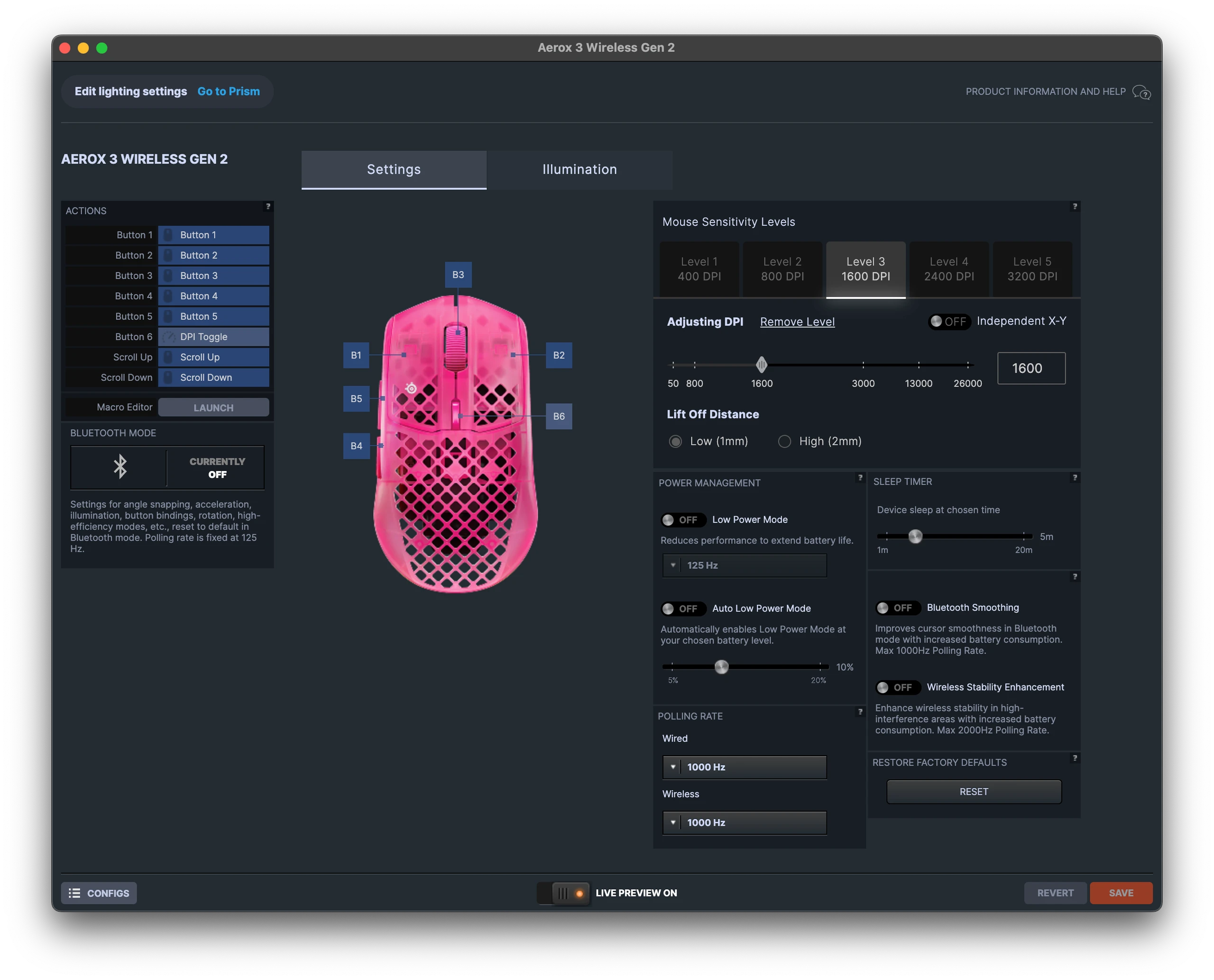
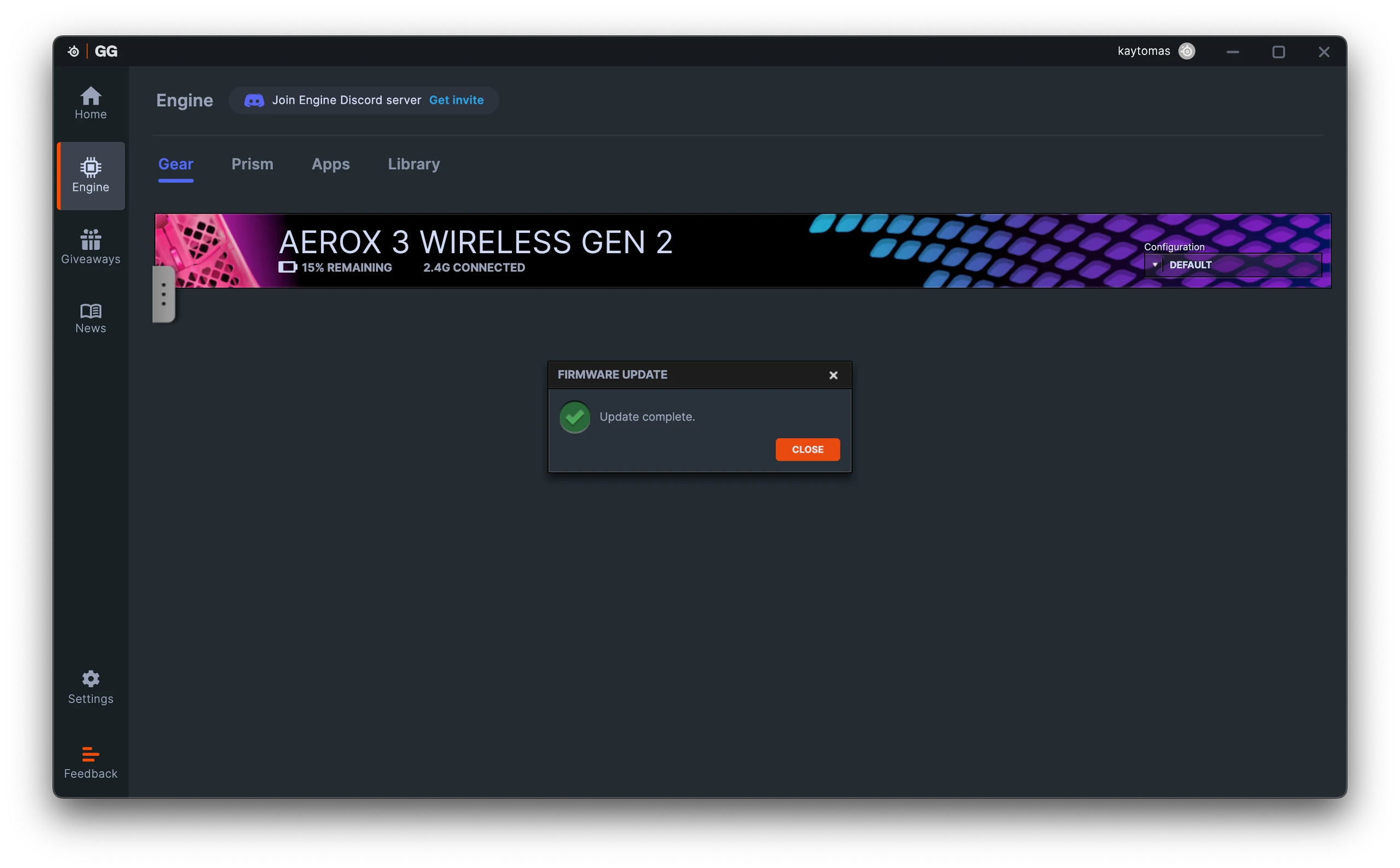
SteelSeries GG: the Engine overview, the settings with DPI and lift-off, and a firmware update that went smoothly. | Screenshot: SteelSeries GG
The colors are the main argument
The color adjustment happens in Prism inside SteelSeries GG. Prism is SteelSeries’ way of syncing light across devices. For this test I only had one SteelSeries device available, but I had no issues adjusting its colors.
There’s a lot to choose from here, everything from “Radioactive Glow” to “Disco mode”, Clown and Vapor dreams - so there’s something for everyone. You can also build entirely custom effects with breathe, color shift or single color.
Pretty cool is also that there are separate settings for when the mouse is in use, not in use and idle. This is a very solid customization setup, and I imagine it’s great for those who have several SteelSeries devices in the Prism ecosystem and who love lots of color on their desk.
You can even let specific games and services control the colors, for example setting the color to red when you’re muted in Discord. Clever, for those who can be bothered to set all this up. I suppose it’s exactly this kind of thing that makes logging in to the app worth it?
I have to say that the strong LEDs plus the diffused bottom half make the Aerox 3 very well suited for people who like RGB and colorplay.
Personally I tend to set a static color, if I use it at all.
Misleading marketing
One thing I find very problematic is that SteelSeries has printed a 9/10 award from IGN on the packaging. “Wow, what a great score this one got”, am I right!?
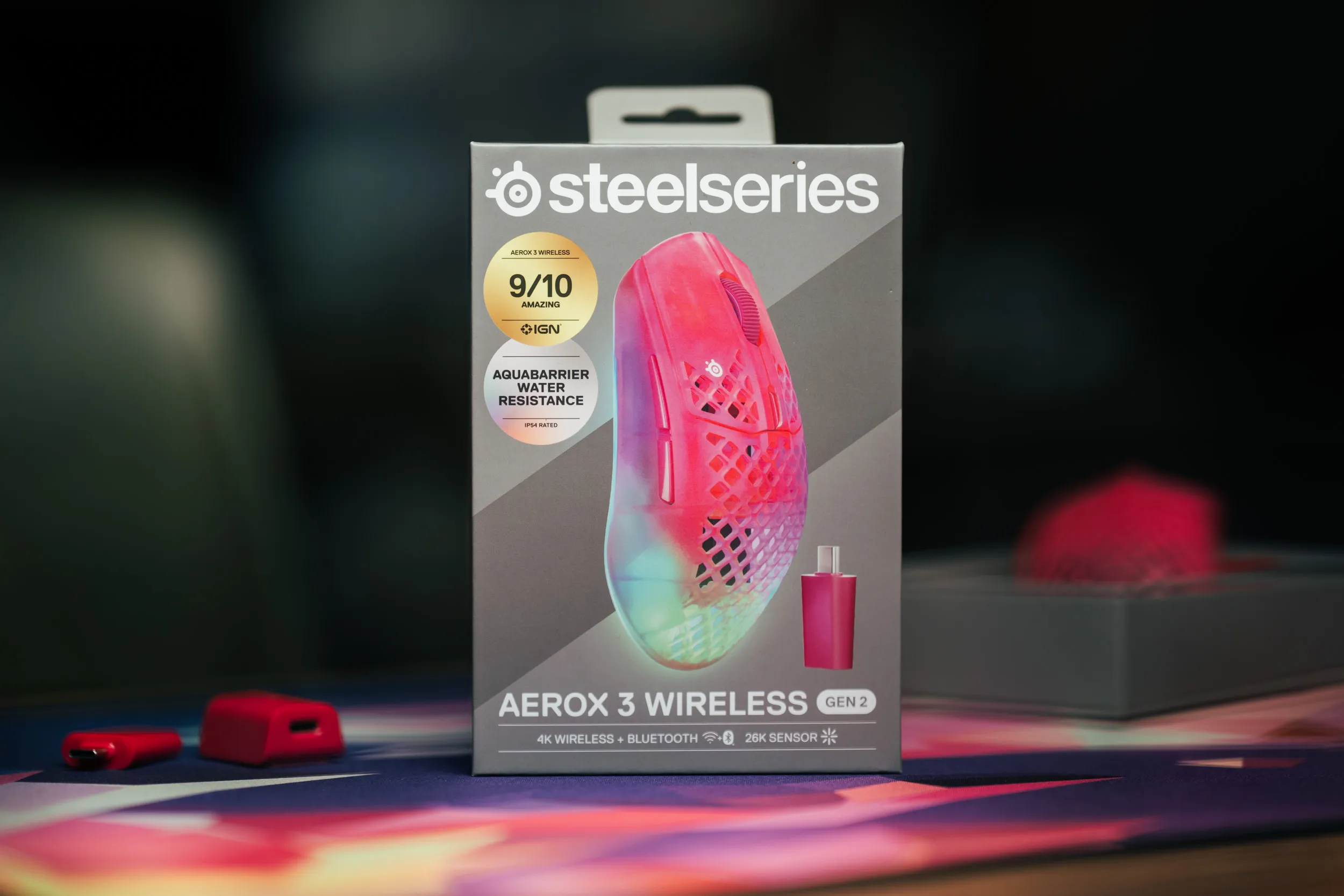 The 9/10 badge on the box is for the 2022 edition of the Aerox 3 Wireless, not the Gen 2 version actually inside. | Credit kaytomas.com
But it turns out the award is from the previous version of the same mouse, the Gen 1 from 2022. IGN’s actual review of the Gen 2, published in May 2026, landed on 7/10!
Is this okay? No, I don’t think so.

Maybe this is just how the industry operates, but it’s very misleading for us consumers.
You pick up the box, see “9/10 Amazing”, and assume it applies to the product in your hand. Except it doesn’t.
 Someone on Reddit who fell for the misleading marketing. | Screenshot: Reddit
I checked this, and actually found people on Reddit who misunderstand what the IGN award on the packaging means. Not cool, SteelSeries!
Alternatives
If low weight is what you’re after first and foremost, there are plenty of alternatives to look at.
One example is the Keychron G5, nearly half the weight and it even costs less. No RGB, no software and far more anonymous to look at (but still a looker imho).

The Logitech G Pro X2 Superstrike is another solid pick in the top tier, pricier, but with haptic buttons, sharp aesthetics and a matte premium finish. From Razer the Viper V3 Pro is also worth a look, sold at roughly the same price, but it too comes with annoying software.
Who this mouse is actually for
So back to the opening question: does anyone need a 68 gram RGB mouse at $109.99 in 2026?
The Aerox 3 Wireless Gen 2 is for the color lovers. Those who love RGB and tweaking it, who think it’s great that the light shines through the bottom of the mouse, and who preferably have several SteelSeries products to sync in Prism, or at least don’t get annoyed by the application.
If that’s you, you get a decent mouse with lovely colors and good comfort, six configurable buttons, tri-mode connectivity and a lighting setup that’s among the most complete I’ve tested.
If you’re chasing the lowest possible weight though, want to avoid software with forced logins, or just want a neutral mouse that disappears in your hand, the Aerox 3 Wireless Gen 2 isn’t the pick for you.
For me it lands on a 3 out of 6. Good in use during the weeks it’s been here, and with a pure, colorful identity.
But with misleading marketing, Mac problems, 68 grams labeled “ultra lightweight” on the box, an underside you can’t read and the app’s e-mail requirements, it all adds up to too much at $109.99 to earn a recommendation from me.
Disclaimer
SteelSeries has loaned me the Aerox 3 Wireless Gen 2 for review. They have no influence on the rating, opinions, text or images. The opinions are my own.
