
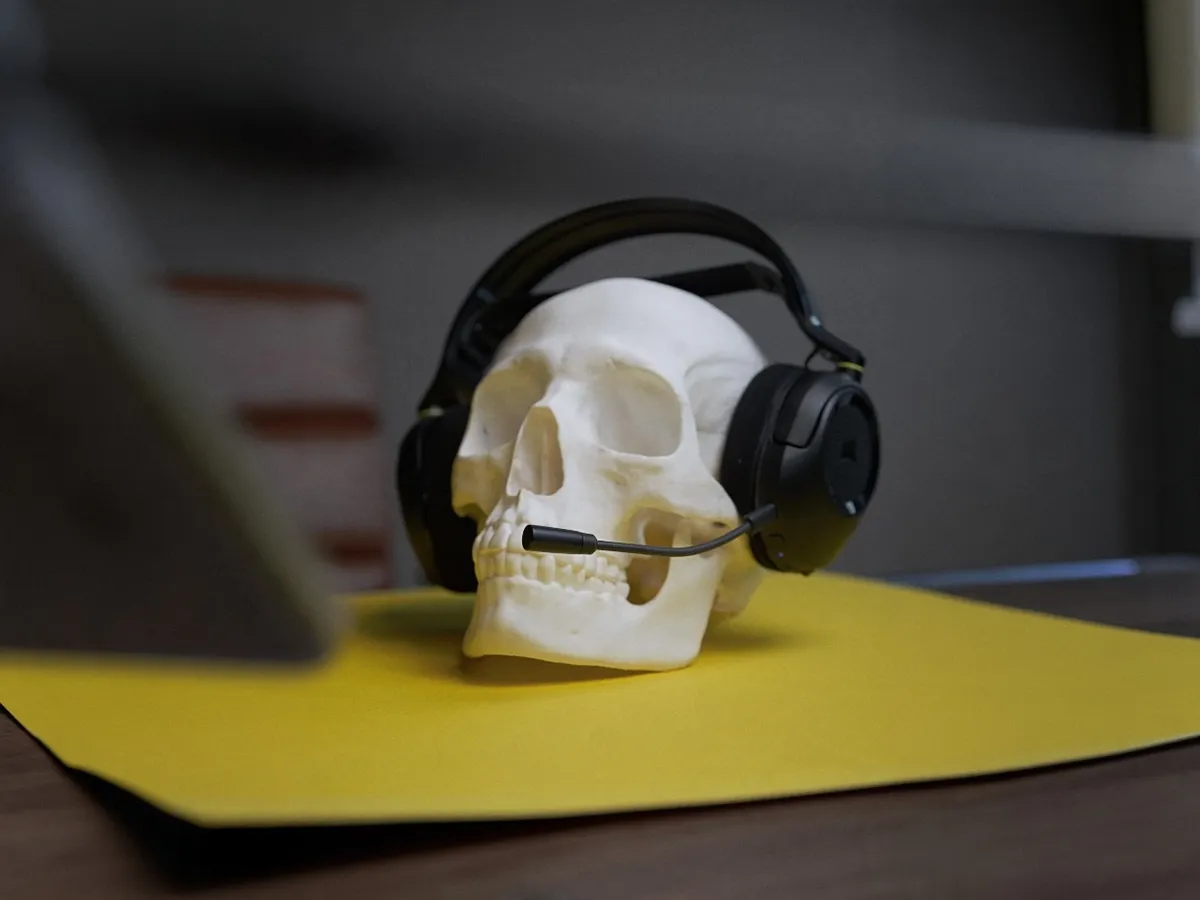
A budget headset with a clever idea
Normally I use a wired headset at my desk. Either a Beyerdynamic DT 990 Pro or a HiFiMan HE-R10, plugged into a dedicated external sound card, with an XLR mic next to it. Good sounding, but also very complex. That’s a setup in a completely different price class, and none of it is wireless, easy to set up or something my friends appreciate.
So the HS35 v3 Wireless isn’t measured against that. It’s measured against what you get for your money, and whether that’s enough for the money you pay.
I’ve tested it on Mac, PC and mobile, with a mix of Bluetooth and 2.4 GHz. On and off, since August.
The video is in Norwegian, but you can hear the mic around 1:57 in.
A modest box for a modest headset
The box looks like something you’d find at Clas Ohlson, or in the duty-free at Oslo Airport. It says gaming headset with Atmos and Bluetooth, but there’s very little traditional gaming branding. And that, I like.
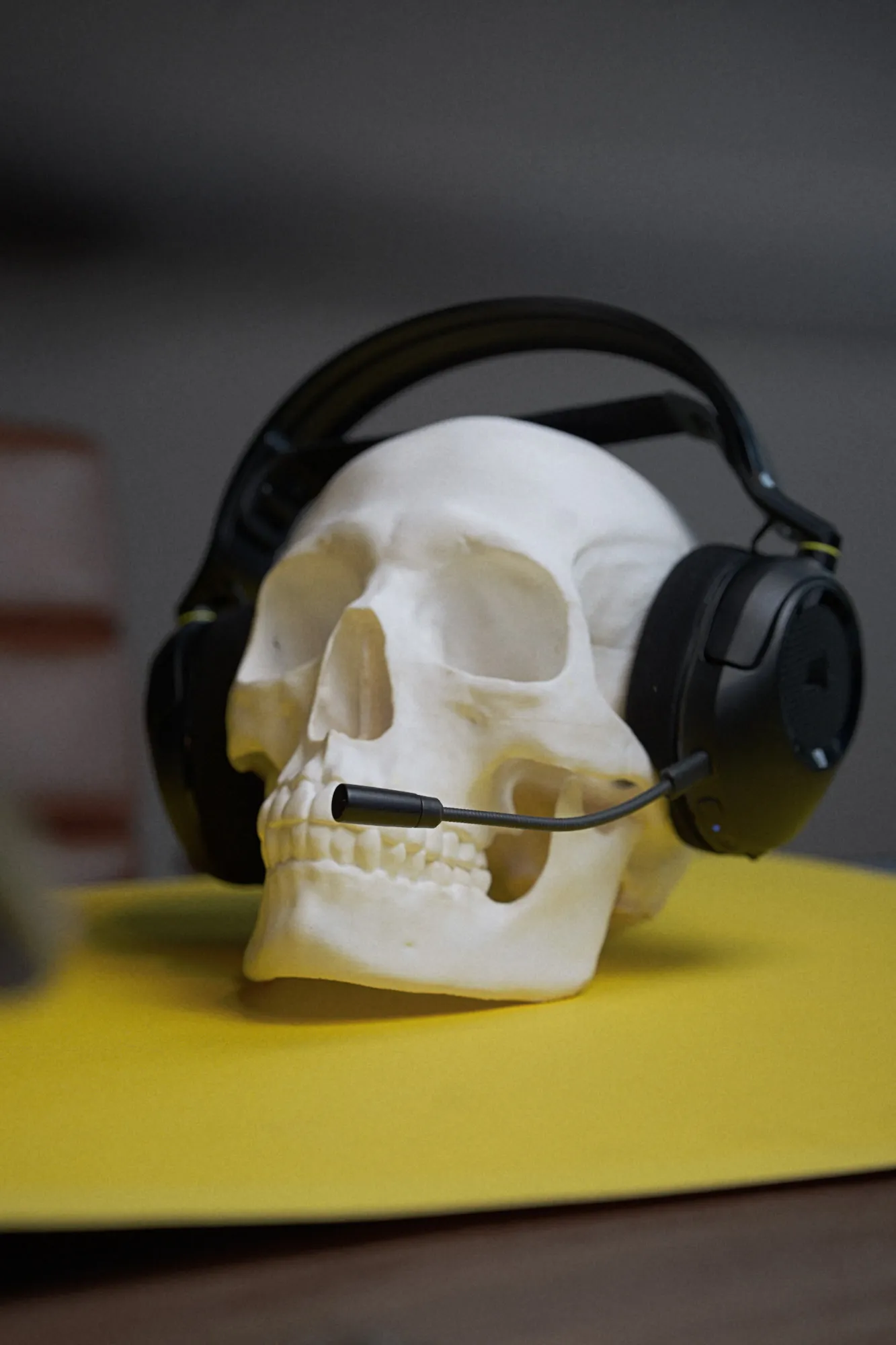
The headset comes wrapped in a soft fabric pouch. Mine is black, with Corsair logos on the ear cups, HS35 on the left side and some yellow details where the ear cups meet the plastic ring. It also comes in white. There’s a soft strap under the headband and a hard band over it, and the whole thing feels light. No wonder, it weighs in at around 250 grams.
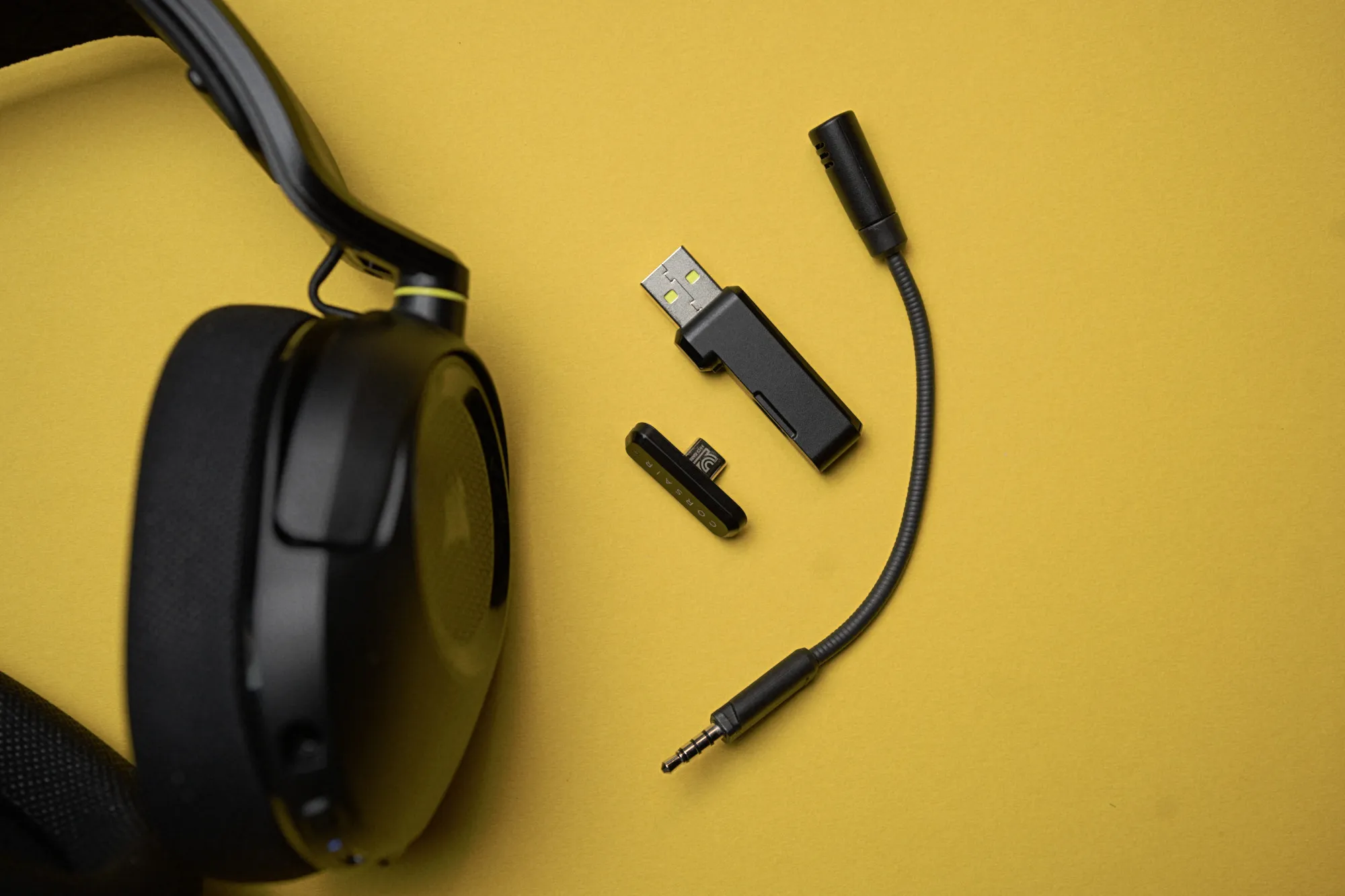 The detachable mic and the dongle in two parts / Credit kaytomas.com
I like the look. But it does look cheap, and is made from cheap materials. That’s not a problem in itself. It’s just how it looks and feels in your hand.
It’s worth noting that cheaper materials are sometimes a good thing. Plastic weighs less than aluminium, so it feels cheaper, but it’s also lighter on your head. That makes it less straining to use for longer stretches than a heavier headset.
After three months I haven’t noticed any discolouration or wear. The pads shape themselves to your head over time, like on any headset, but no more on the HS35 than on others.
It might just be the November blues, but I was struggling big time to photograph the headset, and that also goes for the B-roll in the video. So, to all decent photographers out there, suggestions on how are greatly appreciated. I have some ideas for the next one, though!
The dongle has a very clever trick
The 2.4 GHz receiver is the smartest thing in the whole package. It’s a USB-A adapter about the size of a memory stick. But on the side sits a small USB-C dongle that you can pull out. That’s where the brain is, and you plug it either straight into a USB-C port or into the USB-A adapter. Simple, but very clever.
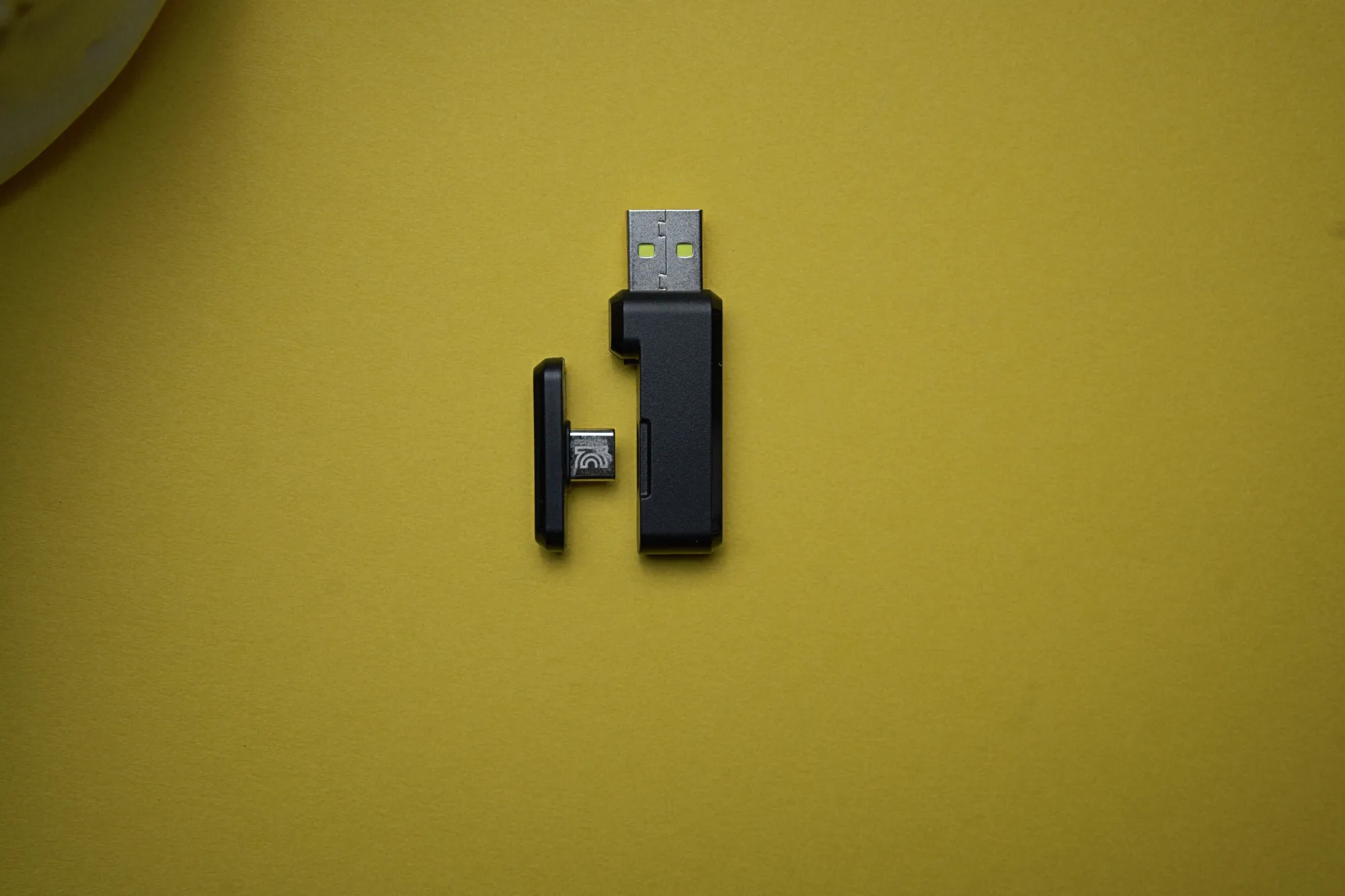 The USB-A adapter on the right, the brain with USB-C on the left / Credit kaytomas.com
I’ve used the dongle on my Mac and on my phone, and it works in both. I’m really happy they include USB-C. It’s something I miss from a lot of brands, and it should absolutely be standard in 2026. Building it into one dongle that does both is a really smart solution. Corsair deserves kudos and a gold star for this one.
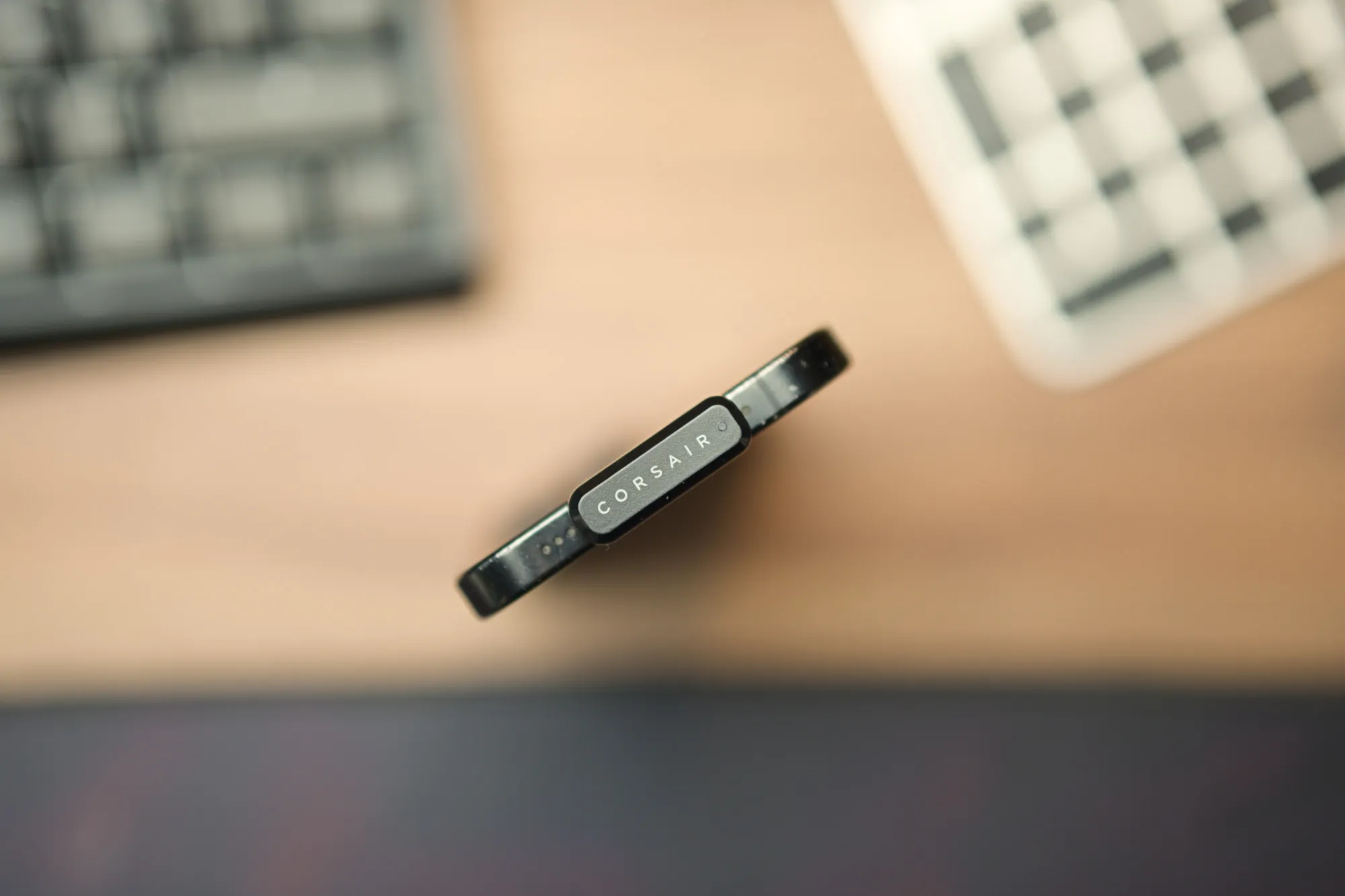 The USB-C dongle on its own is tiny, and fits straight into a Mac or a phone / Credit kaytomas.com
All the stranger, then, that the charging cable is USB-C to USB-A, and not USB-C on both ends.
The boom mic plugs in with a regular 3.5 mm jack, but with a small notch in the socket, so it only goes in one way. That way it always points the right way towards your mouth. Smart!
Plug and play
On the Mac I was asked whether to allow the connection, and then the headset showed up as both input and output in the sound settings straight away. You don’t need to install iCUE. Plug it in and it’s recognised, whatever the device and whether you use USB-C or USB-A. Very nice.
Dolby Atmos is printed on the front of the box, but it needs a separate app and only works on PC. I haven’t tested it. Why, you might ask? Well, I work across a MacBook and two desktop machines, at the office and at home, so it wasn’t relevant for me.
I also find it problematic that Atmos is a software layer on top of what’s already in the OS and in the engine running your game. Games already have their own positional audio, so the audio engine in, say, ARC Raiders has to work together with Dolby’s software layer for it to work. I’m not convinced it necessarily does.
One button for everything
The headset has a multi-function button, the elusive MFB button. Hold it to power on, press it briefly for play and pause, and double-press to switch between dongle and Bluetooth. The volume wheel does the rest: tilt for volume, press to mute, and hold for five seconds for Bluetooth pairing.
 The buttons and volume wheel sit at the bottom of the ear cup, next to the mic / Credit kaytomas.com
I often find one-button logic a bit awkward. Either you use it a lot, or you’re like me and forget the press combination needed for the task at hand. The first time I paired my phone, nothing happened until I’d pressed the MFB button x number of times.
Another annoyance is the robot voice, which every time I turned the headset on said “dongle connected” and “Bluetooth connected”. But I was never sure which Bluetooth device it meant. Was it my phone? One of my computers? You can have several devices connected at once, and that gets confusing when the headset doesn’t tell you which one. “Connected to phone”, or the name of your PC, would have solved it.
Big bass and good sound for the price
This isn’t an audiophile review, and I haven’t touched the EQ. The sound is a little dark, and the bass is strong and very clear. At the start of Magnetic by The Bausa, the sound felt a bit boxed in, but when the bass came in around 36 seconds, it was there in full. Somber by Twelve to Twelve opened up in a completely different way from what I’m used to in the car. On Brightsider by Dagny, the bass got almost a little too much. But all in all, I like how the HS35 sounds for music.
In games the positional audio works, and when I play ARC Raiders, I can hear which direction the enemies topside are coming from. The soundscape in games gets very busy, especially when you have friends talking over an already busy soundscape. That goes for every headset, and it’s part of the built-in problem with audiophile sound in games. You don’t exactly lean back in a leather armchair with a glass of pinot noir when you game. You’re fully switched on, maxed-out dopamine at 144 frames per second. That’s not an audiophile setting.
The headset doesn’t have noise cancelling, but it blocks outside sound about as well as you’d expect. With music at high volume, I could barely hear my own voice. And if I’m the only adult in the house, I have to play with one ear cup off so I can hear my kids if they yell during the night.
The mic is fine for Discord
You can hear the mic for yourself in the video. It isn’t of great quality, but arguably it’s good enough, at least for Discord and gaming. I got one complaint about fairly strong plosives, the P’s and B’s, but I fixed that by moving the mic a little further down from my mouth.
It would have been interesting to test it with a small pop filter. Maybe that should have been included instead of Dolby Atmos?
Light on your head, warm on your ears
I have a fairly big head and need the headband on medium. The headset is light, and the pads are soft and comfortable. In August, at 20 to 25 degrees, my ears got warm and clammy quickly, and the clamping force was firmer than I’m used to. Both have eased off, and now that it’s November and my office is colder, it’s very comfortable. The headset adapts to your head over time, like every headset does, and the pads will soften up and get shaped by your skull.
Corsair claims up to 30 hours of battery over the dongle and 32 hours over Bluetooth, at 50 percent volume. I have no complaints about the battery life, and just plugged it in every now and then when I left the gaming rig. The headset charges over USB-C.
Wired for €49.99, wireless for €79.99
The HS35 v3 also comes as a wired version with a 3.5 mm jack, for €49.99. The wireless one costs €79.99, but it has been down to around €60 on sale. From what Corsair has told me, the hardware is very similar. What you need to decide is whether you want the freedom that wireless gives you.
And that wireless freedom is what I’ve liked most about this headset. I usually use a wired headset myself. But there’s huge freedom in a wireless headset you can just mute, and move around freely without being tied to your desk by a cable. As I’m writing these words on this digital paper, I’m testing another headset, and it bugs me that I have to take it off when I go down to get a coffee refill, even though that headset has far better sound.
The wired version at €49.99 also seems like a good buy, but only for those who absolutely want a cable. Buy the wireless HS35 v3 on sale instead.
More money buys better sound, but not everyone needs it
All in all, I think the HS35 v3 Wireless is a great headset that a lot of people will be happy with. It’s more than good enough for most people. It’s light, has good battery life and good enough sound, it works fine for talking to friends, and the soundstage is wide enough to offer positioning in games. The dongle is top class.
The things I list as minuses, that the sound could in theory be better and the build quality, are almost just there to have something negative to say. If you have a different budget or different needs, buy something else. But at this price, as an entry-level wireless headset, I really like this package.
Spend more and you get better quality. That’s how the world works. But do you need better quality? Not always. And if you are looking for a budget wireless headset, the HS35 v3 might just be the one.
Disclaimer
Corsair gave me the HS35 v3 Wireless. They have no influence on the content or on when this review is published.
