
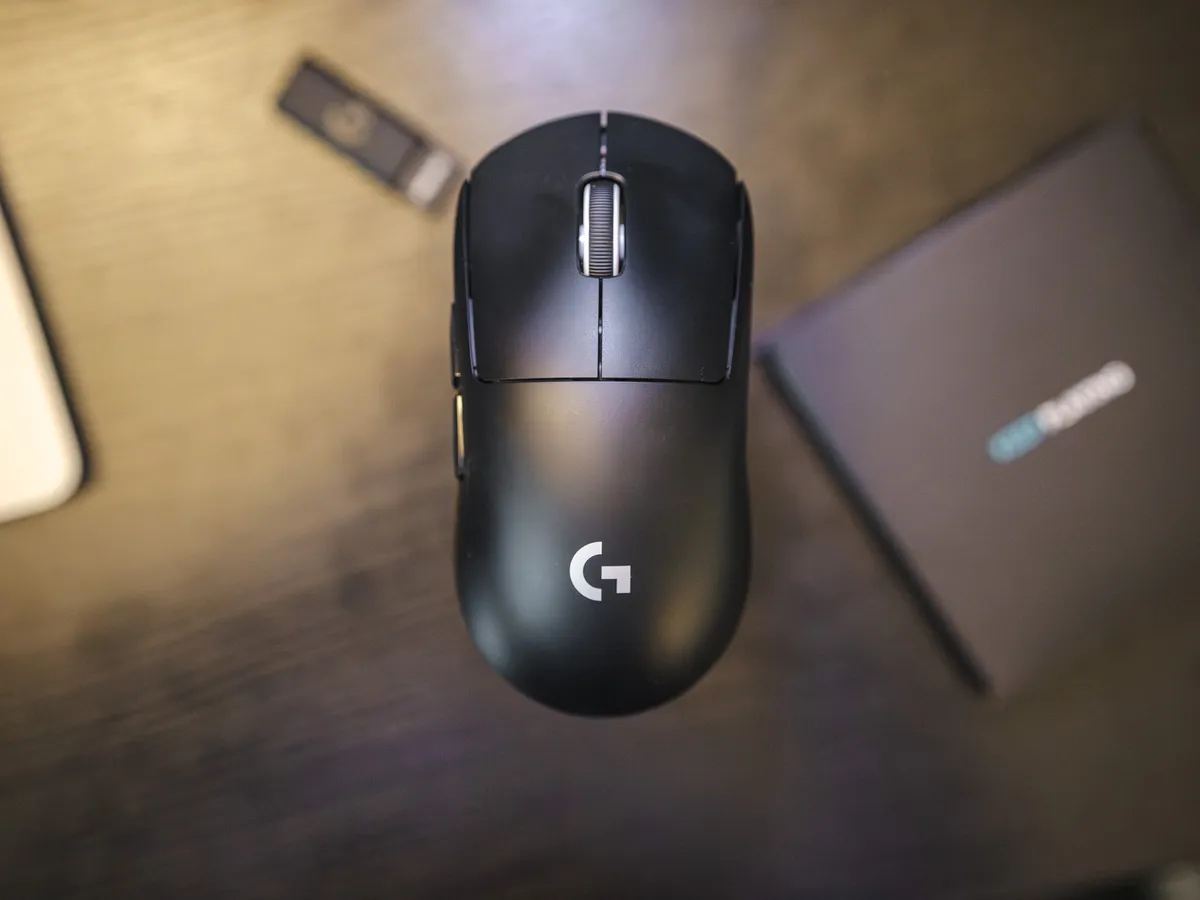
A classic symmetrical mouse
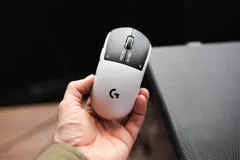
The shape is symmetrical, classic and very standard. No aggressive edges, no odd curves, just a symmetrical shape that has worked for years and is still solid.
The color is matte black. Being matte, it doesn’t react to finger grease, but the tiny pores on your hands will eventually wear down the shell a bit resulting in a more glossy finish where your fingers touch the mouse.
After a few months of use, I’m seeing hints of a slightly shinier finish on the left and right mouse buttons. But both the color and the shell are otherwise in good condition.
Grip-wise, when I rest my hand on this mouse, my palm almost reaches the back of it. I can also hold it without the back of my hand touching the shell. Placing your hand on the mouse is familiar, and it’s the way I’ve held a mouse for years. If you have hands, I bet you will feel comfortable with the Superlight.
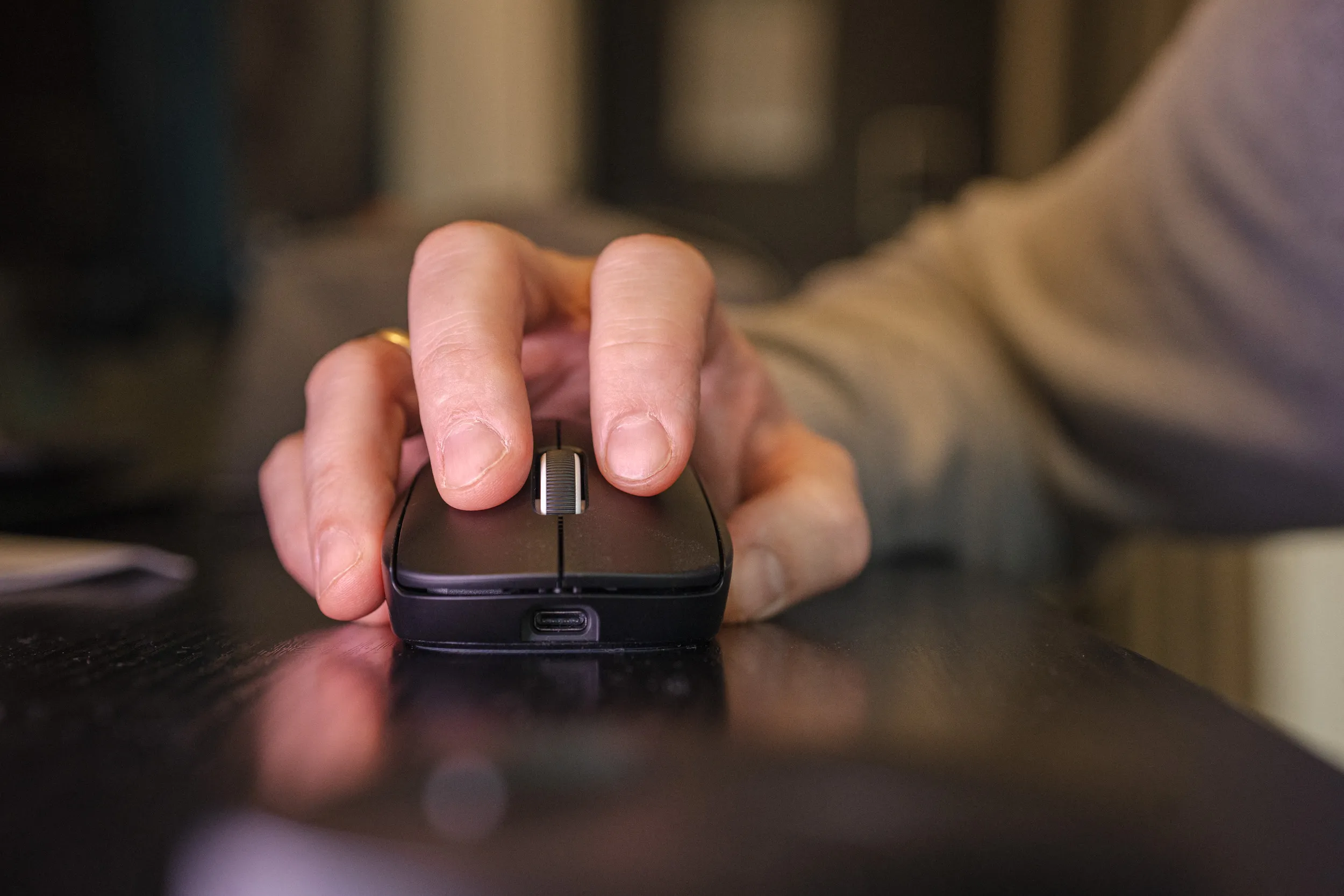 The Superlight 2 in hand, seen from the front. | Credit kaytomas.com
Weighing it on a highly accurate scale with decimals per gram (my relic from a previous life), it clocks in at 58.6 grams. Slightly under what Logitech states, which is 60 grams. This is not a heavy mouse in any way, but it’s not an ultralight either.
But one of my issues is that it isn’t superlight, as its name suggests.
Clicks and build quality
The clicks are crisp and clear, and I like the satisfying clicks this one puts out. The mouse uses Logitech’s proprietary LIGHTFORCE hybrid switches. These are optical-mechanical: they register the click optically, but have a mechanical click feel.
When I test the side buttons, the front thumb button, mouse button 5, feels a bit different from mouse button 4. It’s as if M5 travels further in or has a slightly different sound than M4.
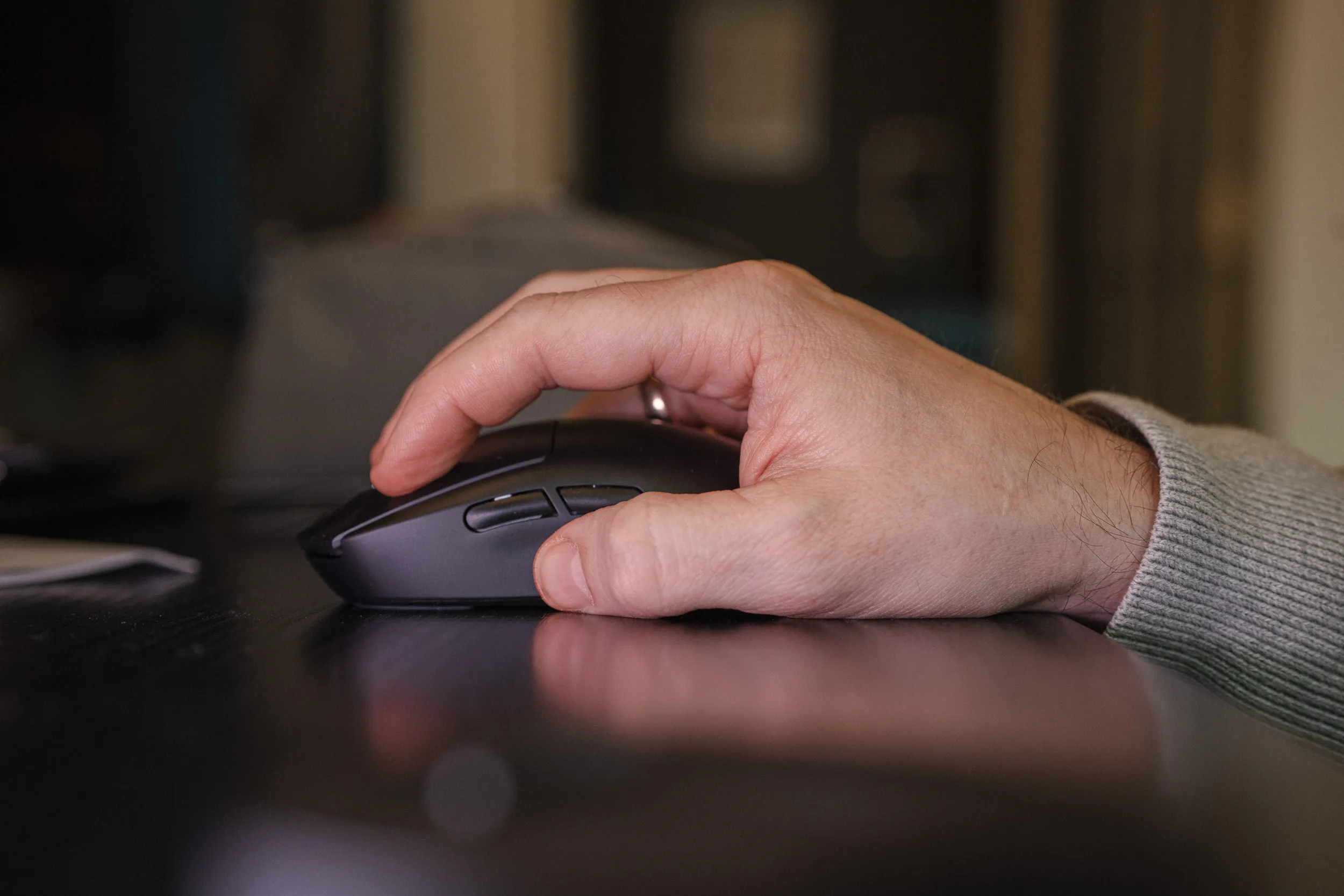 The side buttons, mouse button 4 and 5, under the thumb. | Credit kaytomas.com
The scroll wheel is maybe softer than I prefer, but it looks good. The wheel also supports Logitech’s BHOP mode, a mode you can enable in settings that is meant to stop you from scrolling when you bump the wheel during hectic gaming sessions.
This is useful in game, because that’s when you’re stressed and, at least in my case, tend to overmove in every direction, you might bump into the scroll wheel and change weapon or reload when you didn’t intend to. This is where the useful BHOP mode comes in.
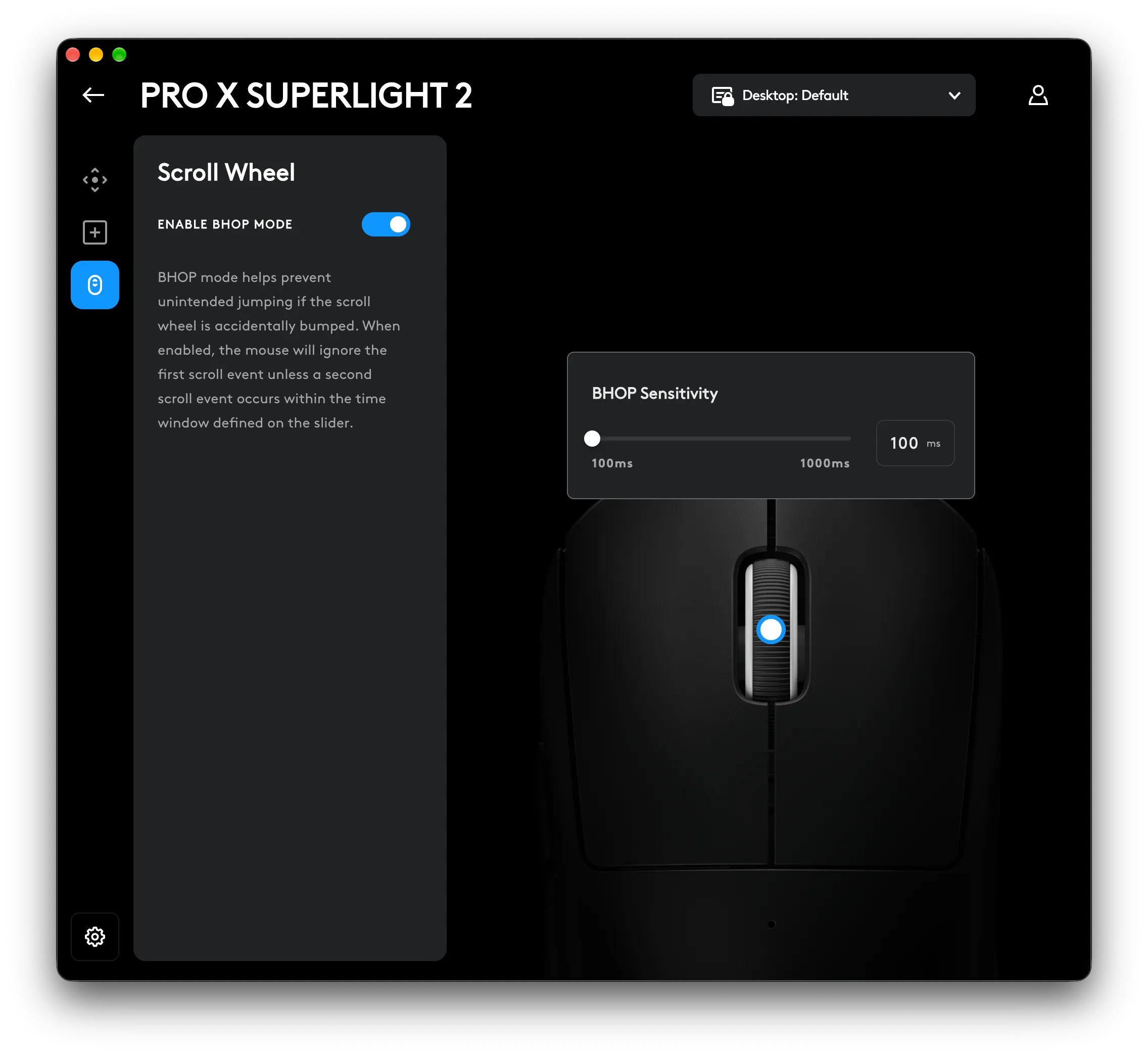 BHOP mode, screenshot from G HUB. | Credit kaytomas.com
The scroll wheel click itself can’t possibly be the same LIGHTFORCE switch, or maybe this switch skipped the mechanical part. The scroll click is soft, and I miss the satisfying sound that comes from Mouse 1 and 2.
Logitech has made the Superlight 2 better since launch
Since Logitech is what I’d deem maybe the market leader in gaming mice, I know you are getting a product of good quality and a product that lasts, and Logitech has a good track record of supporting its mice long after launch.
The Superlight 2 is an example of that itself. At launch it topped out at 2000 Hz. Since then it has gained 8000 Hz wireless polling rate through a firmware update, completely free. Not every manufacturer does that, so credit where credit is due.
I’ve run the Superlight 2 at 8000 Hz wireless during the test period, as you can see in the G HUB screenshot further down.
Do I notice a difference? No. The difference between 1 ms and 0.125 ms is not something I can register. My forty-something reaction time certainly isn’t helping. Using 8000 Hz costs you battery life, so dial in the sweet spot yourself.
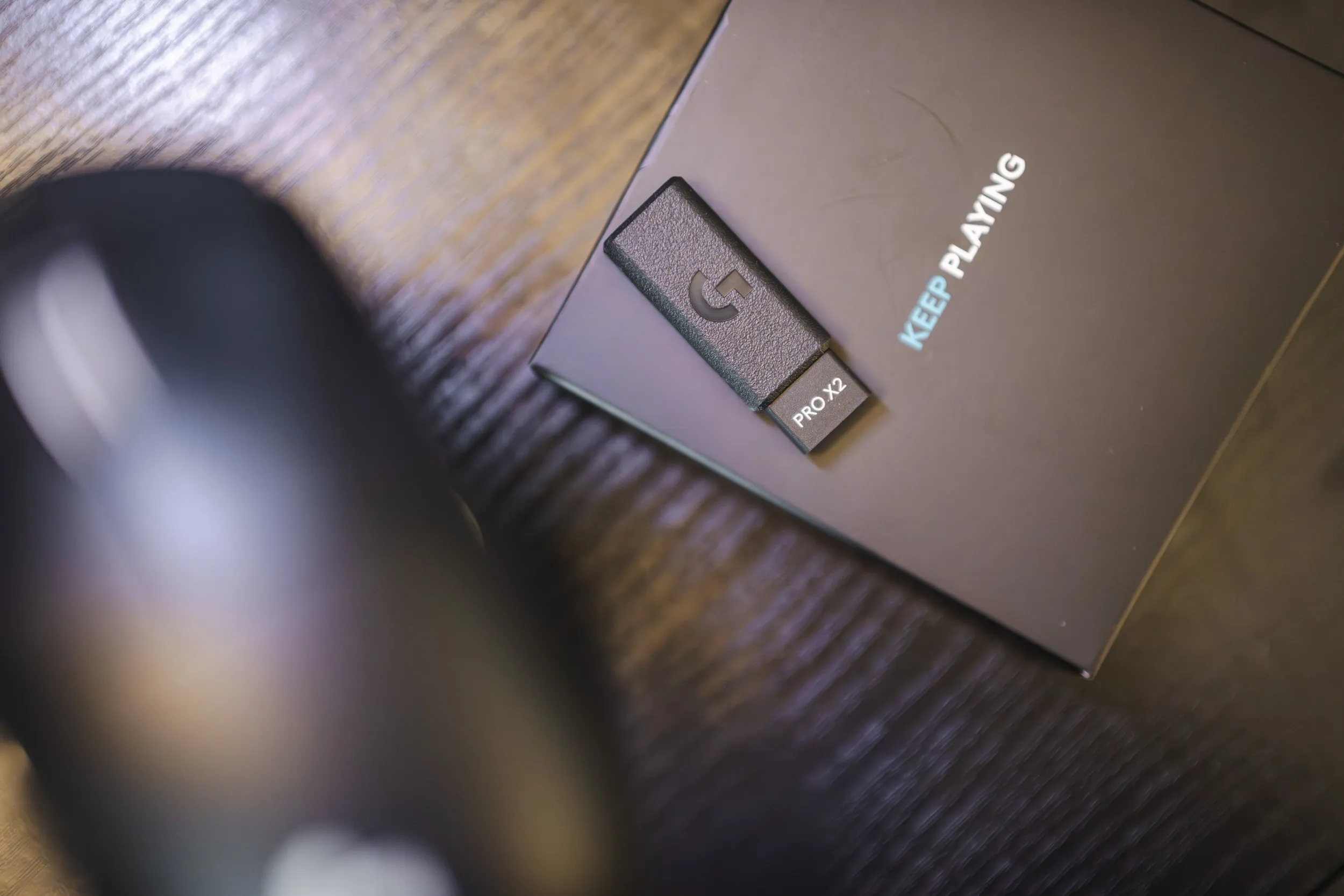 The receiver that enables 8000 Hz wireless. | Credit kaytomas.com
The sensor is the Hero 2, the same one found in the Superstrike. In fact, the Superlight 2 got it first, back in 2023.
Logitech makes the sensor itself. Many others, Razer included, use off-the-shelf sensors from the likes of PixArt. The numbers are 100 to 44,000 DPI, 888 IPS and 88 G. None of them come close to being used in practice. I’ve experimented with this mouse, but I typically land at around 1300 DPI, and have never needed more.
What I find more interesting is that the Superlight 2 didn’t ship with these specs. At launch it was rated at 32,000 DPI and 500 IPS. It has since been upgraded with new firmware, giving its users a better-specced mouse.
And this is something I think Logitech deserves credit for actually doing: improving the devices people have already bought and have sitting on their desk. Of course we should expect this, but it’s still good to see you get support even after purchase. Same mouse, better specs, zero cost.
The Hero sensors also draw little power. Logitech claims ten times less than older sensors, and that is probably a big part of why the battery lasts so long.
For work and gaming
The Superlight 2 has been in use on my desk for several months, almost exclusively for office work. I’ve only tested gaming a little, in Overwatch and Apex.
For office work it works superbly. The familiar shape and crisp clicks make this a mouse that’s easy to live with over time clicking icons in Windows and macOS like a madman.
I haven’t run into any issues in games either, and there was no adjustment going from a fingertip mouse to this one. I’m not exactly a hardcore competitive gamer, and I’ll never be an authority on hypercompetitive gaming.
But for my use, the Superlight 2 has delivered exactly what I expect for both work and play.
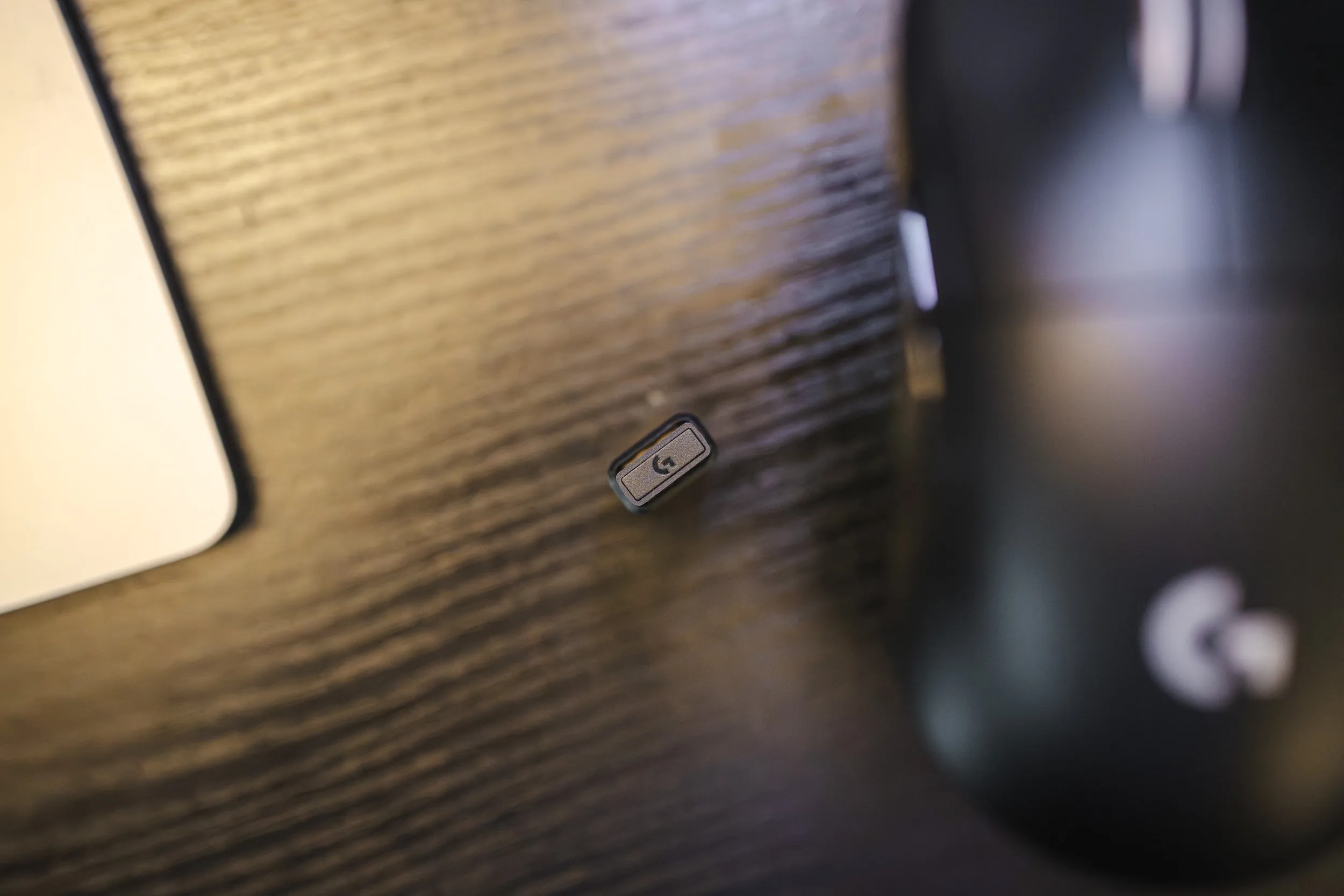 The receiver on the desk, with the Superlight 2 next to it. | Credit kaytomas.com
G HUB, battery and charging
With Logitech you have to use G HUB, and I’m not much of a fan. The software is needed to configure the mouse, but it doesn’t need to run in the background day to day, since the settings are stored on the mouse.
The first thing that annoyed me was that the first time I went to configure the Superlight, G HUB showed me an ad for the Superstrike.
Geez, having just bought a new mouse and getting an ad for another, more expensive mouse from the same manufacturer slapped right in your face. I find this distasteful.
The second is that I find G HUB too cluttered. There are too many settings here. You get a long list with everything from FPS, MMORPG, XY Split, MOBA, productivity and so on. All these do is load a DPI preset.
Don’t people know their preferred DPI? If not, there should be a “find your DPI” feature here, instead of a long list of presets that don’t suit me. Setting the preset to “productivity” does nothing other than define 5 different DPI steps.
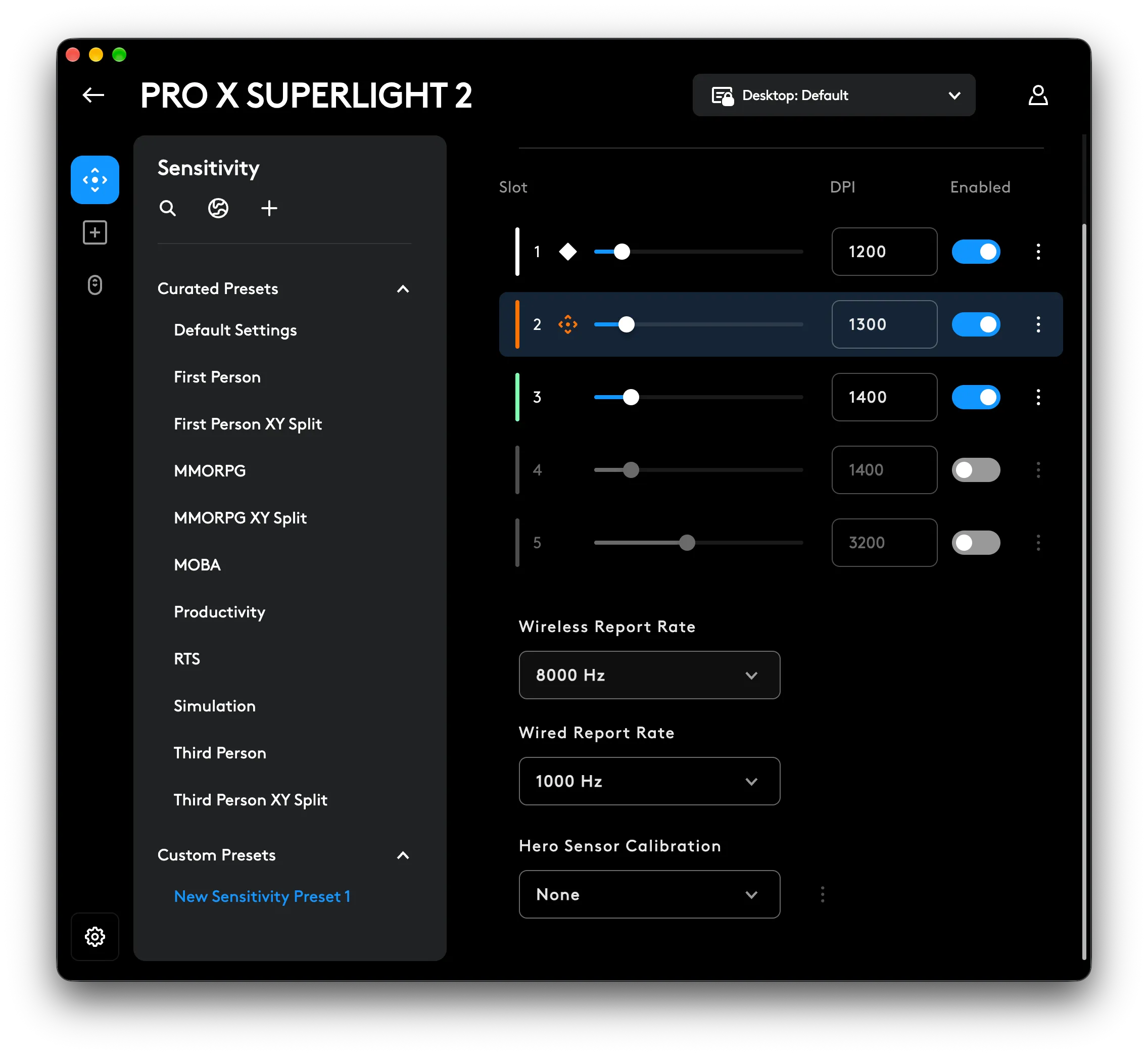 DPI steps and presets, screenshot from G HUB. | Credit kaytomas.com
There’s no way to switch DPI on the mouse itself; you have to go into G HUB to adjust it. But you can also just set your ideal DPI once and forget about G HUB.
G HUB also lets you configure DPI separately on the X and Y axes. Lift-off distance can also be set to high, medium or low.
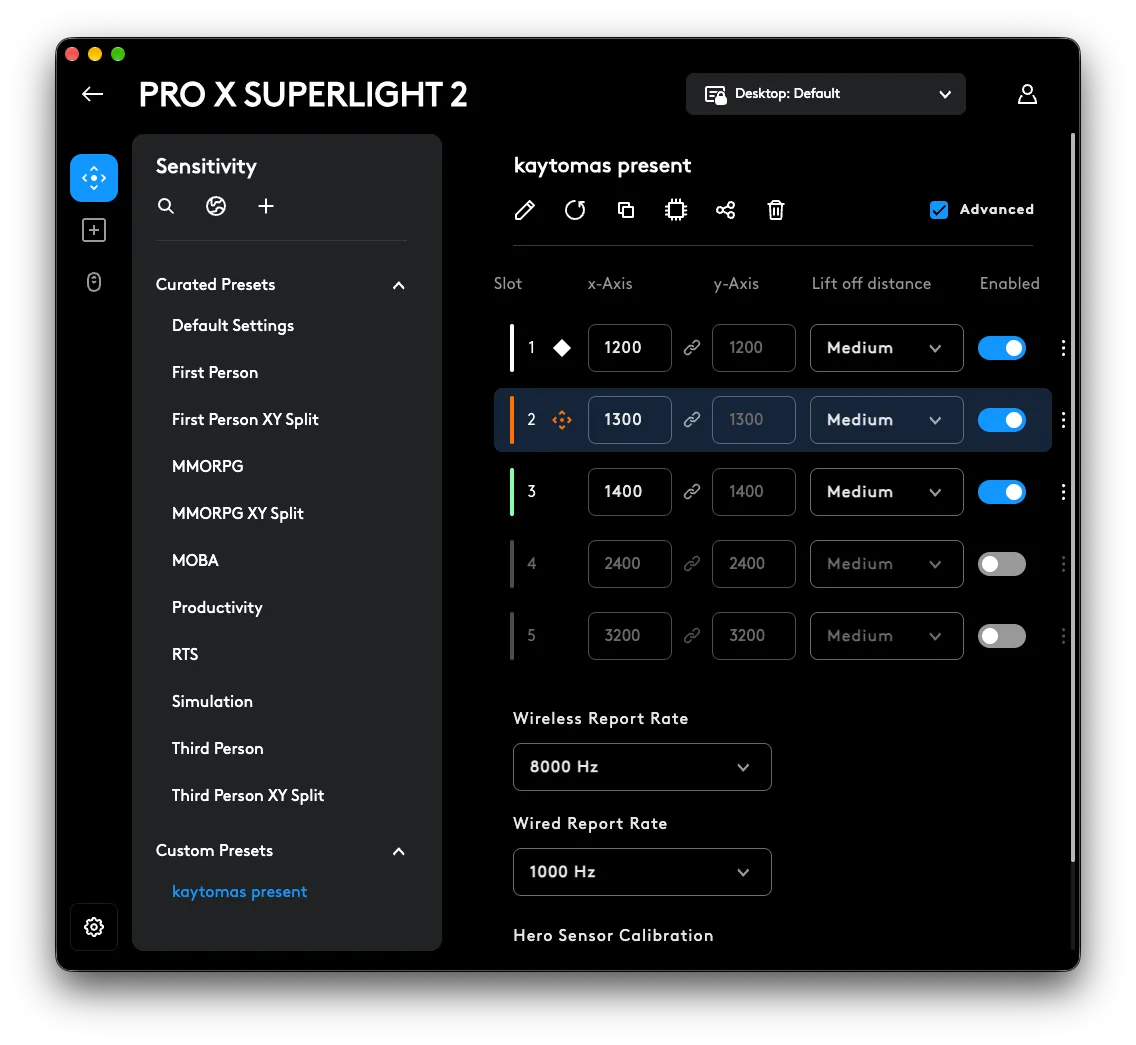 Advanced DPI settings in G HUB. | Credit kaytomas.com
But I actually like that the mouse changes its little light in the middle of the back to indicate which DPI you’re on. Unfortunately, this is only active right after you’ve switched from one DPI setting to the next.
The Superlight 2 came with USB-C from the start, where its predecessor had micro-USB. I’ve found the battery life to be excellent, but I haven’t logged the number of hours. Note that if you run it at 8000 Hz, battery life will drop.
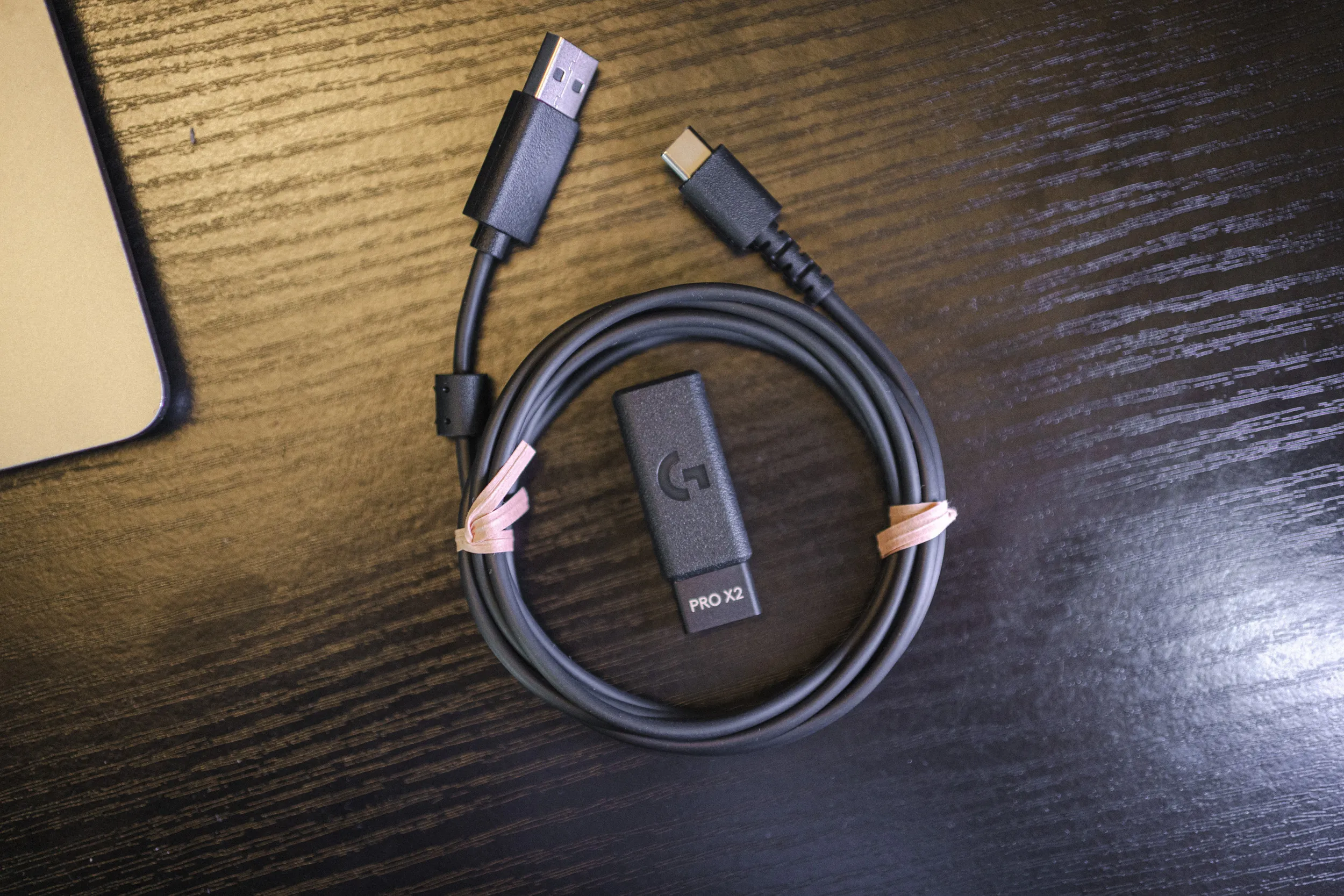 The cable and receiver included in the box. | Credit kaytomas.com
Where does it stand in 2026?
This is where things get tricky. The mouse is good, yes, but there is an incredible number of mice on the market, and the innovation keeps coming. The Superlight has no HE switches and no haptic feedback, and newer competitors have pushed the weight even further down. To charge it, you also have to plug in the USB-C cable. You don’t get a dock with this one.
On the other hand, it’s well priced, it’s tried and tested, and it’s a good, solid mouse at 1049 NOK.
My only problem is that it doesn’t manage to really excite me.
Conclusion
I’m absolutely sure most people who don’t need extra features will be happy with this one. It’s a well-made, solid and well-priced mouse from a manufacturer that takes care of its products.
The Superlight 2 doesn’t do anything I haven’t seen before, in a saturated market with an incredible amount to choose from. But I simply love good stuff, and the Superlight 2 is good. Very good, actually. It’s comfortable, precise and solid. On top of that, Logitech has improved it through firmware updates.
It doesn’t engage me much. But you might not need to be excited by your mouse.
For around 1000 NOK, this is one of the safest recommendations I can give to someone who needs a good mouse for both work and gaming.
My verdict: 5 out of 6
