
Introduction and background
I have in fact been testing the X2 Superstrike for so long that the X3 managed to launch before I got this review published. Other than that, the X2 Superstrike was provided by Logitech as a review unit. They have no say in the score or, obviously, no say in when the review gets published.
The click that wasn’t there
The headline news with the X2 Superstrike is the technology used in the switches under the left and right buttons, and it’s really two things: induction that measures, and haptics that answer.
Neither part is new. Apple has pretended the trackpad clicks since 2015, Logitech itself put haptics in a mouse back in 2001, and Wacom has used induction in drawing tablets forever. What nobody has done before is put both under the main buttons of a mouse.
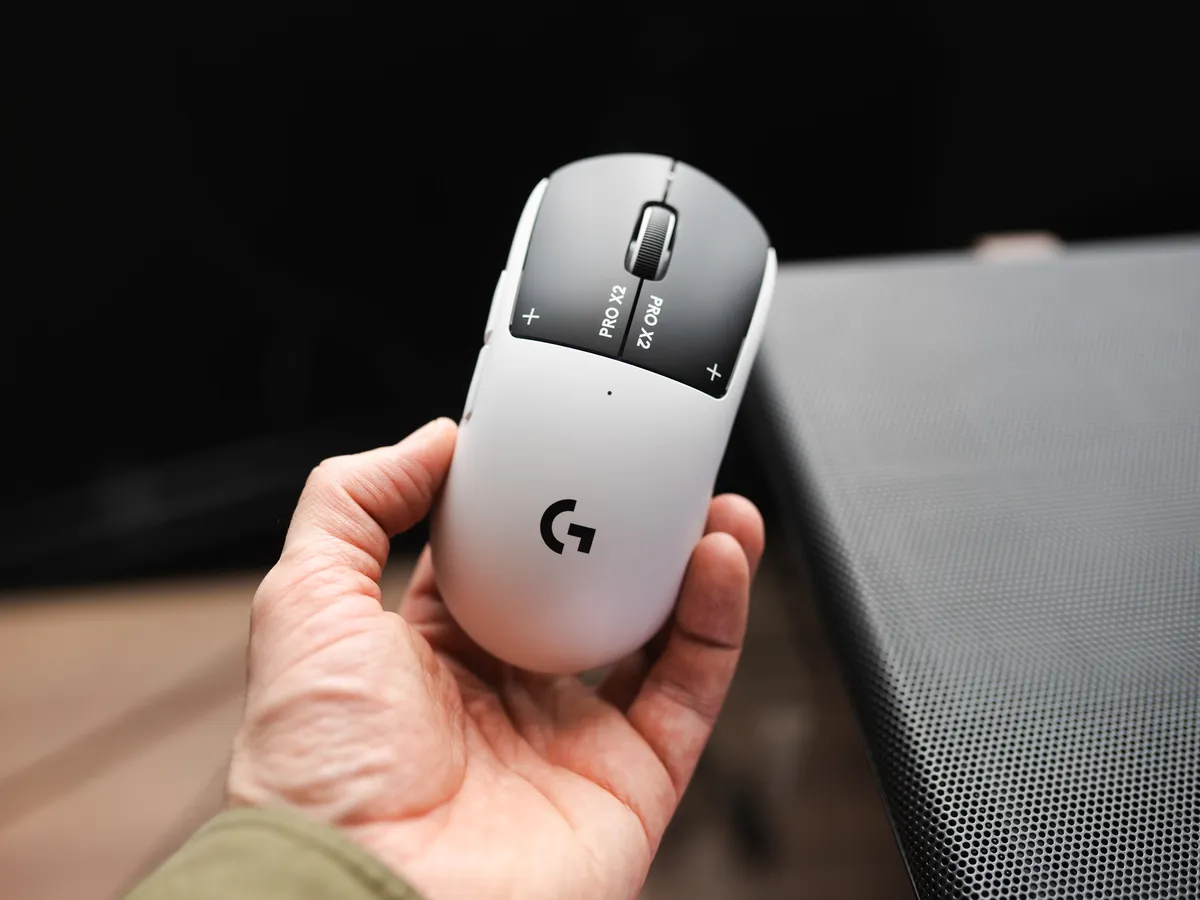
And I noticed this immediately when I picked it up for the first time and did what I always do with a new mouse: clicked randomly on every button. To my astonishment there was no response. No satisfying sound, and no feeling of a switch being clicked!
But when I turned the mouse on, I felt the small feedback in the form of those good vibrations. A feeling you can compare to the micro-vibrations you get from your phone, or when you click the trackpad on a Mac.
What’s unique about the X2 Superstrike is that you can control both the click depth and how strong the vibrations should be.
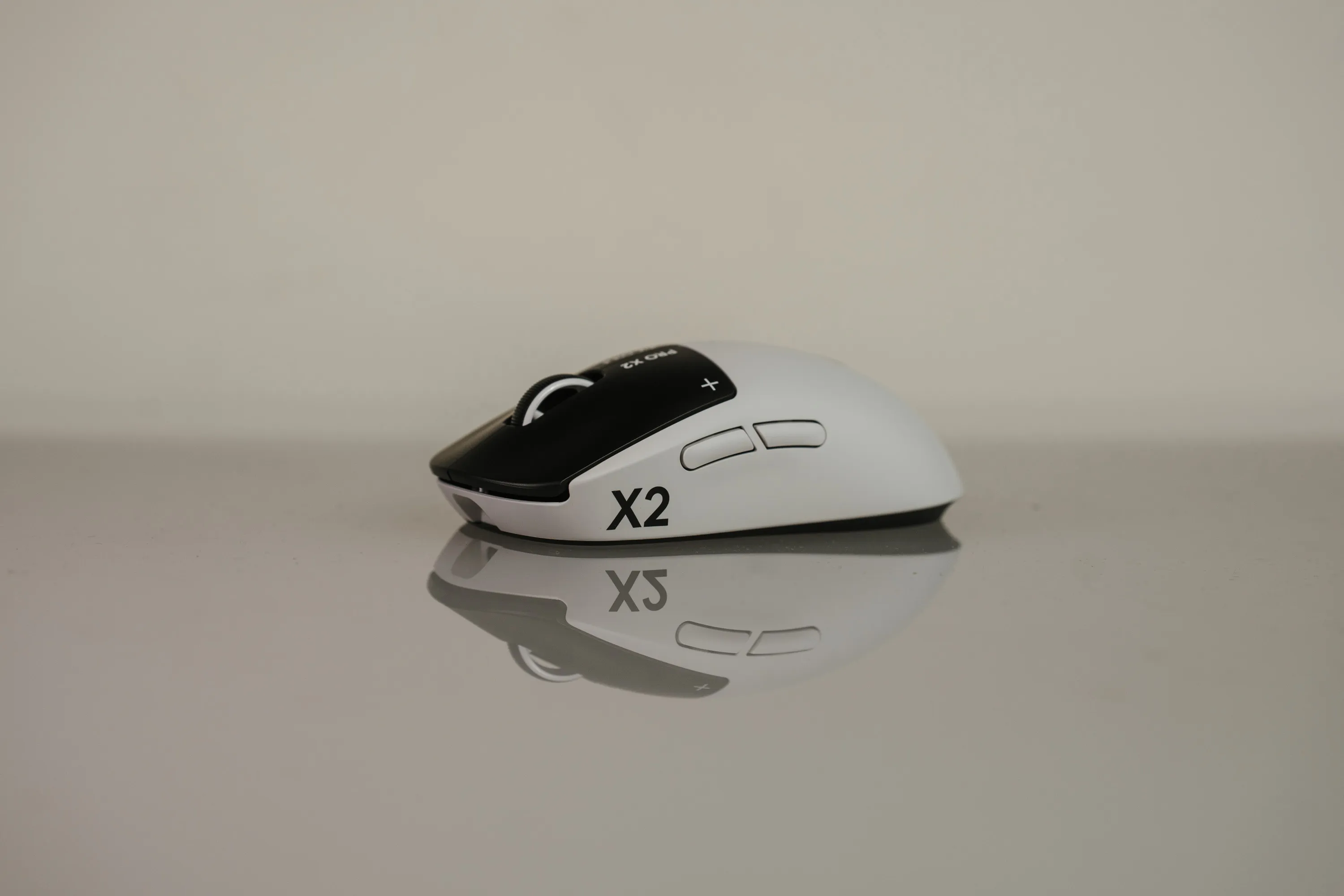 The X2 Superstrike from the side. | Credit kaytomas.com
What are haptic switches?
Under each main button sits a coil and a magnet instead of a mechanical switch. The mouse reads how far the button is pressed using electromagnetic induction (magnets are, as we all know, magic), and confirms the click with a small haptic pulse, or vibration.
Logitech calls it HITS, the Haptic Inductive Trigger System. It’s very similar to how the technology in Hall Effect keyboards works.
On top of that, Logitech lets you adjust how quickly the button registers, meaning how deep you have to press before a click is registered.
At the lowest setting the buttons are hypersensitive, and a light touch of the finger can, and will, register a click. At the highest setting you have to press clearly and deliberately for the mouse to register a click.
You get a full ten actuation points to choose from, and six different strengths for the haptic vibrations. All of it can be stored on the mouse, with support for up to five different profiles.
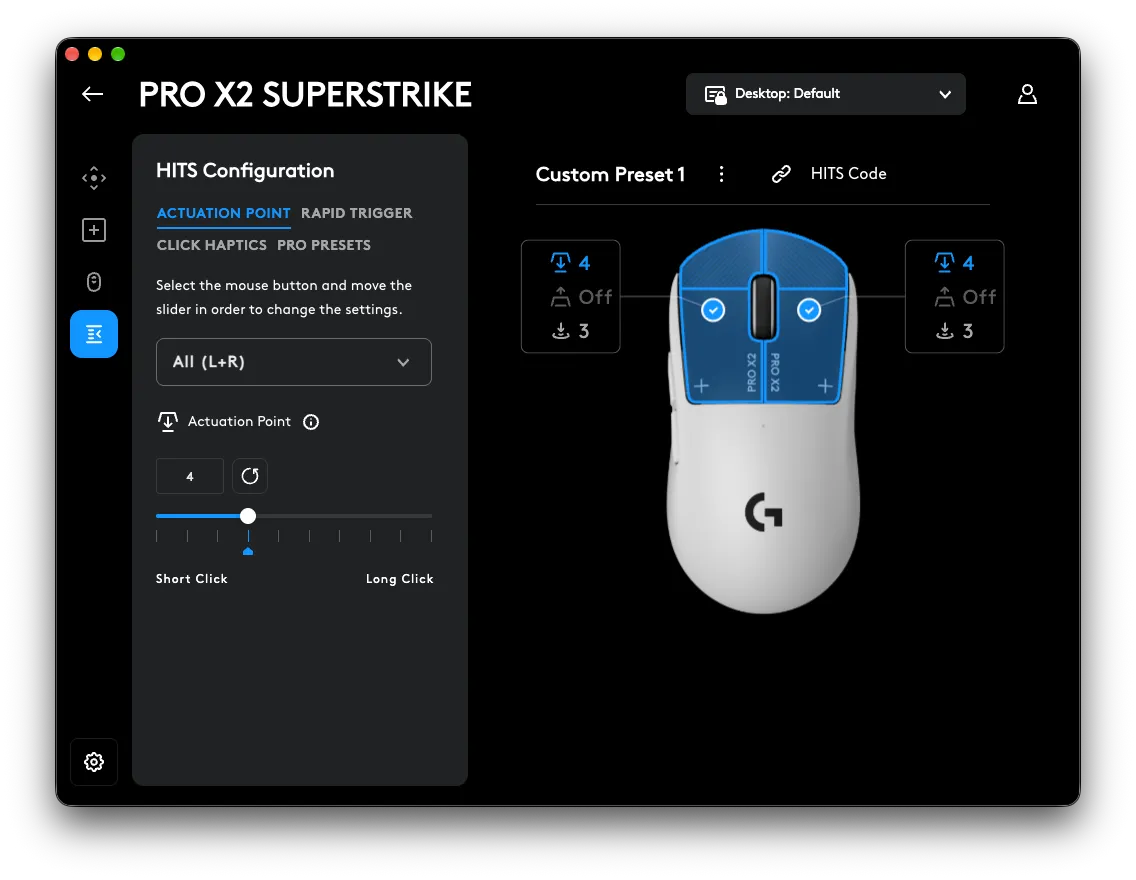 HITS, screenshot from G HUB. | Credit kaytomas.com
30 milliseconds
Logitech also claims the mouse cuts up to 30 ms of click latency compared to regular mechanical microswitches.
Okay, I think to myself, how am I supposed to measure that? These are numbers that are hard for me to replicate, and strictly speaking they’re beyond the ambitions of this review.
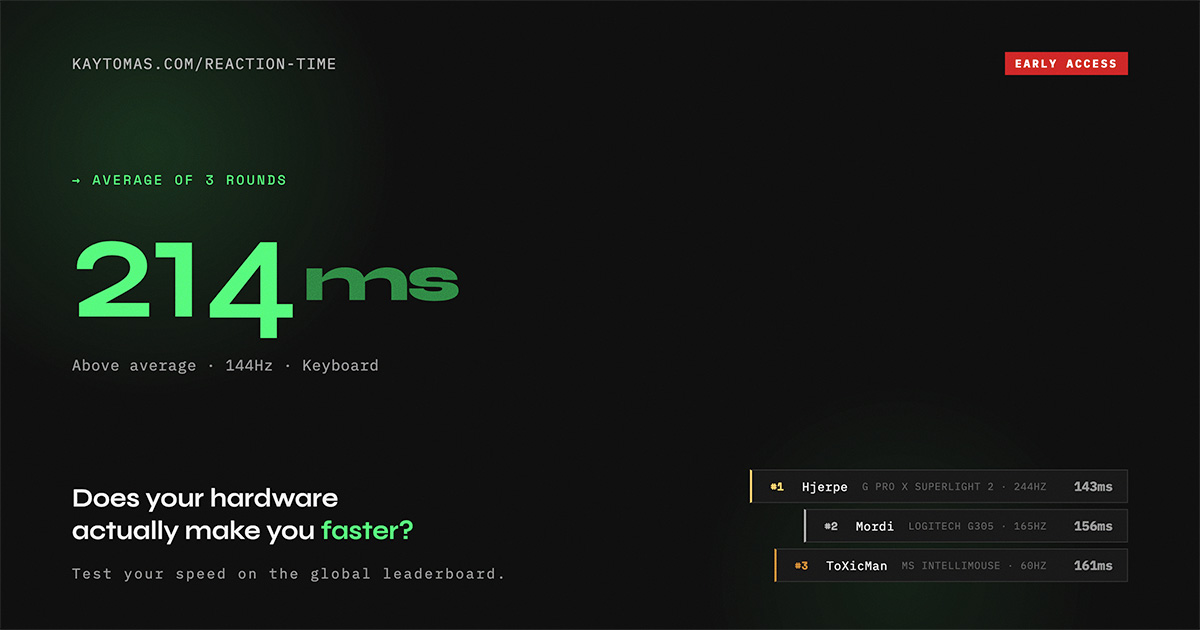
What I can test is how responsive the mouse feels, and my own reaction time with the X2 against other mice I have on the test bench.
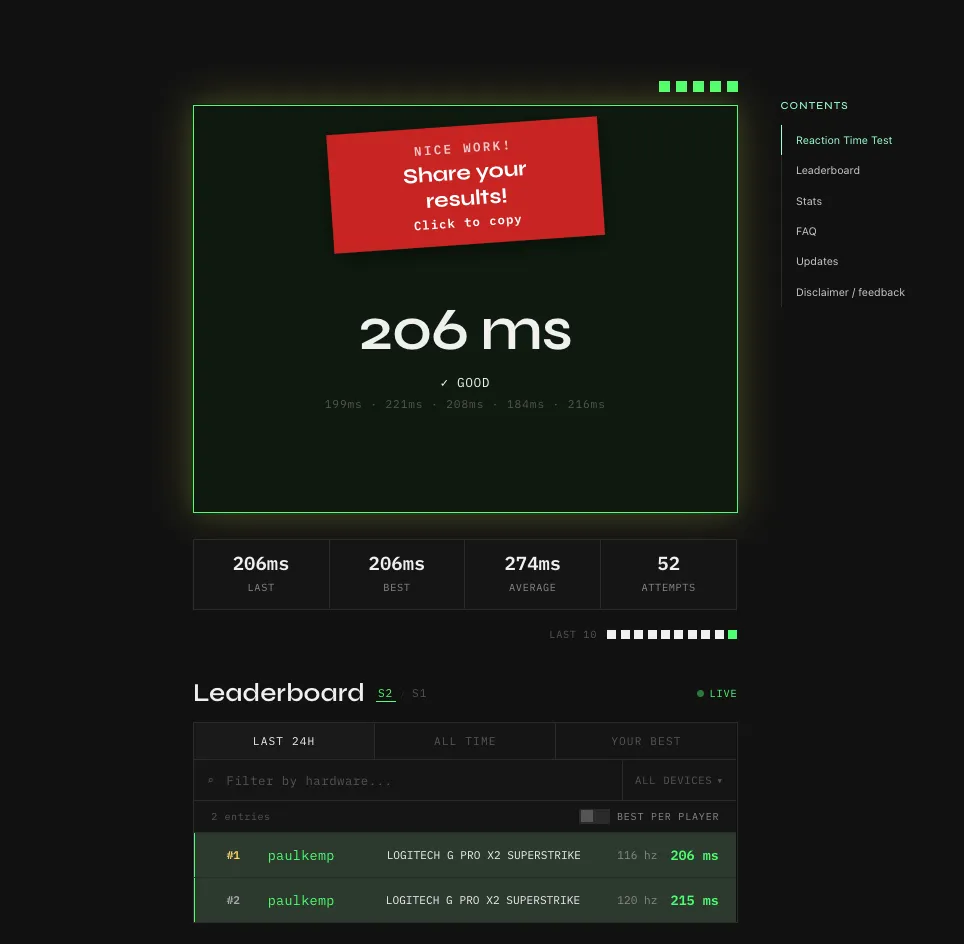 206 ms on the reaction time test with the X2 Superstrike. / Screenshot: kaytomas.com
Someone who actually has advanced measuring equipment has reached a conclusion. Ali from Optimum Tech on YouTube filmed all ten actuation levels with a high-speed camera and found that the number holds up: at the lowest level the mouse registered the click around 27 ms faster than the fastest mouse he had tested before.
The point is that the button doesn’t have to travel as far before it triggers. But in a hectic game you tense your finger before you press, and by then you’ve already eaten up most of that distance yourself. That’s why a real measured result of 27 ms doesn’t necessarily turn into 27 ms faster in game.
Wondering what your own reaction time is? Well, my friend, I’m glad you asked! Go on, test it!
How I tested
When I test gear, I have to test it on my own terms. That means I move the mouse between work and my home rig. Much of the use during the test period is regular office work, alongside reaction time tests and gaming. The games I’ve tested the X2 Superstrike in are Arc Raiders and Overwatch.
But regardless of the mouse, I’m not the best person to measure raw performance in hypercompetitive games like CS and Valorant. In my reality, the mouse you buy is going to be used for a lot more than just gaming, at least for me.
Out of the box
The X2 also strikes me as a proper premium product. Everything from the packaging to the mouse itself screams quality. The mouse is presented in all its glory the moment you lift the top cover off the box.
The X2 Superstrike is a mix of white and black: the mouse itself is white, and the buttons are black. The surface is matte, and the whole mouse has smooth, organic lines. The shape is a classic teardrop, and the X2 Superstrike will feel very familiar in the hand to those of you who have tried a Logitech mouse before.
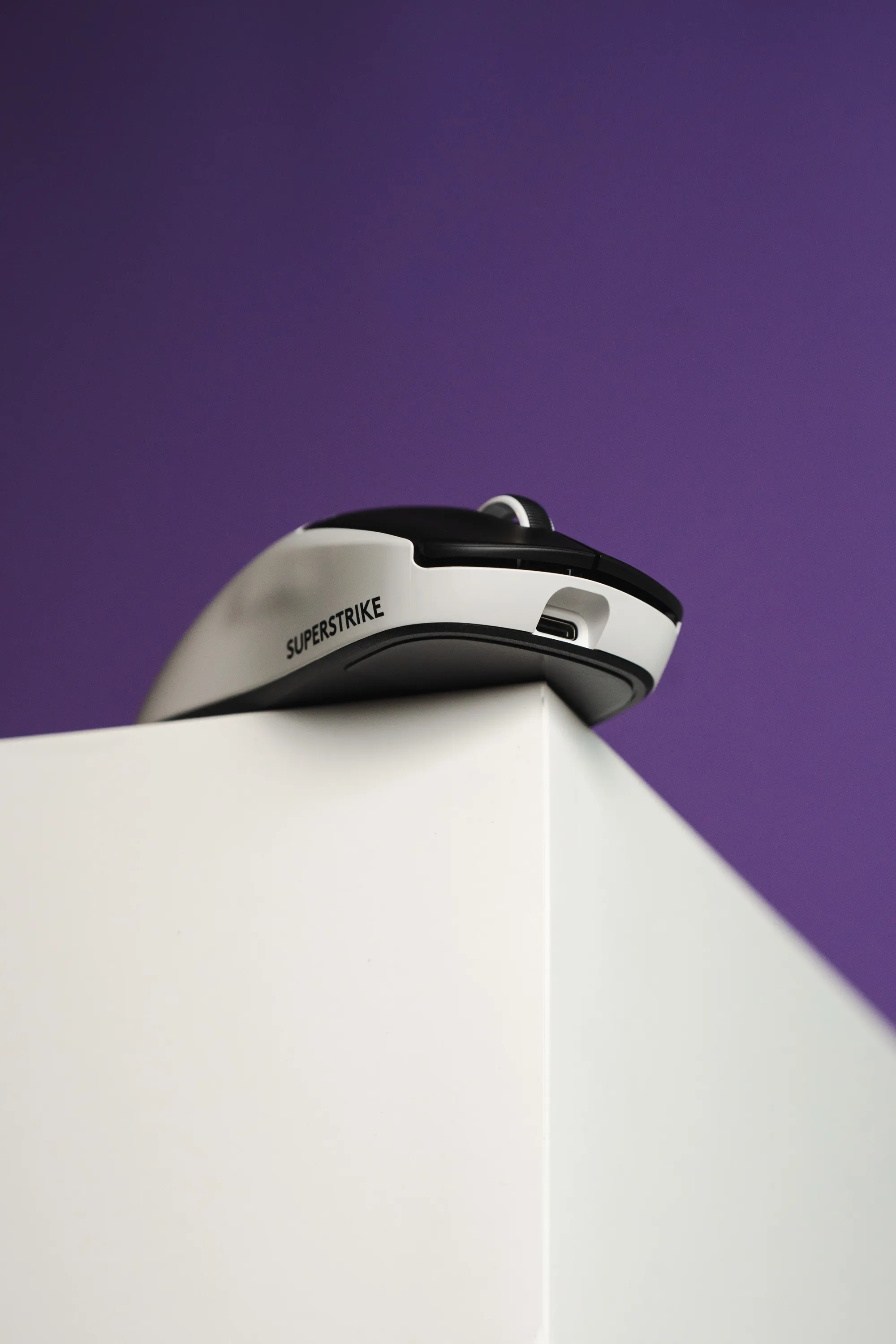 The classic teardrop shape, seen from the side. | Credit kaytomas.com
Logitech gets a lot right with the contents here (which, strictly speaking, is the least you’d expect at this price). You get grip tape and a small cleaning cloth. You get a high-quality USB-C to USB-A cable, and an adapter that connects the receiver to the cable. The cable is used to place the 2.4 GHz receiver on the desk, and for charging.
But here comes the problem: USB-C to USB-A. I’m tired of pointing it out, but we need a USB-C to USB-C cable, with an adapter for USB-A. Not the other way around.
In the box you get USB-C to USB-A with an adapter, fair enough, but it also means that if you’re going to charge the mouse from a laptop without USB-A, you’re in trouble. This is mighty annoying for me, working on a MacBook Air.
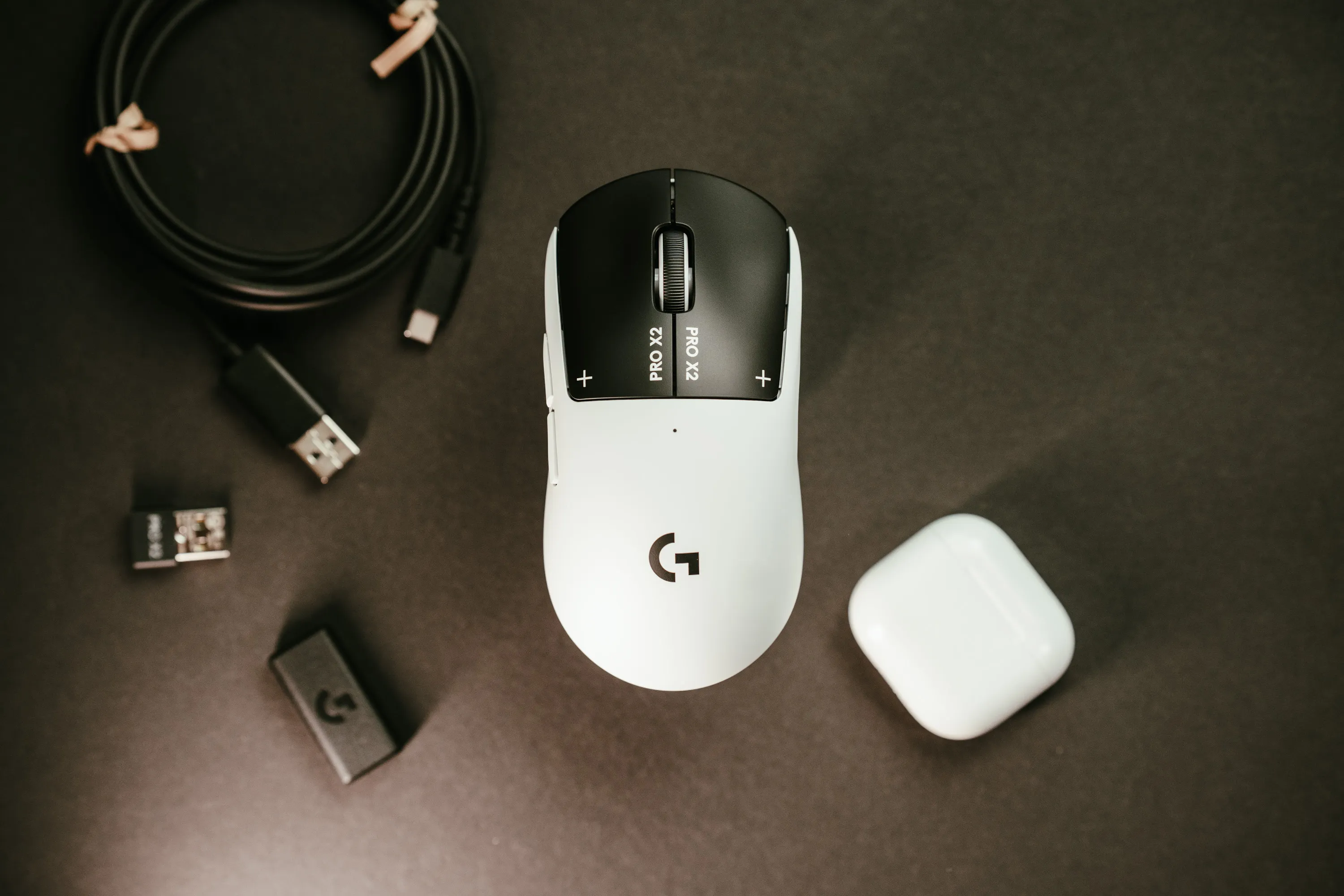 The mouse with the cable, receiver and adapter that come in the box. | Credit kaytomas.com
The receiver deserves criticism
Because where Razer makes a solid puck, with enough weight to keep it in place on the desk, Logitech does… nothing. Here you get the traditional receiver that lies loose on the desk and easily falls down or out of position if anything bumps into it. Which always happens to me when I’m reaching behind to plug in something new, troubleshoot or tidy up.
Razer’s receiver also has a light that signals how good the signal strength is between mouse and receiver, another thing missing from Logitech. To see signal strength with Logitech, you have to go into G HUB.
Here I wish Logitech did what Razer does, especially considering this is their flagship mouse. I miss a receiver that stays put on the desk, or a charging dock that also works as the transmitter. On this point I like Razer’s solution better.
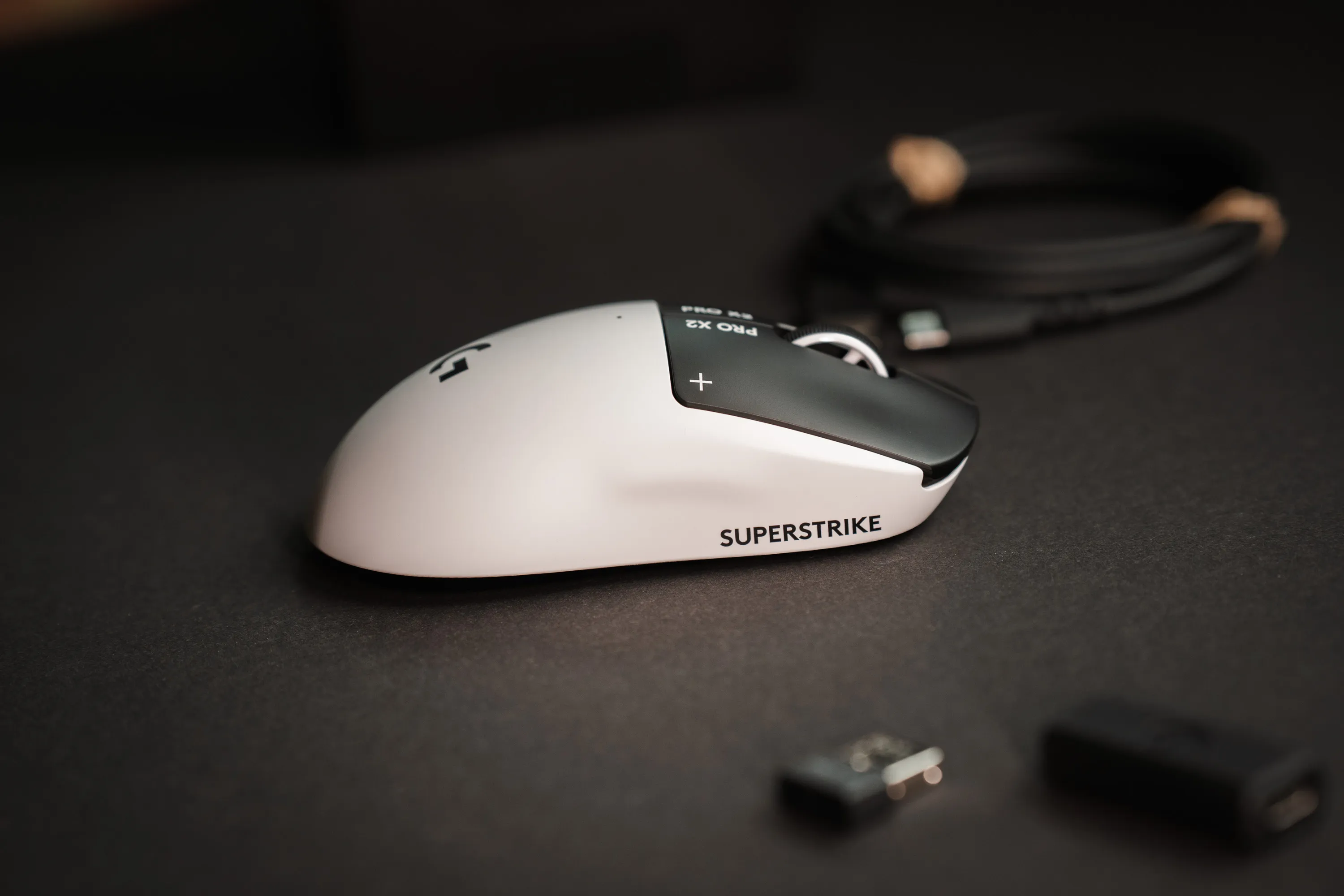 The receiver and adapter in the foreground. Light little things that don’t stay put. | Credit kaytomas.com

G HUB
And while I’m on the subject of criticism, I also want to mention the software you have to use to adjust the settings on this mouse: Logitech G HUB.
By all means, G HUB is perfectly fine software, but I have some issues with this kind of software that has to be installed on the machine. I prefer being able to configure this in the browser, the way several other top mice from Razer and Keychron, among others, can.
Another annoyance with software like G HUB is that it’s yet another arena for showing ads to your customers, as I experienced when I plugged in the G Pro X Superlight 2 Lightspeed. I got an ad for the X2 Superstrike.
Picture it yourself: you’ve just bought a brand new mouse, say a G Pro X Superlight, and then you get an ad for the top model, the one you didn’t buy, the first time you plug it in? That’s simply a lousy user experience.
8000 Hz, and what we actually need
An 8000 Hz polling rate is also on board, and combined with the HITS system this has to be said to be among the ultimate mice of 2026. A thought that strikes me: what’s the next thing they’re going to put into these mice? What more do we need, really? Even though many of us call ourselves gamers, there are after all quite few of us who actually make a living from gaming or get paid for winning games.
A higher polling rate sends more updates on the mouse’s position to the machine per second. Do you want the position update 1000, 2000 or 8000 times per second? What do you need, really?
Battery life
With 8000 updates per second, the battery naturally drains faster.
In an office setting I’ve run this at 2000 Hz and have had very good battery life. During the test period, which has stretched over several months, but where I’ve used other mice in between, I’ve only charged the X2 Superstrike a couple of times. And true to form, I’ve often forgotten to turn it off when I left the desk.
Logitech states up to 90 hours, without stating which polling rate that number applies to. We can assume it applies to 1000 Hz polling.
Connectivity and sensor
The mouse connects with Lightspeed at 2.4 GHz through the receiver, or with a cable straight into the machine.
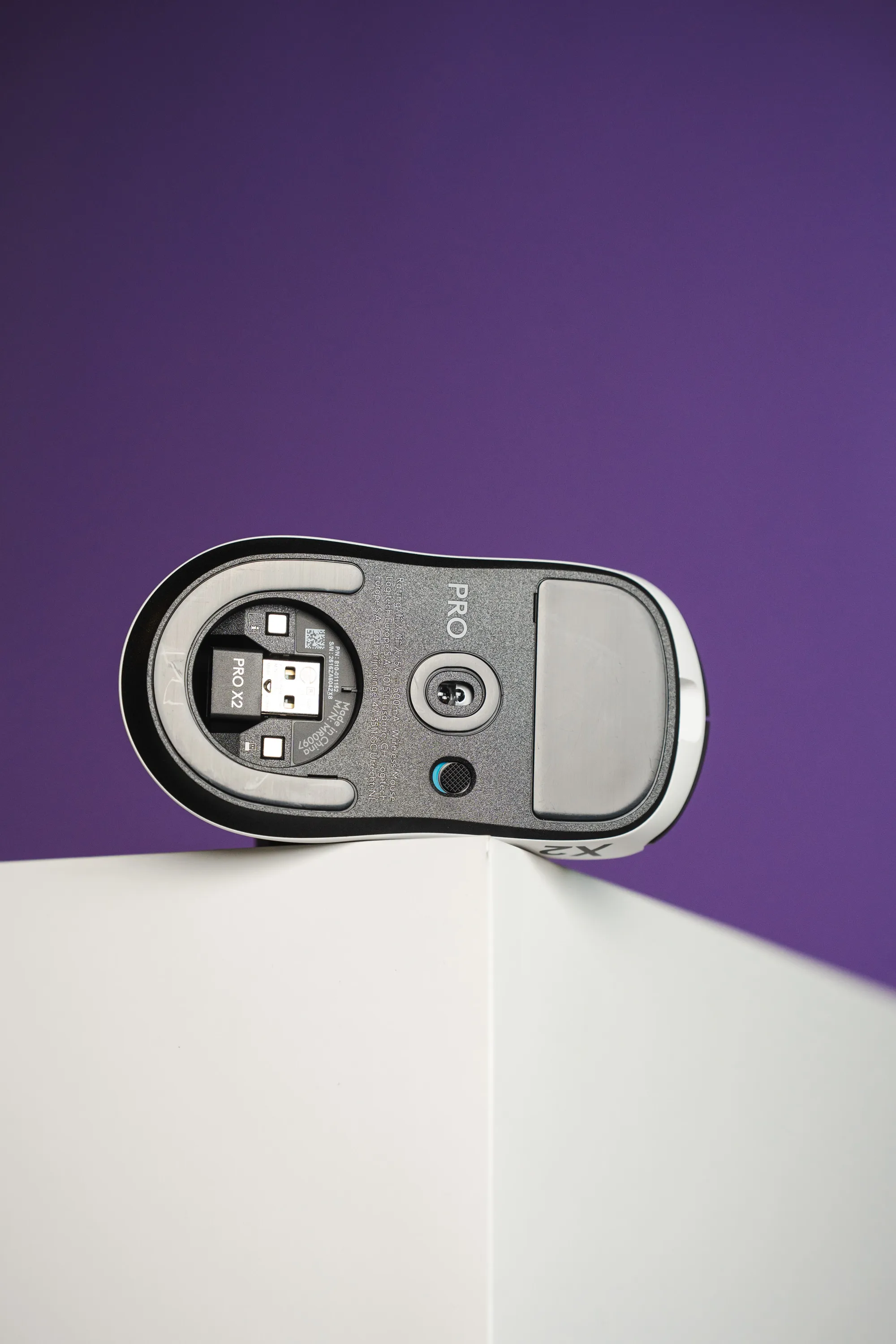 The underside of the X2 Superstrike. | Credit kaytomas.com
The sensor is the HERO 2, and it’s neither new nor unique to the Superstrike. This sensor has been in the Pro series since the Superlight 2 in 2023, and is found in several Logitech mice today. The interesting part is that Logitech makes it themselves. It’s proprietary. Most others, Razer included, use PixArt’s sensors.
44,000 DPI, 888 IPS and 88 G are numbers none of us will come close to using. What you do notice is that the HERO sensors draw very little power. Logitech has long claimed they are ten times more power efficient than their older sensors. That might be part of the reason I’ve charged it so rarely.
And if you’re wondering whether it’s good enough: according to EsportsMice, 20% of all tracked pro players use a mouse with the HERO 2. Only Razer’s Focus Pro 35K is more common.
Alternatives
- Logitech G Pro X3 Superstrike. The successor, with the same HITS switches. Better balance, up to 135 hours of battery life and an upgraded sensor. Besides coming in an incredibly cool magenta color, the X3 Superstrike costs $199.99 at the time of writing, $20 more than the X2. The prices are close enough that, strictly speaking, you should buy it today, unless you can get the X2 cheaper.
- Logitech G Pro X Superlight 2 DEX. Same family, without HITS. The most used among the pros, and priced a good deal below the Superstrike. A safe alternative.
- Razer Viper V4 Pro. The closest symmetrical competitor. Lighter, supports Synapse Web, heavier receiver, but no haptic buttons.
- Razer DeathAdder V4 Pro. Would you rather have an ergonomic right-handed shape than a symmetrical one? Check this one out. It got a 5 from me in April.
Closing thoughts
The X2 Superstrike is the first mouse in a long time where the new thing is actually new, and not just a higher number on a spec sheet. The switches are gone. What you feel under your finger is a vibration the mouse creates for you, and you decide how hard and how early.
Will you notice the 30 milliseconds in game? Well, I doubt it. But you’ll notice that something is different, from the first click.
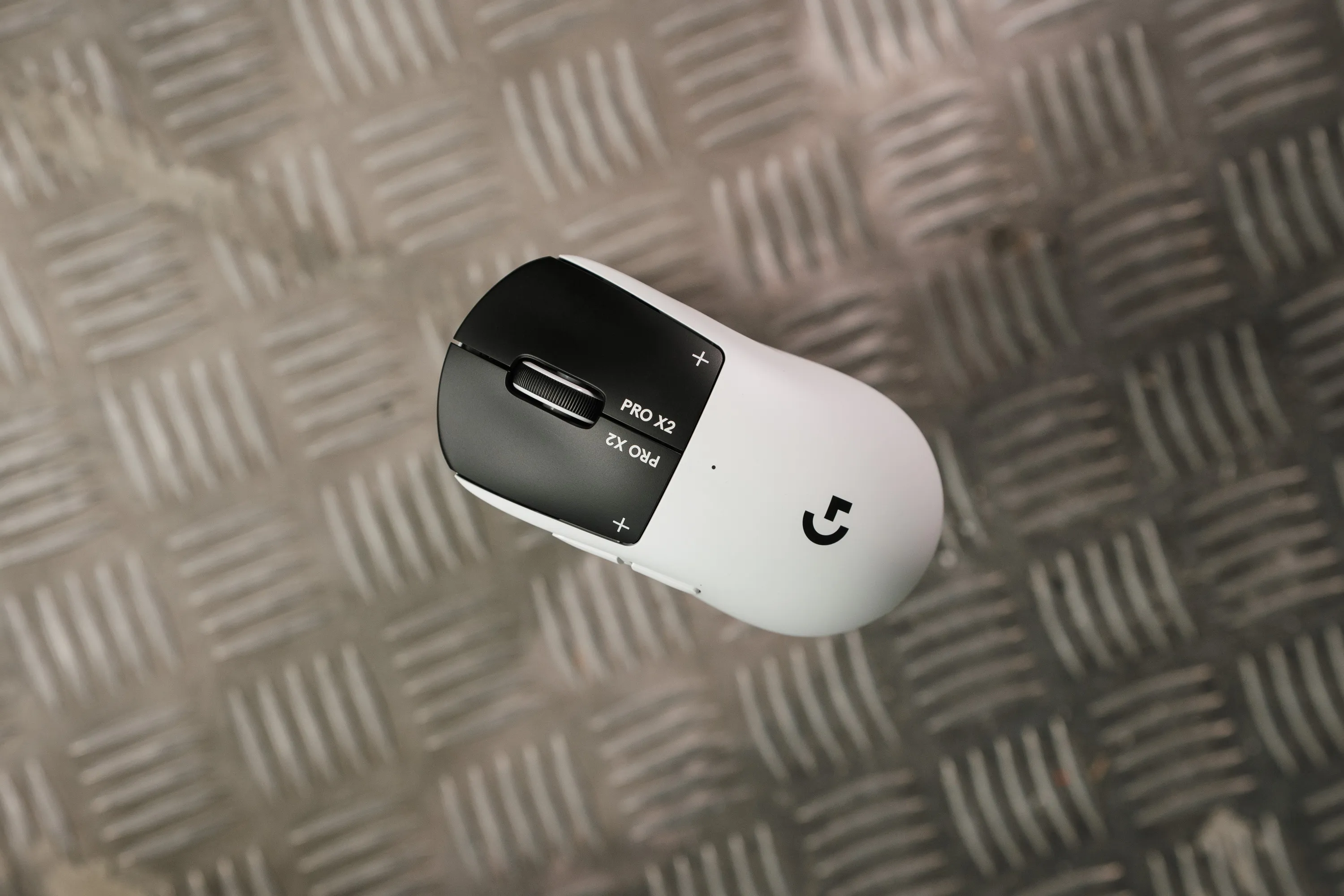 Logitech G Pro X2 Superstrike. | Credit kaytomas.com
Specifications
| Field | Value |
|---|---|
| Switches | HITS, inductive, with haptic feedback |
| Actuation point | 0.1 to 1.0 mm, 10 steps |
| Reset | 5 steps (rapid trigger) |
| Haptics | 6 strengths, can be turned off |
| Sensor | HERO 2, 100 to 44,000 DPI, 888 IPS, 88 G |
| Polling rate | up to 8000 Hz wireless |
| Weight | approx. 61 g stated (KitGuru weighed 62 g) |
| Battery | up to 90 hours |
| Connectivity | Lightspeed 2.4 GHz, USB-C |
| Onboard profiles | 5, including HITS setup |
| Colors | Black, white |
