
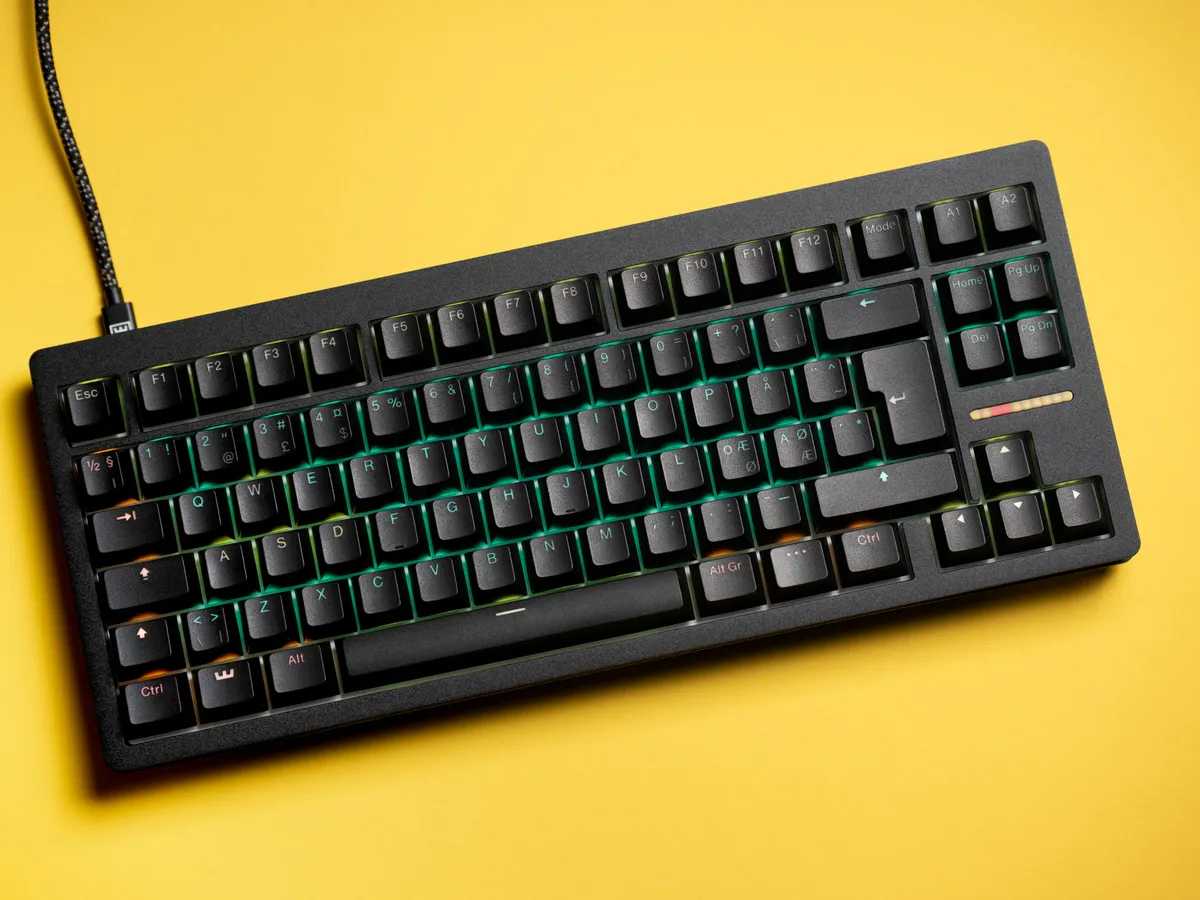
Verdict: does the Wooting 80HE make you a better gamer?
Yes. It does. Hall Effect switches, Rapid Trigger and an 8000 Hz polling rate genuinely lower your input latency and let you tune actuation depth in a way that mechanical switches can’t. After four weeks I am faster on counter-strafes and double-taps than I was on my old keyboard.
But here is the catch: that’s not a reason to buy the 80HE specifically.
There are other Hall Effect boards out there that give you most of those same gains, often for less. If “make me a better gamer” is the only question, you don’t need to spend this much.
So why am I still recommending the 80HE?
Because Wooting are the OG of consumer Hall Effect keyboards. They didn’t follow a trend. They built the category. And it shows in the details: factory-tuned stabilizers, gasket mounting, browser-based Wootility, profiles stored on the board, a 4 year warranty, and a roadmap of firmware updates that keeps adding features to keyboards people already own.
This isn’t a keyboard you replace in two years when the next gimmick lands. It’s a keyboard Wooting will keep improving.
To me, the 80HE isn’t mainly selling a competitive edge. It’s a European-designed, community-driven keyboard built by enthusiasts who genuinely care about keyboards, with a future-proof plan behind it.
Truth be told, the 80HE is better than what I need—but it’s exactly what I want.
If you want to hear that future-proof plan straight from the source, I asked Wooting’s CEO Calder Limmen about what comes next, why he thinks 8000 Hz polling is meaningless, and how Wooting builds keyboards from scratch.
Wooting 80HE specifications
The Wooting 80HE is an 80% wired-only keyboard, meaning you get a full F-row, dedicated arrow keys, and a cluster of navigation keys, but no numpad. It’s bigger than a TKL — the extra column on the right is what makes it 80% rather than TKL. It connects via USB-C, and USB-C only. For a keyboard focused on competitive performance, wired-only makes sense.
The footprint is 346 x 142mm (13.6 x 5.6 inches), with a front case height of 19.4mm without keycaps or 28.4mm with the included OEM-profile keycaps. Compact enough for most desk setups, but not a travel-friendly 60%.
The standout feature on my unit is the black zinc alloy chassis. The keyboard is heavy, noticeably heavy. Just shy of 1900 g with keycaps attached. I measured mine at 1897 g. That weight translates directly into stability on the desk and a sense establishing desk dominance that’s hard to ignore.
The case is a two-piece metal design that feels like a long-term product rather than something meant to be replaced after a year or two.
The zinc chassis immediately sets this keyboard apart from plastic alternatives. It has a fine-grained, semi-matte surface that resists fingerprints very well.
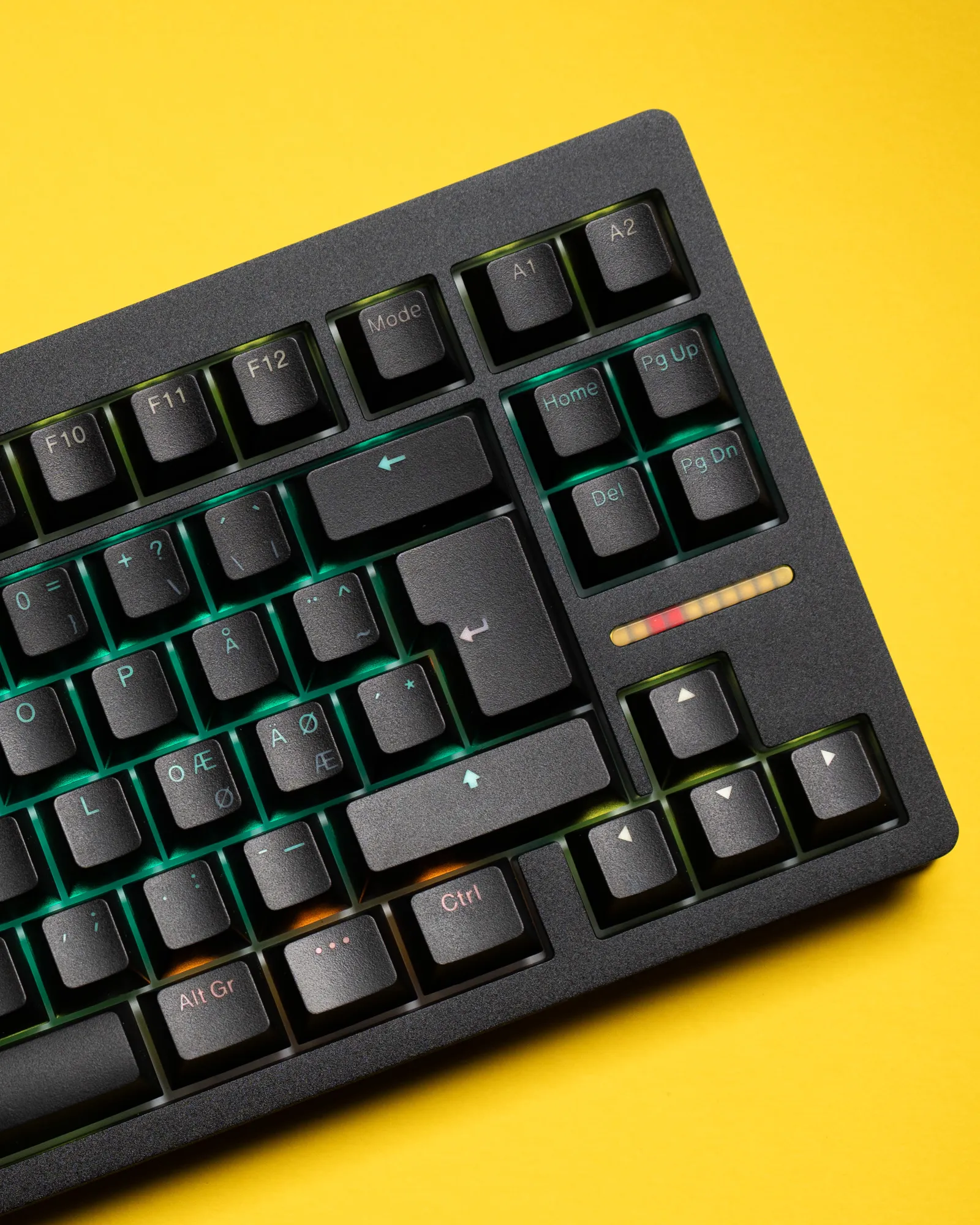 Wooting 80HE Black Zinc with Wooting double shot PBT keycaps / credit kaytomas.com
How I test
I intentionally limited my prior knowledge of the 80HE and other people’s experiences. As someone who normally researches deeply before buying or reviewing anything, I made a conscious decision not to watch a single review before I got my unit.
I approached the Wooting 80HE as a completely new user.
I spend most of my working day in front of a computer, and I game three to four nights a week. During the weeks covered by this review, I used the Wooting 80HE for the vast majority of my keystrokes, both for gaming and text production.
In practice, that meant far more time spent typing than actually gaming.
Initial impressions
My original plan was to photograph both the unboxing and my first use of the keyboard. Well, that plan didn’t last long!
The day it arrived, I just couldn’t contain myself. Like a child on Christmas morning, I immediately started unboxing the keyboard and mounting the keycaps, with my kids around me. Asking questions about the new keyboard for days afterward.
One of the first things that stood out to me was the attention to detail in the packaging. Everything felt deliberate: solid packaging, well-organized accessories, and a securely placed keyboard. When opening the grey box, I noticed a small <3 ASCII symbol. I might be a simple man, but things like that make me smile.
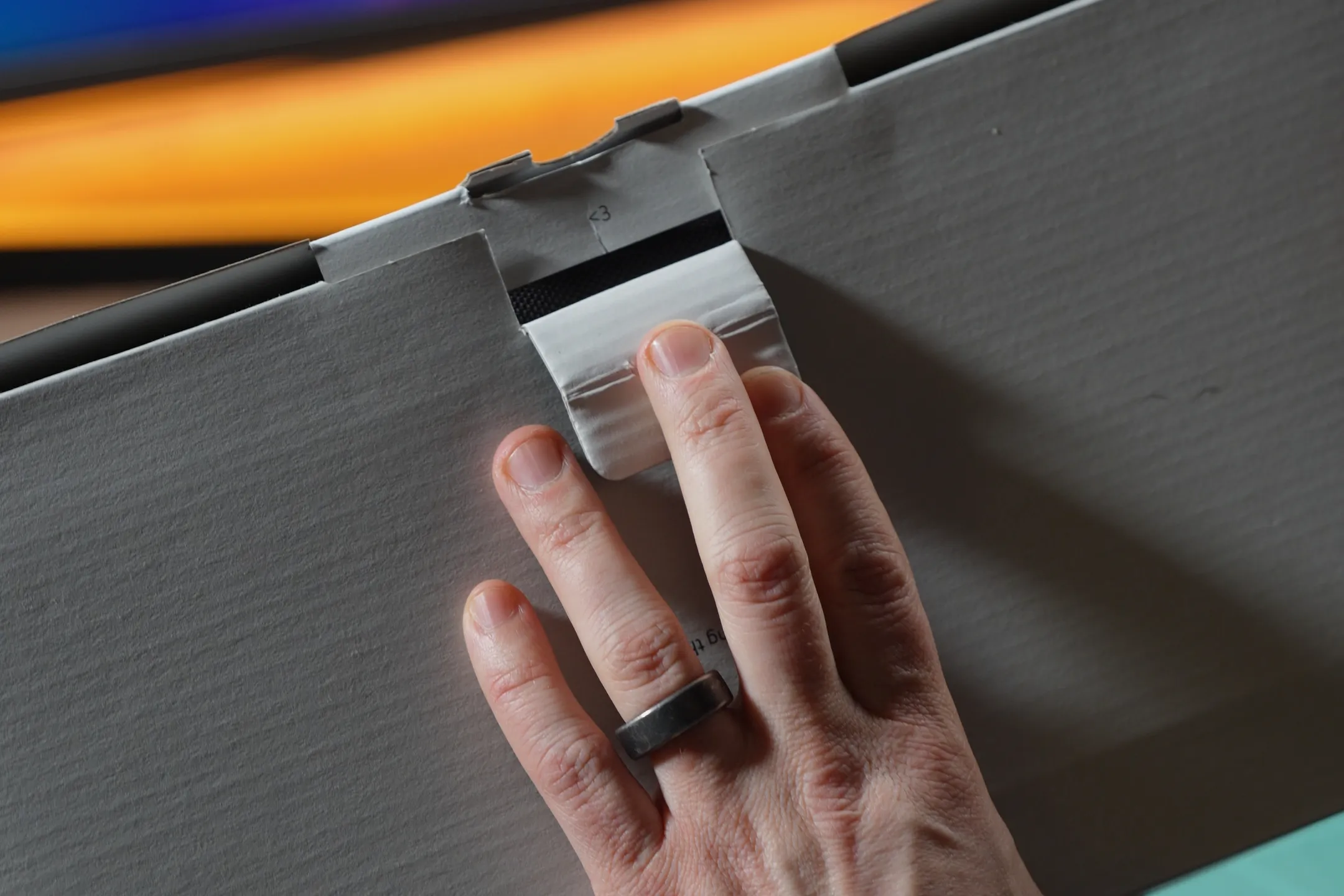 I love that Wooting includes small easter eggs like this / credit kaytomas.com
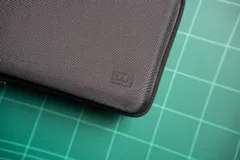
Inside the main box is another high-quality item: the dark grey travel case. I loved small touches like the Wooting logo in the bottom-right corner and the lighter grey attachment flap on the side.
I ended up using the case daily while carrying the keyboard between work and home. I’ve written a dedicated review covering protection and day-to-day practicality.
In the box
If you get the carrying case, you get the following in the box:
- A cozy Wooting postcard that I’ll personally be mailing back to Wooting
- A good quality USB-C to USB-C braided cable, in black and grey
- 3 additional Lekker V2 HE switches and an unknown yellow HE switch
- A keycap and switch puller
- Extra stabilizer screws
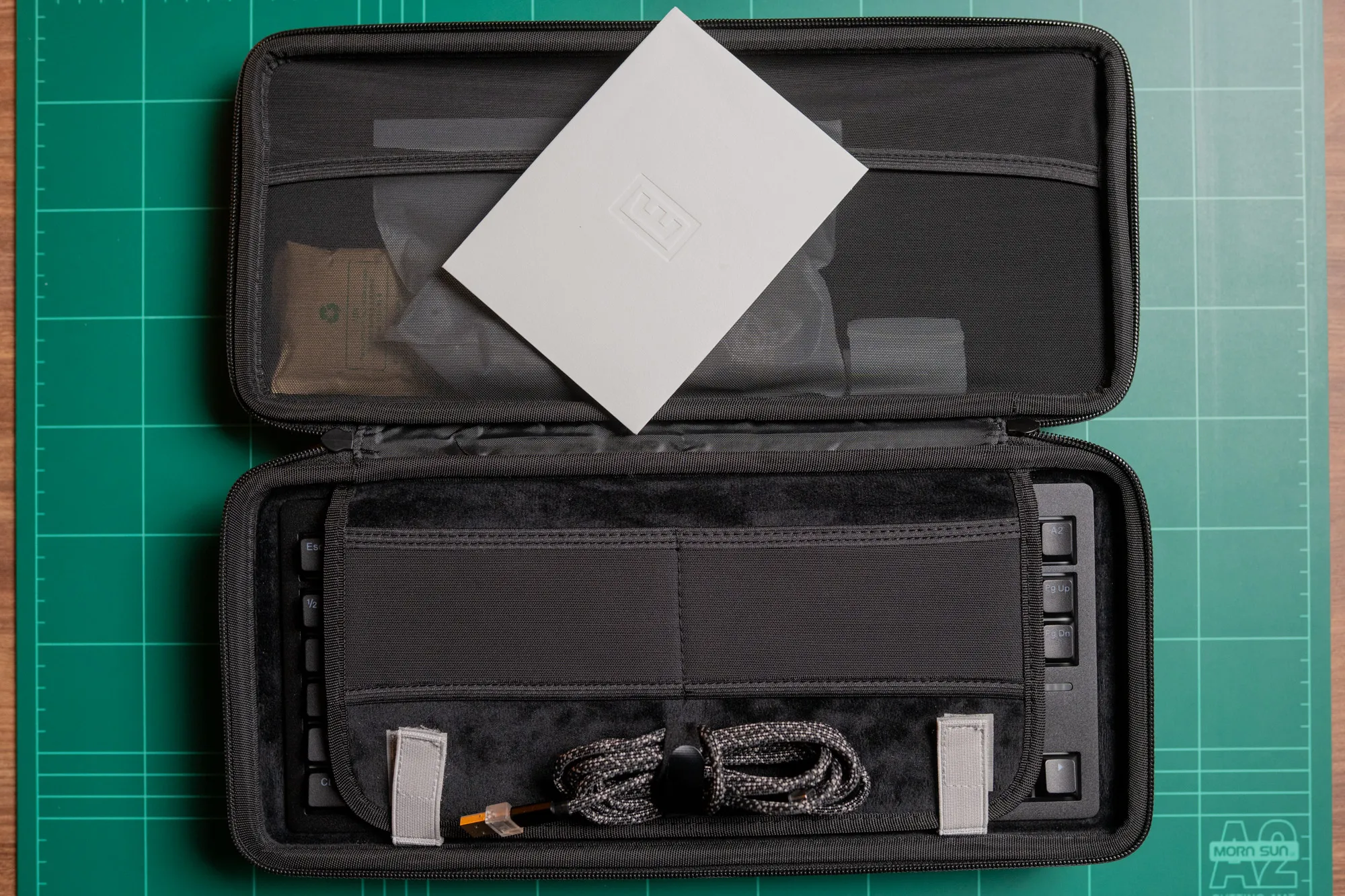 Everything included in the Wooting 80HE box / credit kaytomas.com
Build quality and design
And now, over to the main main attraction: the Wooting 80HE Black Zinc ISO.
The keyboard feels solid, like a proper tool. It’s heavy, and the zinc alloy gives it a distinctly mechanical look. I wouldn’t describe the finish as matte; it has a subtle grain that blends perfectly with the color of the case.
The Lekker V2 switches, with their cyan stems, look gorgeous.
I mounted the included Wooting PBT black ISO keycaps right away. The texture of the keycaps complements the zinc chassis well, even though the materials are obviously different.
The 80HE is an 80% keyboard, meaning you get the full F-row, dedicated arrow keys, and seven additional keys. I mapped these to Home, Delete, Page Up, Page Down, and a mode key for switching layers. I then have two extra keys I’ve not found the need or use for yet.
Even before plugging it in, dry-testing the keyboard felt genuinely enjoyable. It felt smooth, no scratching whatsoever. It’s clear that Wooting has put serious engineering effort into these boards, taking common community mods and implementing them directly from the factory.
Sound and feel are subjective and difficult to describe, but the 80HE just feels good. Really good.
Turning the keyboard over reveals seven screw holes, three front rubber feet, and mounting points for adjustable rear feet. There’s also a center label with serial number, model information, and a short message from Wooting.
Overall build quality is excellent. The keyboard feels solid, sturdy, and well thought out.
Wooting 80HE adjustable rear feet at different heights / credit kaytomas.com
Mounting and internals
Internally, the Wooting 80HE uses a gasket-mounted design with factory-installed sound dampening.
Many of the community’s most common modifications, gaskets, foam, and tuning—are integrated directly from the factory.
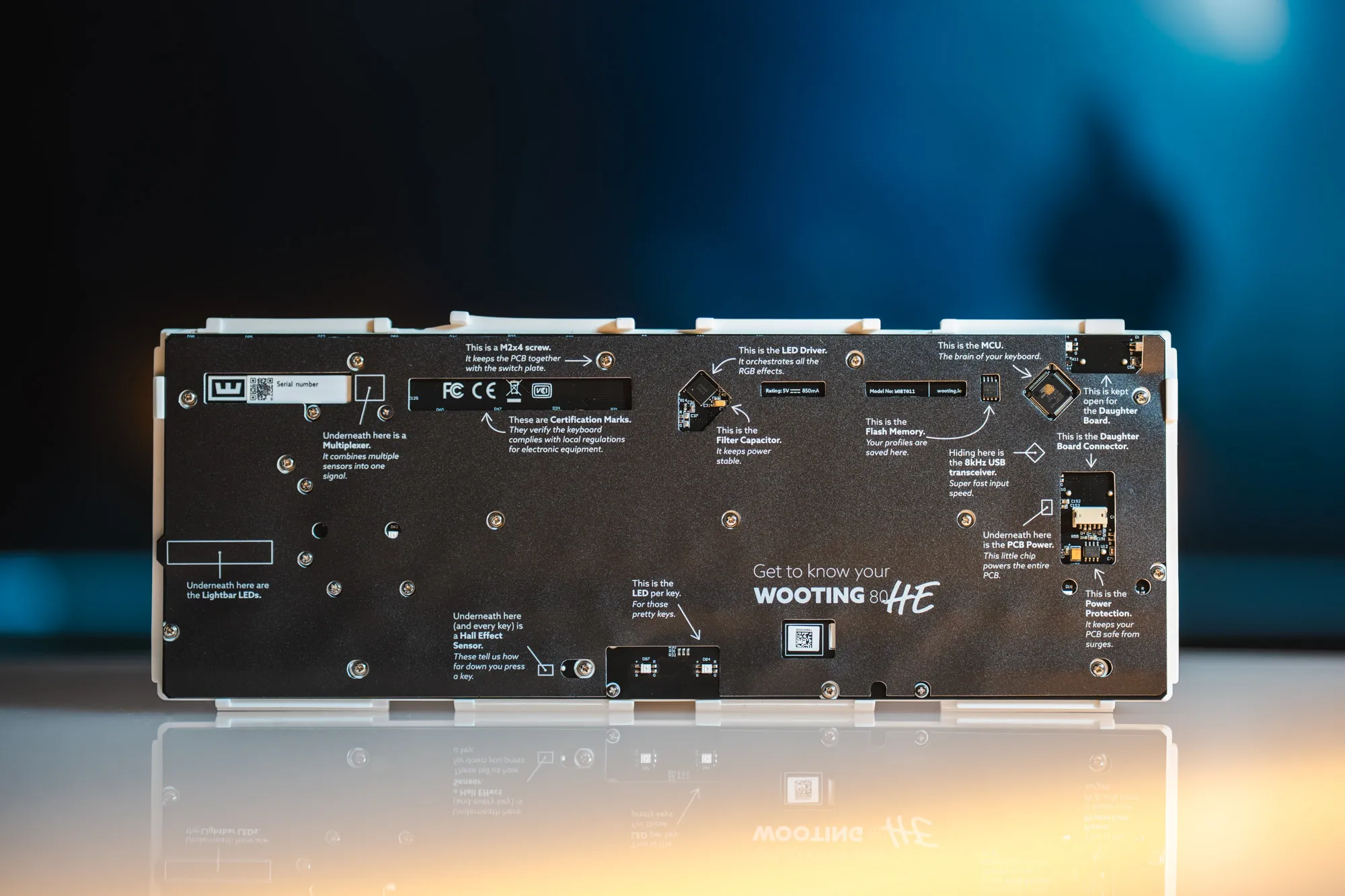 The attention to detail is insane — Wooting even prints text on the padding to the PCB / credit kaytomas.com
The switches
The Lekker V2 switches
“Lekker” is a Norwegian word that roughly translates to “gorgeous” or “attractive,” often used to describe someone of good physical appearance. Norwegian and Dutch are closely related languages. A former Dutch colleague once told me he could read a Norwegian newspaper on his second day in Norway (actual true story).
Turns out, the Norwegian and Dutch meanings are remarkably similar.
The Lekker V2 switches in the 80HE certainly look good, but more importantly, they feel good. They’re linear, with a starting force of 40cN rising to 60cN at bottom-out. Light enough to be responsive, firm enough to avoid constant misfires.
They support full analog input with per-key adjustable actuation, and Wooting rates them at 100 million presses. I wouldn’t describe them as flashy or exotic—they’re simply pleasant to type on, well-balanced, and consistent. Built to last.
The 80HE uses Hall Effect switches and is hot-swappable, meaning you can change to other HE switches if you want or need.
The 80HE ships with the Lekker V2 switches. They have a linear magnetic stem with per-key adjustable actuation. Rapid Trigger is supported across all keys.
The switches come factory-lubed and feel very smooth right out of the box, with minimal wobble. They are clearly tuned for consistency rather than flashiness, and for years to come.
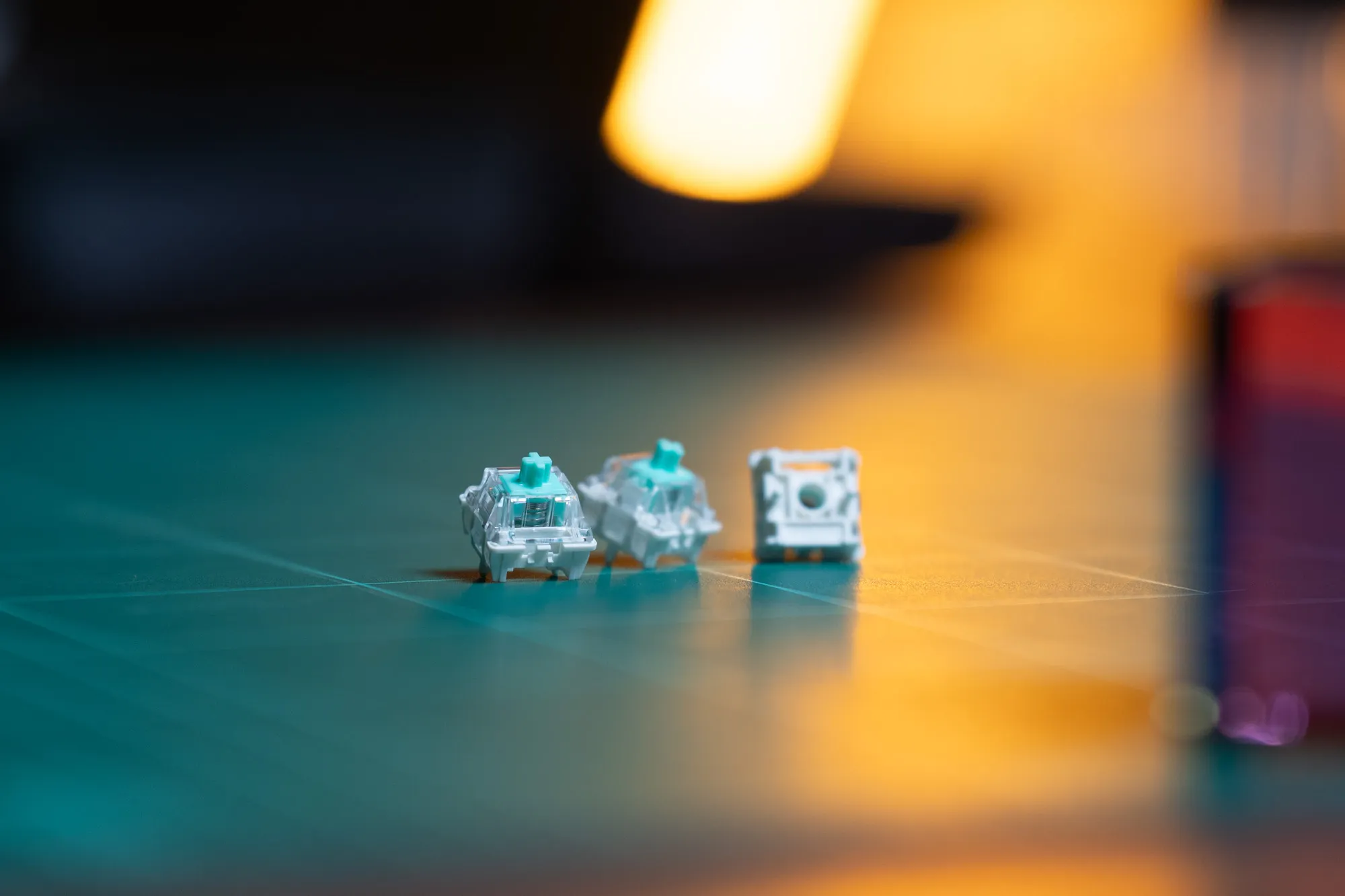 Close of the “gorgeous” Lekker V2 / credit kaytomas.com
How Hall Effect differs from mechanical
In the past, I’ve had mixed experiences with so-called “rapid” keyboards. Before Hall Effect became common, the fastest keyboards relied on mechanical switches with low actuation force and light springs.
Normal mechanical switches register a keypress when two metal contacts physically touch. It’s on or off.
Hall Effect switches work differently—they use a magnet in each switch and a sensor on the PCB that detects how close the magnet is. No physical contact needed! This means no wear on metal parts, and the ability to pinpoint exactly where in the depth of the keystroke the press registers.
I’ll be the first to admit that I’m not a particularly precise typist, and overly sensitive switches have never suited me well. With very sensitive mechanical switches, typos and mis-presses were constant.
Because of that, I was genuinely curious how I would get along with the Wooting 80HE. This keyboard can be configured with actuation points as low as 0.1 mm.
The difference? With mechanical switches, “fast” meant “twitchy and unforgiving.” With Hall Effect, I can set aggressive actuation for gaming without the keyboard betraying me during regular typing—because I just switch profiles. More on that later.
Gaming performance
What makes a keyboard “good” for gaming?
I’ve been using keyboards since the 90s, and mechanical keyboards since the original Das Keyboard. However, the Wooting 80HE is my first real foray into magnetic switches.
As I type these words, I keep coming back to a simple question: what actually makes a keyboard good—for me, and for you?
I think it comes down to three things: how it feels, how it sounds, and whether it gets out of your way. Everything else is preference—or marketing.
Rapid Trigger in practice
Rapid Trigger is the feature Wooting pioneered and is most known for, and it fundamentally changes how the keyboard behaves.
On a traditional mechanical keyboard, a key has a fixed actuation point and a fixed reset point. You press past the actuation point to register input, then release past the reset point before it can register again. Binary. On and off. This creates a small delay.
With Rapid Trigger, there’s no fixed reset point. The key resets the moment you start lifting your finger. Every tiny movement, down or up, registers immediately.
In theory, this should make movement more precise. Strafing, stopping, quick corrections—all faster. This is why competitive FPS players swear by it.
In my experience? The difference was subtle in Arc Raiders. But I noticed the sensitivity cuts both ways. With 0.1mm actuation, the keyboard faithfully registers everything. The Steam overlay kept popping up—tapping Tab while holding Shift will do that.
That’s why tuning matters, folks. Rapid Trigger isn’t “set and forget.” It rewards users who dial in their actuation depth and learn how their habits interact with the keyboard.
Tachyon Mode and 8000 Hz polling rate
On the electronics side, the Wooting 80HE supports polling rates up to 8000 Hz if you enable Tachyon Mode in Wootility.
This mode is meant for maximum performance and ups the polling rate from the default 1600 Hz all the way to 8000 Hz.
Tachyon Mode prioritizes input latency and scan speed over things like RGB effects. Something I initially interpreted as disabling RGB entirely, but in reality it does not. I did manage to have both RGB effects (static lights on all keys) while using the fast, responsive Tachyon Mode.
Is an 8000 Hz polling rate perceivable to me? No.
Do I enable it on my gaming profile? Yes.
Profiles are stored directly on the keyboard using onboard memory, which makes switching computers and setups very straightforward.
While not everyone will benefit equally from extreme polling rates, the responsiveness is there for those who care about it.
SOCD and Snap Tap
Wooting keyboards support multiple SOCD (Simultaneous Opposing Cardinal Directions) resolution modes, including the feature often called “Snap Tap” or what Wooting calls “Snappy Tappy.”
When you press two opposing movement keys at the same time (like A and D), the keyboard needs to decide what to send to the game. Traditional keyboards might send both, or neither. With SOCD resolution, you can configure the behavior—last key wins, neutral, or other options.
This matters for competitive games where counter-strafing speed affects gameplay. Some games have started detecting and restricting these features, so check your game’s rules before enabling.
Playing Arc Raiders
Wooting keyboards are clearly designed with competitive gaming in mind, something reflected in their visibility on sites like ProSettings. That said, we are all different, and all play different games.
I’m a mature, “dad gamer”, who plays less competitively than many, but I still enjoy competitive games and like to win.
During my time with the 80HE, I primarily played Arc Raiders. It’s not the twitchiest shooter out there, and it won’t showcase Rapid Trigger the way Valorant or CS2 will, but it was my game of choice during the review period.
Arc Raiders worked perfectly with the 80HE. I even activated Rapid Trigger on A and D to see if that had any impact. Well, in Arc Raiders and to me, the difference is not noticeable. In my case it is the lack of game-time + playing slightly tipsy on friday nights that’s my problem - not how fast the keyboard reacts.
Typing experience
During the review period, this article was written while switching between different keyboards at work and at home. For three to four weeks, the Wooting 80HE handled most of my daily typing.
The first typing experience was excellent—great sound, no scratching, no detectable wobble, and a pleasant feel. But there was an adjustment period. During the first few days, my error rate was higher and my words per minute lower than usual. Over time, that changed. My typing became more precise as muscle memory adapted.
For typing, I currently use a dedicated profile with a 0.5mm actuation point. It strikes a good balance between responsiveness and control for now, but this is something I will keep adapting and iterating on.
After a full workday, I experienced no finger or overall hand fatigue. Long writing sessions felt comfortable with no aches or discomfort.
I genuinely enjoy typing on this keyboard.
Sound test
The typing sound of the Wooting 80HE is deep and muted. It feels solid and well dampened, with no noticeable ping or rattle.
When typing lightly, the keyboard sounds especially pleasant. Bottoming out produces a firmer sound, but it never becomes sharp or annoying. Overall, the acoustic profile feels controlled and premium.
But sound is subjective—listen for yourself in the video below.
See and hear the Wooting 80HE typing sound test on YouTube / credit kaytomas.com
Software and customization
Wootility and Profile Setup
Before diving into Wootility, it’s worth saying that I’m very fond of companies that choose web-based solutions over mandatory installed software. Wooting strikes a perfect balance here.
Wootility runs primarily in the browser, but it can also be downloaded as a standalone application. You get to choose whether you want anything installed on your machine.
The first time I connected the 80HE to my work Mac, a firmware update was required. The update initially failed, but after reconnecting the keyboard everything worked as expected.
One small friction point: my preferred browser is Firefox, which is not supported. Wootility currently works with Chrome-based browsers like Chrome, Edge, Arc, and Opera. Switching browsers solved the issue.
If you are using a Mac, there is no dedicated input toggle that switches the keys, something we often see with other suppliers like Keychron. Some might find that annoying, but I am constantly switching between Mac and Windows, with different keyboards, and I always keep the same layout and just learn where the Mac keys are.
Once inside Wootility, the user experience is clear and intuitive. I matched the software layout to my physical keyboard, remapped the extra keys, and set up two main profiles: a gaming profile with aggressive actuation 0.1 mm and a typing layer with more conservative settings, 0.5 mm.
RGB customization is simple, and Wooting provides extensive documentation for users who want to dive deeper with their videos.
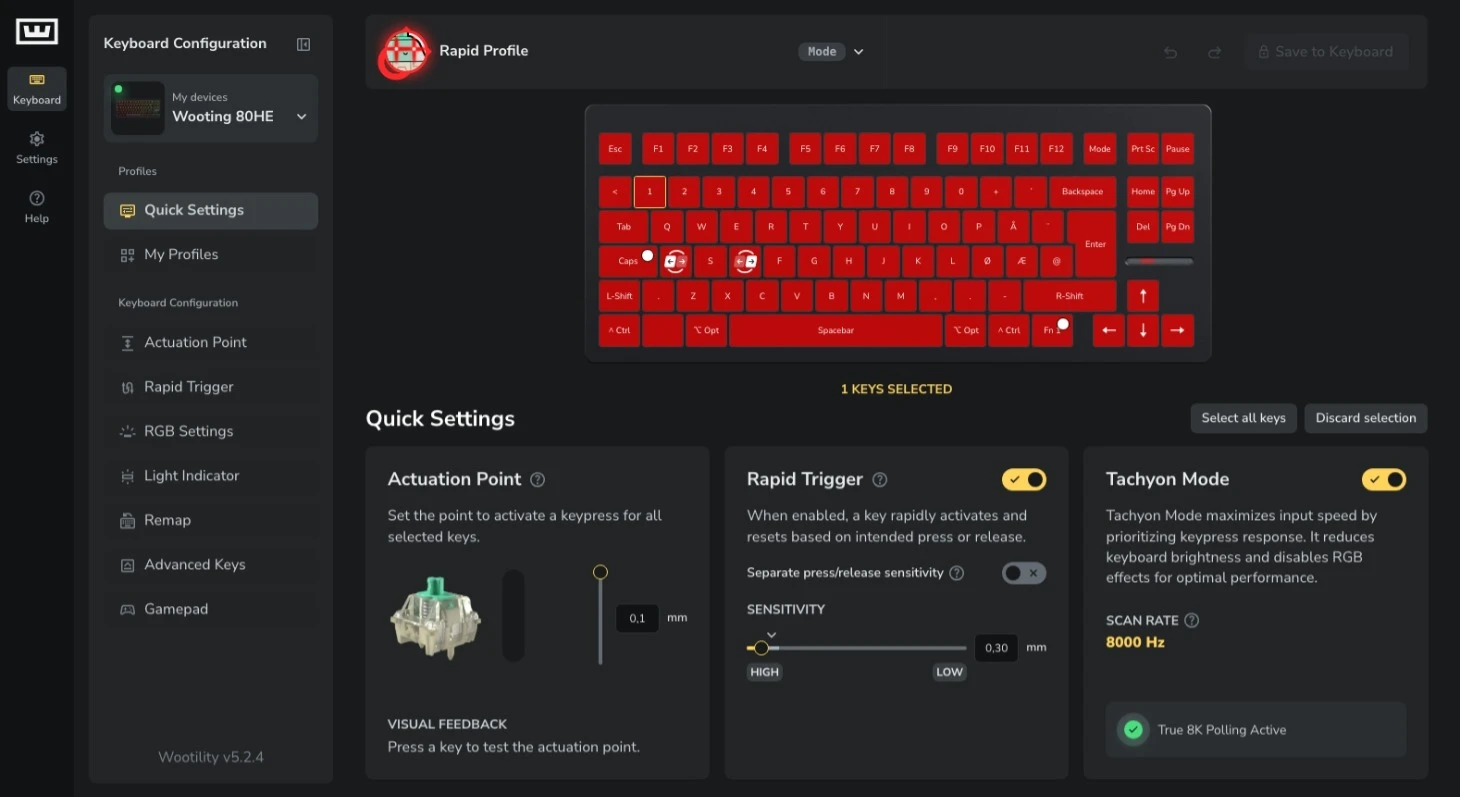
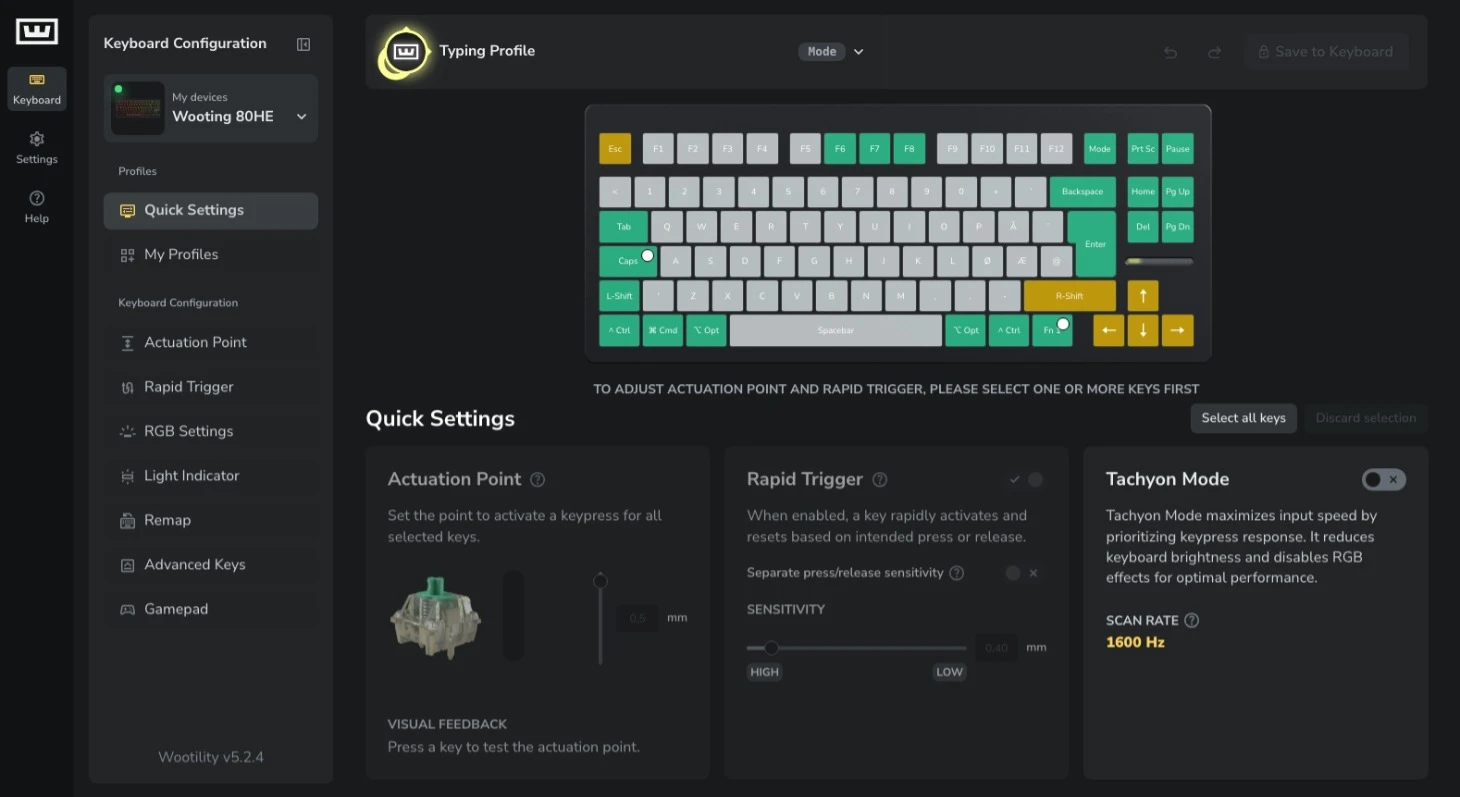
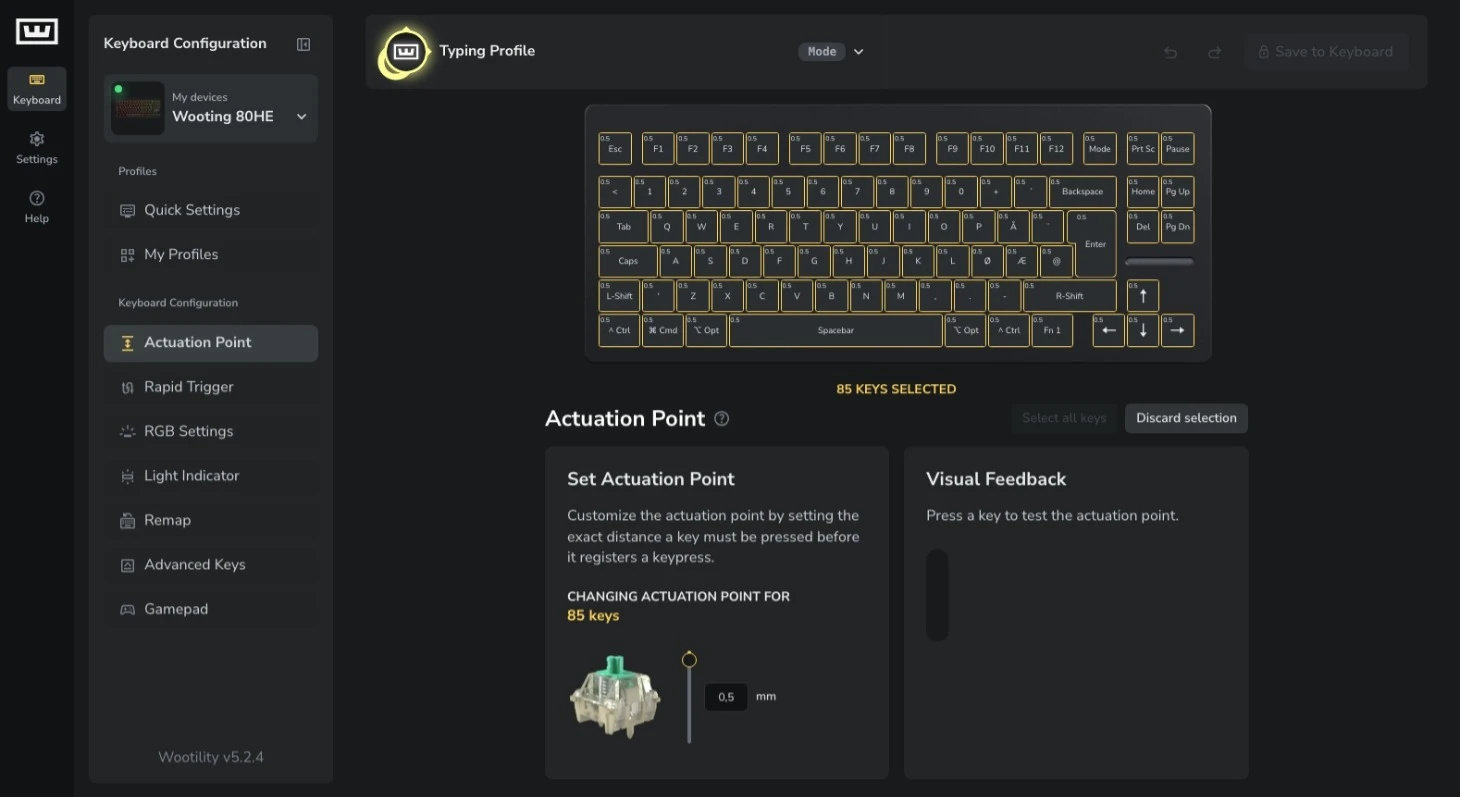
Wootility screenshots: Rapid Trigger settings, typing profile, and actuation point configuration / credit kaytomas.com
LED bar features
Another prominent, standout feature of the Wooting 80HE is the LED bar.
While it looks cool, it isn’t here purely for aesthetics. The LED bar is designed as a functional status indicator that can give you visual feedback without relying on software overlays or on-screen indicators.
The LED bar can communicate more than you’d expect.
During my testing, I used it to show active layers—whether I was on my typing or gaming profile. One lit segment for typing, two for gaming—simple and immediate. The key RGB can also provide visual feedback for this, but glancing at the LED bar gave me immediate confirmation of which profile I was using.
Another use is showing how far a key is pressed. Am I bottoming out? How sensitive is this keyboard really? All of this can be answered by the LED bar.
You notice what appears to be pixels on the LED bar? Turns out they are wired in pairs, so you can only change colors two at a time.
This is one of those features that doesn’t draw attention to itself, but once you’re used to it, you’d miss it if it wasn’t there.
Wootility also controls the LED bar’s advanced features—showing RAM usage, background tasks, or other system-level info. These require the Wooting Background Service, downloaded through Wootility, running continuously in the background.
It works and is customizable, but it’s the less polished part of the setup. Not something I’d personally enable, since I have other ways to get that feedback.
Here you can see the depth measurement and switching profiles / credit kaytomas.com
RGB and lighting
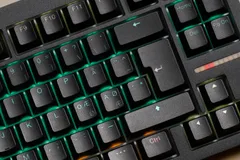
The keyboard features per-key north-facing RGB lighting, fully configurable through Wootility.
I’m not that big of a fan of RGB, but I have started to really like it with the double shot PBT keycaps and the subtle effects on the 80HE. That fact you can change color theme based on the active profile makes it very easy to see what profile you are on.
Color profiles are layer-specific, meaning you can have colors that give you feedback what profile you are on. Or, they can harmoize with the game you are playing, if you are into that. I’m not here to judge how you use RGB, but the options here are plentiful.
If RGB matters to you, the tools are there. If it doesn’t, it’s easy to ignore.
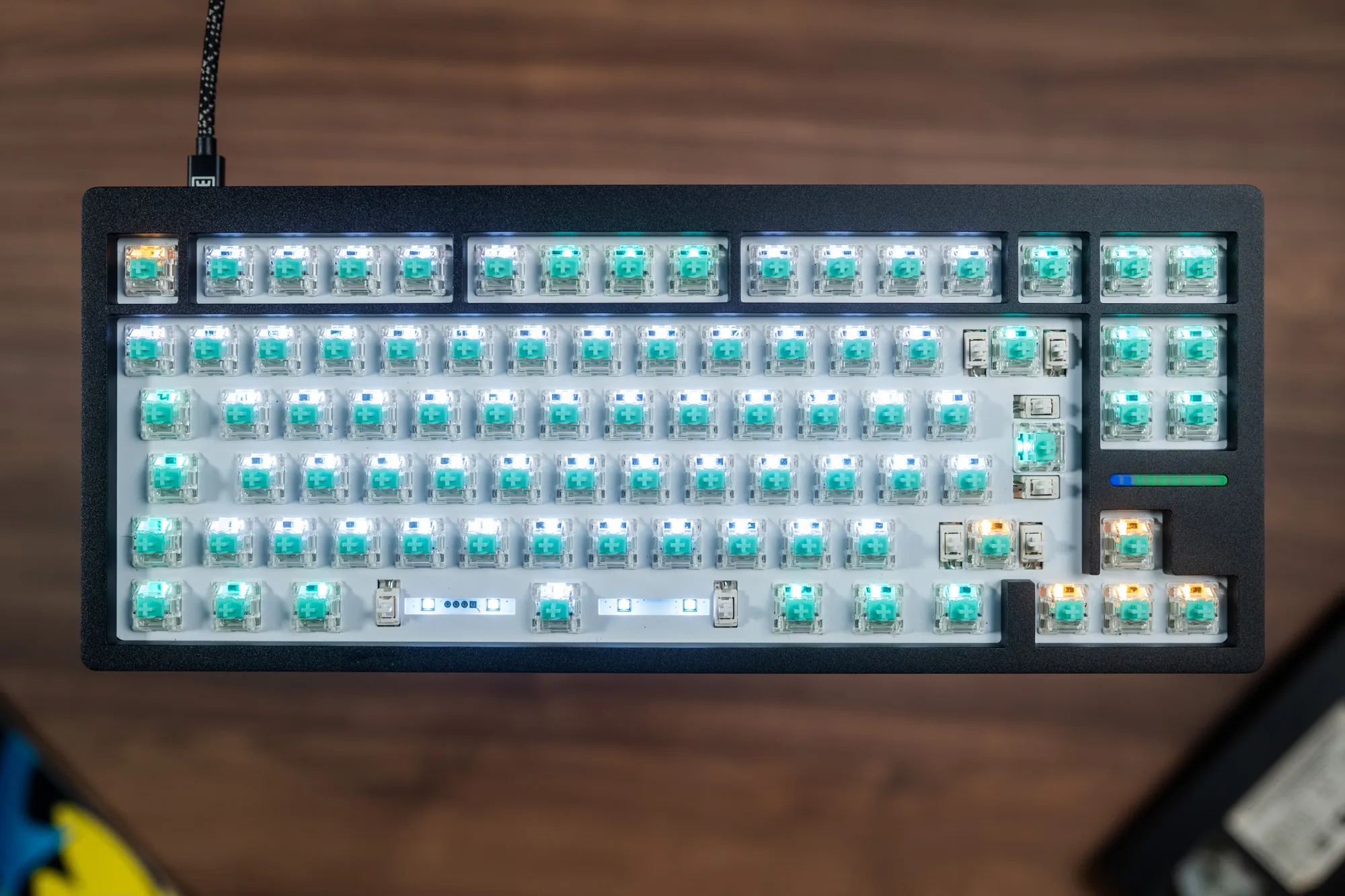 North-facing RGB on the Wooting 80HE / credit kaytomas.com
Layout and compatibility
The 80% layout in daily use
For most people, I think the 80% layout is an excellent starting point—and the Wooting 80HE executes it very well. You get dedicated arrow keys, a full F-row, and useful navigation keys without the keyboard feeling oversized. For many users, this will be the sweet spot.
Personally, my ideal layout is slightly smaller. I’m comfortable using an Fn layer for F-keys and prefer something closer to a 65–69% layout with dedicated arrow keys. I’ve tested 60% keyboards before and always struggled with relying on Fn layers for navigation. While that’s largely a muscle memory issue, the learning curve is real.
That said, this is purely personal preference.
The 80% layout of the Wooting 80HE avoids that friction entirely.
Wooting PBT Keycaps
The 80HE ships with PBT double-shot keycaps in an OEM-style profile. The spacebar includes extra internal dampening, a very nice touch.
I did run into one issue with the Nordic ISO layout (looking at you, Å standing tall at the very end of our Norwegian alphabet) that’s worth knowing about. If you are interested in what my issues are with that key, read my dedicated review below.
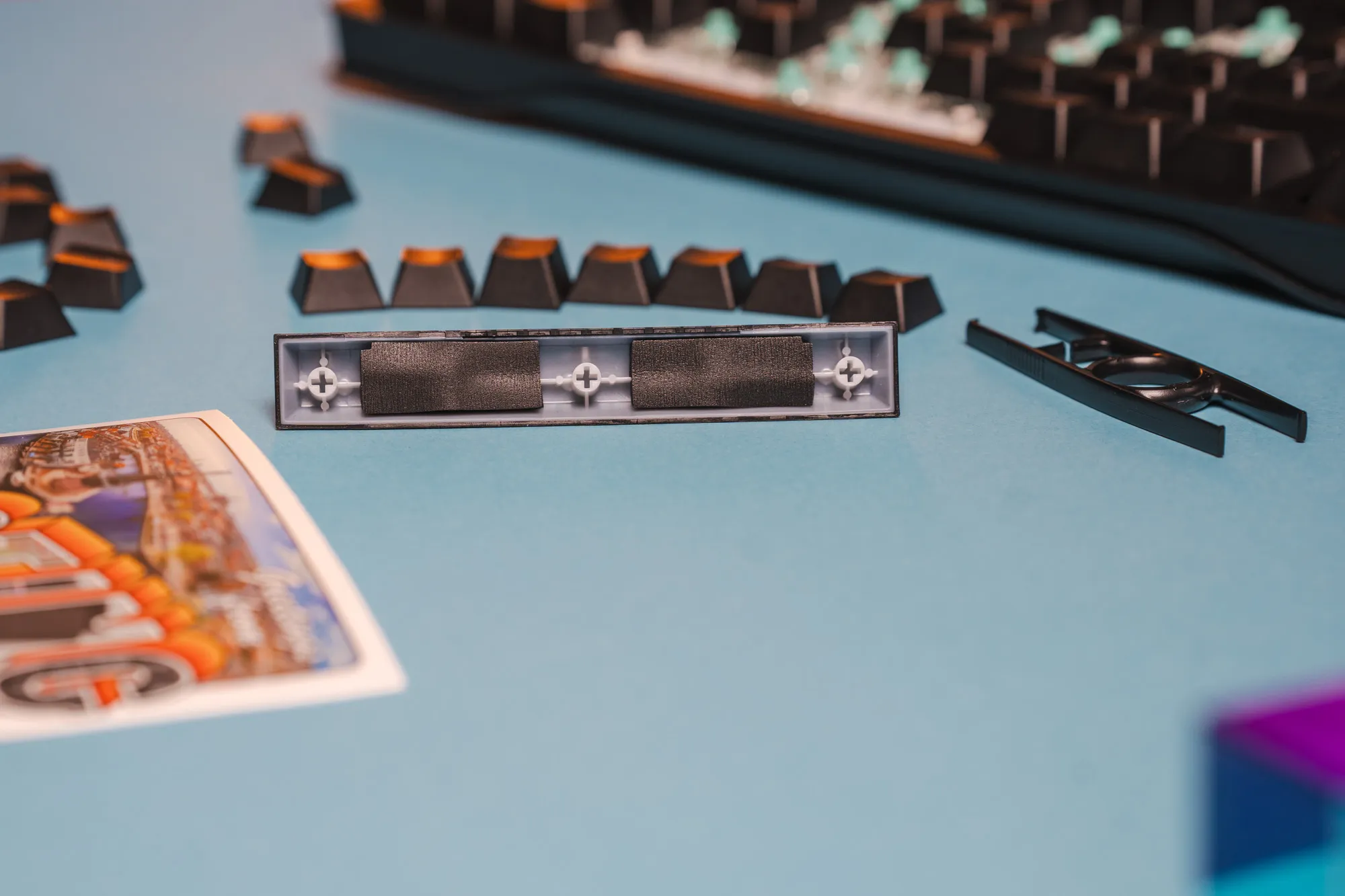 The spacebar already comes pre padded! NICE / credit kaytomas.com
Who should buy the Wooting 80HE?
Before I started using the Wooting 80HE, there were a few things I wanted clear answers to:
- Can I actually feel a difference, or a competitive edge, with Hall Effect switches?
- Gaming works well on Wooting keyboards. What about typing?
- How easy is it to switch between profiles and configurations in Wootility?
- How good can a prebuilt keyboard really sound and feel?
- Will the Lekker V2 switches be too light, or too sensitive for me?
After living with the Wooting 80HE for several weeks, here’s my answers to those questions:
Can I actually feel a difference, or a competitive edge, with Hall Effect switches?
Yes,but only when tuned correctly.
Features like Rapid Trigger and adjustable actuation do make movement feel more immediate and controlled in fast-paced games. That said, extremely sensitive settings can also work against you if your finger control isn’t precise. The advantage is real, but it’s not automatic and requires nimble, precise fingers. Is it needed for winning games? Not the games I play. Is it a nice addition? Yes—I need all the help I can get.
Gaming works well on Wooting boards—but what about typing?
Typing turned out better than expected. After an initial, and honestly ongoing, adjustment period, long writing sessions felt comfortable and free of fatigue. My error rate was higher in the beginning, but slowly improved over time as muscle memory kicked in.
With a dedicated typing profile at a more reasonable actuation point, the keyboard works very well for text-heavy work as well.
How easy is it to switch between profiles and configurations?
Many keyboards use two-button combos to switch layers. The 80HE uses a single dedicated button, with the active profile shown on the LED bar and reflected in the key RGB. Between onboard memory and clear visual feedback, you always know which profile you’re on. Seamless.
How good can a prebuilt keyboard really sound and feel?
Better than expected, to be honest. The gasket mount, factory dampening, tuned stabilizers, and solid zinc case result in a keyboard that sounds muted, controlled, and premium straight out of the box—without needing user mods.
Will the Lekker V2 switches be too light or sensitive for me?
They can be, if you set them that way. At very low actuation points, the switches demand precision (that I don’t have). With more conservative settings, they feel balanced, smooth, and predictable. The flexibility to tune them is what ultimately makes them work.
Conclusion and verdict
So, should you buy the Wooting 80HE?
If you’re looking for a keyboard to turn you into a pro gamer, the answer is no. This won’t magically fix bad habits or elevate your skill ceiling.
But if you want a beautifully built, premium, European-designed keyboard from a company that actually listens to its community—one that feels like a tool rather than a toy, and something you’ll still be using five years from now—then yes.
The Wooting 80HE is better than what most of us need. But it might be exactly what some of us want.
I know I’ll be keeping mine for a long time.
And for that, it gets my recommendation.
Disclaimer
Wooting provided the 80HE for this review. This does not influence my opinions. All thoughts and impressions are my own.
