
Razer Kiyo V2 X review
The Razer Kiyo V2 X is a well-built webcam with a mic and privacy shield, held back by software and a USB-A cable that has no business shipping in 2026.
How I tested
Since I got it, I have been testing on both Mac and my Windows machine. During the test period, this has been mostly Teams and Zoom calls. Both at the office and at home. A bit of video calling on Discord with friends for the sake of the review, honestly not something I turn the camera on for very often.
Living in Northern Norway, during spring and summer, we have daylight close to all night and bright lights even at 10 in the evening.
Normally I turn on the MacBook M1 camera, a 720p webcam located at the top of the laptop screen. This webcam has been decent, but not good. When I want to impress someone, I set up my Sony A7 IV with a nice lens. My Windows test machine does not contain a webcam, and I have been using a dated Logitech Brio for that.
The Kiyo V2 X is meant to be a simple webcam offering streaming quality at up to 1440p and 60 fps.
Design
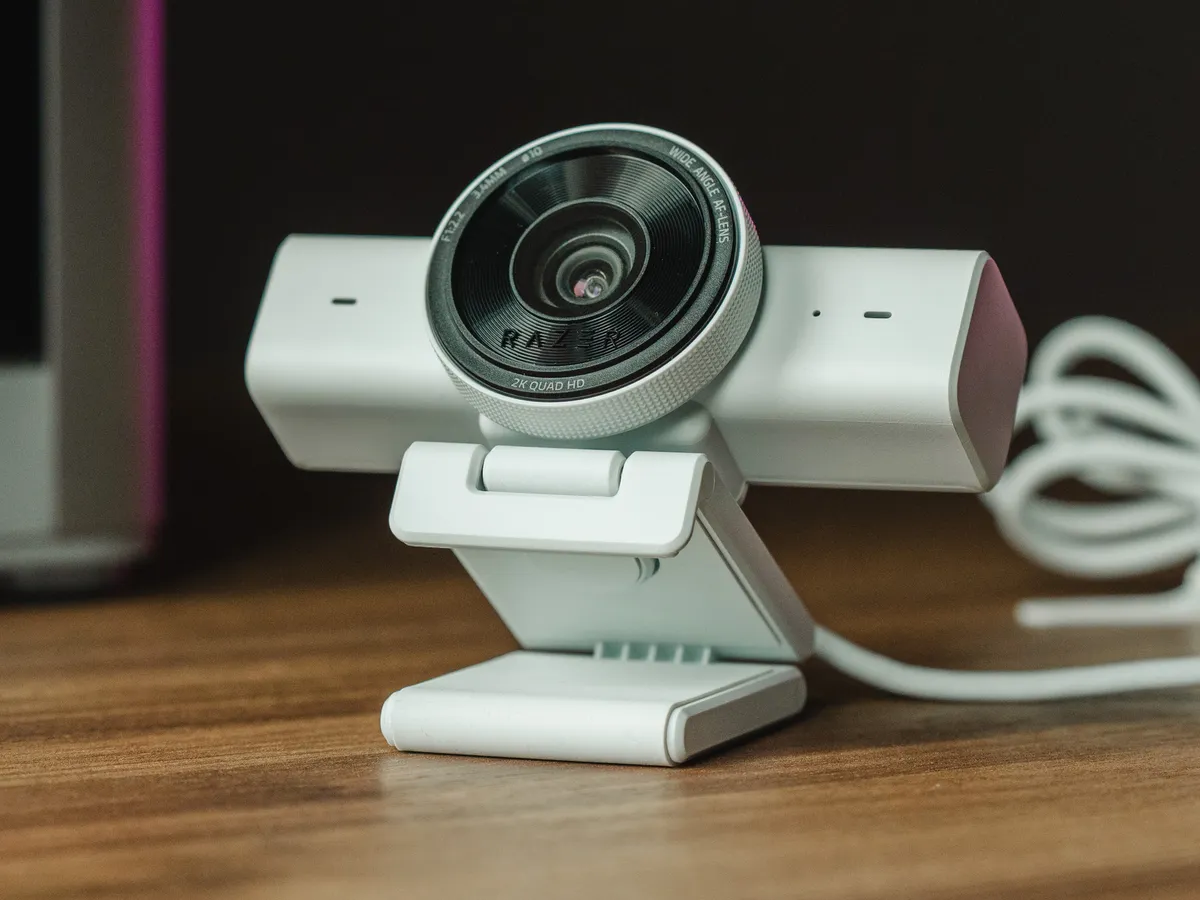
I have the white version, and it looks good. The unit itself is big, has presence, feels well made. It is adjustable in the ways you want, rotation left and right, tilt up and down, and there is a tripod thread underneath for mounting.
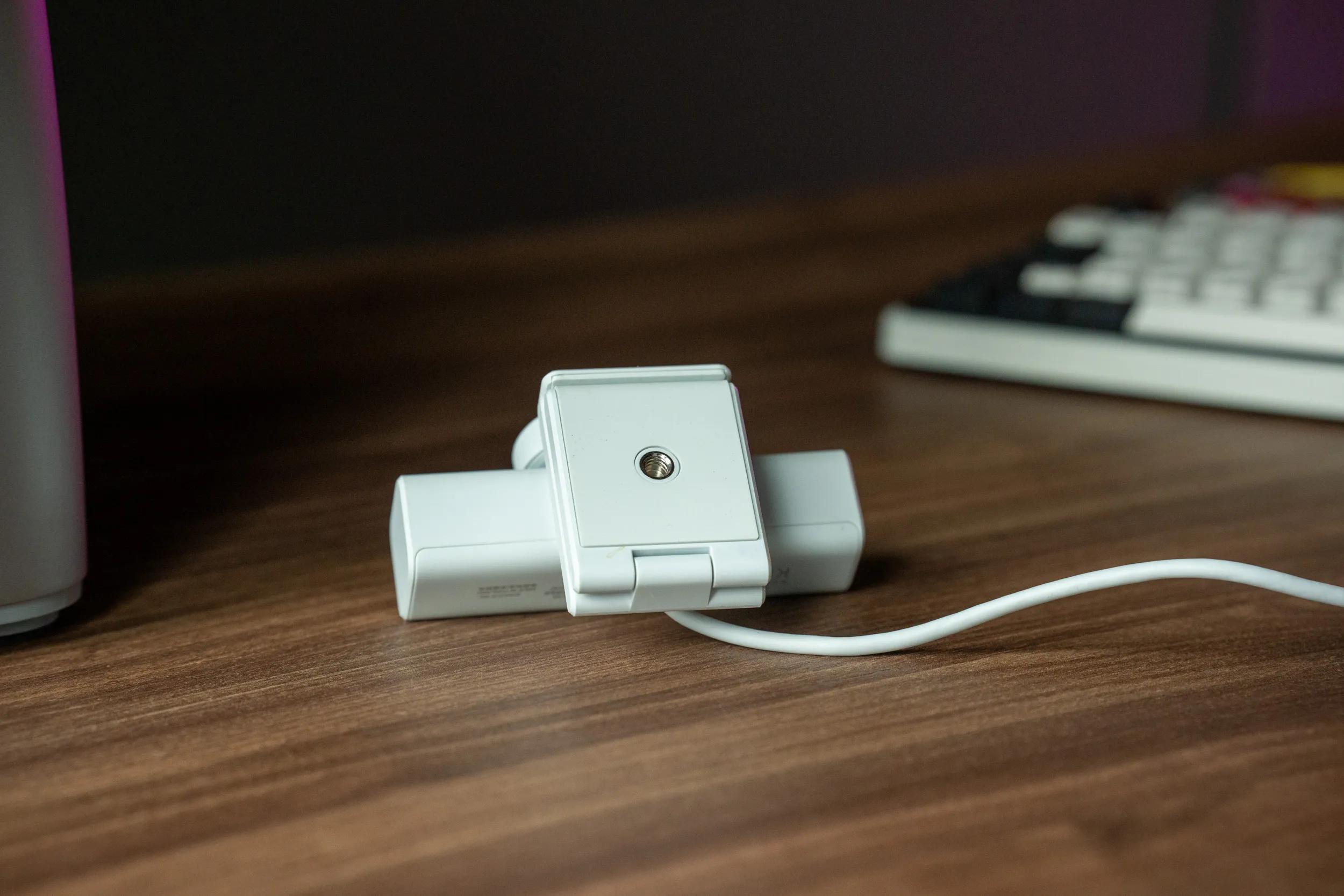 A standard 1/4-inch tripod thread sits underneath, so you are not locked into the bundled monitor mount.
The basics are all here. It is a 1440p webcam with autofocus and a wide-angle lens, a built-in microphone, and on Windows the full Razer Synapse software to tune it. You also get decent adjustability in the horizontal plane, and a small LED lights up when the camera is actually transmitting to your computer, so you can tell at a glance when you are live. There are also some AI features on offer, but only if you install yet more software on top of Synapse, and that is exactly the kind of thing I am reluctant to do.
The standout hardware feature is the physical privacy shield. You turn the outer ring and a shutter closes over the lens. No software toggle, no LED you have to trust, just a physical barrier. More webcams should do this.
Twist the outer ring and a shutter closes right over the lens. No app, no LED to trust, just a physical barrier.
It also comes in black and pink. The pink is a nice touch for those collecting all pink peripherals.
Video comparison vs MacBook M1 cam
A Mac also has a built-in “FaceTime” webcam. On my 5 year old Mac, this is a 720p camera with little adjustability (it is probably calibrated by Apple), but overall good enough quality.
So coming back to the Kiyo V2 X on Mac, I have to compare it to the built-in webcam that I have here.
What I can say already is that on the Mac, the difference between the built-in webcam and the Kiyo V2 X is smaller than I expected. The Kiyo is better, but not by the margin that justifies plugging in a dedicated device for most people.
And here comes the first problem I experienced on Mac. While the Kiyo V2 X is detected by the OS, it is not detected in Razer Synapse. This means you cannot adjust any of the suite of settings you have on Windows, and I am not able to verify what resolution or other settings it is running on.
Video comparison vs iPhone 16 Pro rear cam
For content creation, for streamers and people who record themselves, there is always an option to use your phone.
If you stream on Mac, and have an iPhone, you can use Apple’s Continuity Camera to use your phone as the camera for the Mac. The cameras on our phones are very good, and more expensive, than the webcams that normally ship with laptops.
So an A/B comparison vs an iPhone (or recent Samsung / Android) is unfair, because the optics in your phone are far more expensive, but I still believe it is valuable. I think most of the people out there have a phone they could consider to use instead. You would not be able to use the phone while recording yourself though.
Autofocus and the midnight sun
A few other reviewers, Tom’s Hardware among them, have made autofocus the headline problem with this webcam: trigger-happy, constantly hunting, and at its worst in low or awkward light. I have seen a bit of that focus hunting myself, so there is clearly something to it.
Here is my honest caveat though. It is midsummer in Northern Norway, where the sun never really sets and it is bright more or less around the clock. The low-light scenarios where others say the autofocus falls apart are simply not something I can test right now, because low light does not exist here for another couple of months. In the well-lit conditions I actually have, focus has mostly been fine. I will revisit this when the dark returns.
Razer Synapse on Mac vs Windows
Both macOS and Windows detect the camera automatically. You can plug it in and use it in Teams, Discord, Zoom, FaceTime, whatever you want. That is good.
On Mac, that is also the end of the good news. Razer Synapse does not recognise the device at all. No configuration, no adjustments, none of the features Razer built into this webcam are available to you. You get a basic webcam, and only that.
I understand this is not a device made for Mac, but I still dislike that the device does not work with Razer Synapse. There are also content creators who edit on Macs, and this webcam could have been an option for that audience if Razer had bothered to support it properly.
On Windows, Synapse prompts you to install the software immediately when you plug the camera in. Once installed, there are plenty of settings to play around with.
A look around Razer Synapse on Windows: the settings the Kiyo V2 X unlocks, and that Mac users never see.
Microphone and sound quality
As you would expect from a microphone attached to a webcam, it captures the noise in the room. Some of that can be fixed in post, but it only works as a mic in those cases where you are totally without other options. If you are curious about the mic quality, all the videos in this article are recorded using the built-in mic, with audio normalization done in post. No other audio cleanup.
More issues: firmware update failed
When plugged into Windows, Synapse prompted me to update immediately, giving me an obscure download link. This should be handled in the Razer Synapse software.
I was actually not able to update this webcam. The external updater prompted me to reconnect the webcam (which was already connected) and the update failed during reconnection. That kind of user experience just grinds my gears.
USB-A… in 2026?!
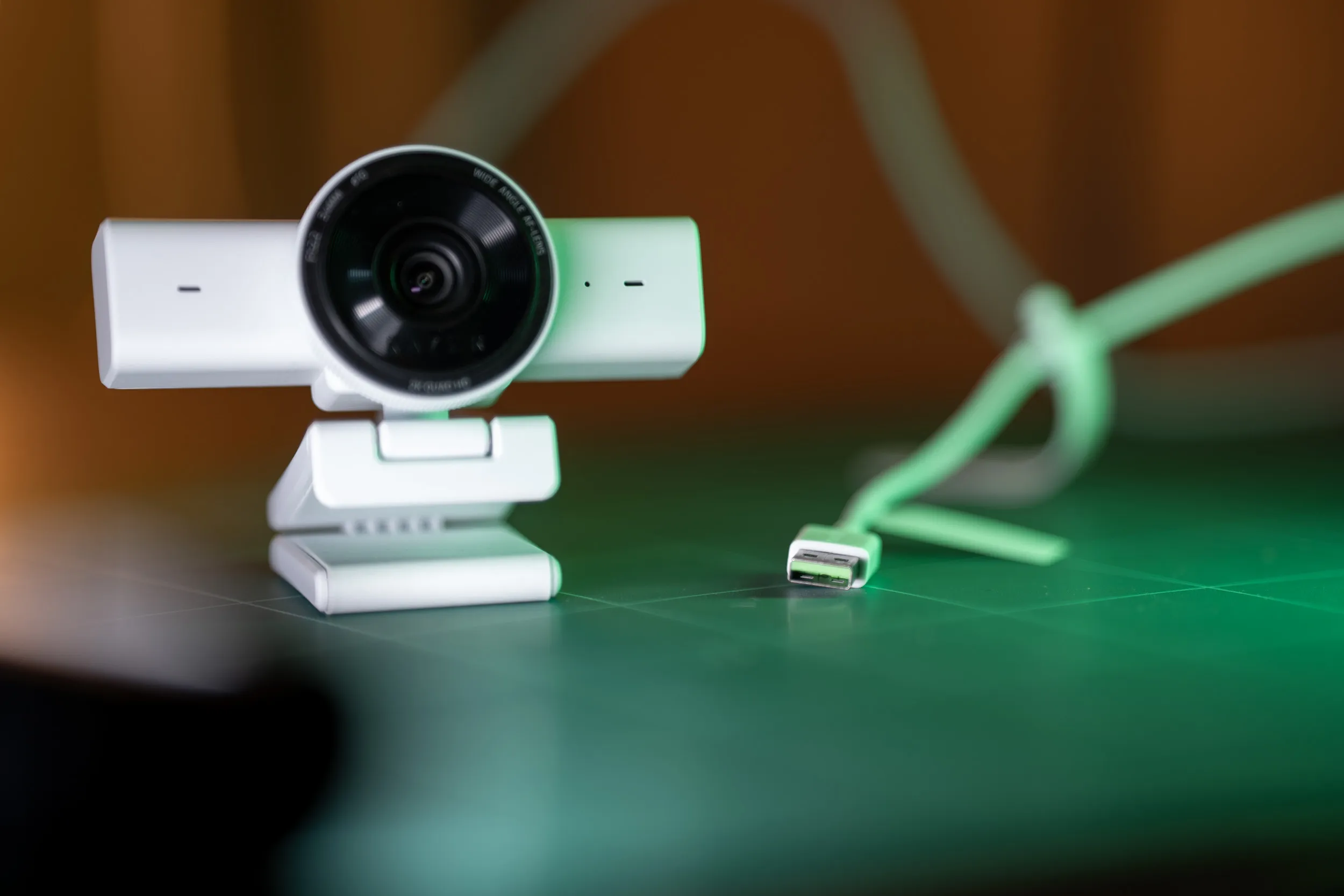 The fixed cable terminates in USB-A. No USB-C, and no way to swap it out.
The cable is USB-A only and not detachable. In 2026 this should not be the case. A detachable USB-C cable with USB-C on both ends should be standard, ideally with a USB-A adapter in the box for anyone who still needs it. I bet it would add almost nothing to the cost.
This is a criticism of more of Razer’s devices, and it is not the first time I have encountered USB-A on Razer devices. Take note Razer, it is not good enough.
Who is this for?
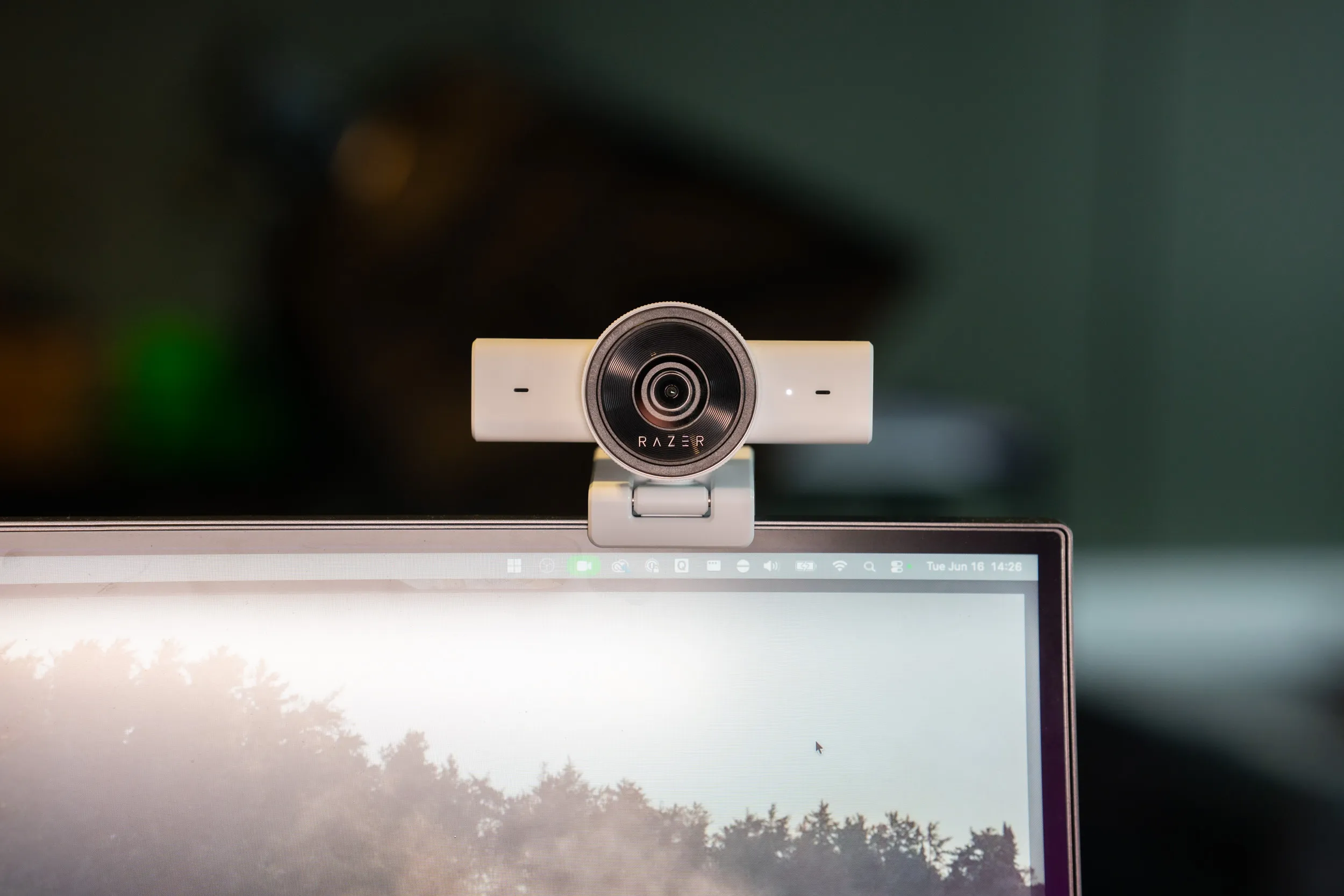 Mounted and running on Windows, where the Kiyo V2 X actually makes sense.
Windows users already living in the Razer ecosystem, yes. You get the hardware, the software support, and the features you are paying for.
Mac users, no. You get a webcam with a nice privacy shield and nothing else, and the iPhone in your pocket is probably a better camera anyway via Continuity Camera.
Content creators editing on a Mac, definitely not. You are paying for features Razer will not let you access.
Casual Teams users on Mac who just want something better than the built-in, maybe, but think about what you actually gain. Not much, in my testing, and certainly not enough to justify the price tag if Continuity Camera is an option for you.
Price and availability
The Kiyo V2 X launched in October 2025 at $99.99 (€109 in Europe), in black, white, and the pastel pink Razer calls “quartz.” That puts it at the bottom of Razer’s webcam range, below the Kiyo V2 and the Kiyo Pro Ultra. Here in Norway the cheapest I found it is 1250 NOK at Maxgaming.
At that price it is the budget Kiyo, but it is not really a budget webcam. Elgato’s Facecam Neo does a comparable job for $60, the Facecam MK.2 sits at the same $99.99, and Logitech’s Brio 500 is $130 and often on sale. So you are paying Razer ecosystem money, not bargain money.
One thing I want to flag: the resolution listing is not consistent. Maxgaming, for example, has it down as 1080p, while the camera itself is marked “2K Quad HD” and shoots up to 1440p. I have reached out to my contact at Razer to figure out what is going on here. Until I hear back, just know that some store listings and the spec on the actual device do not line up.
Specs
| Spec | Value |
|---|---|
| Resolution / frame rate | 1440p/60 (also 1080p/60/30/24, 720p/60/30) |
| Field of view | 80° wide-angle |
| Digital zoom | 4x |
| Autofocus | Yes |
| HDR | No |
| Microphone | Yes, omni-directional |
| Connection | USB-A, USB 2.0, non-detachable |
| Mount | L-shaped, 1/4-inch tripod thread, 360° swivel |
| Dimensions / weight | 109 × 67 × 67.8 mm, 160 g |
| Software | Razer Synapse 4 (Windows) |
Where this lands so far
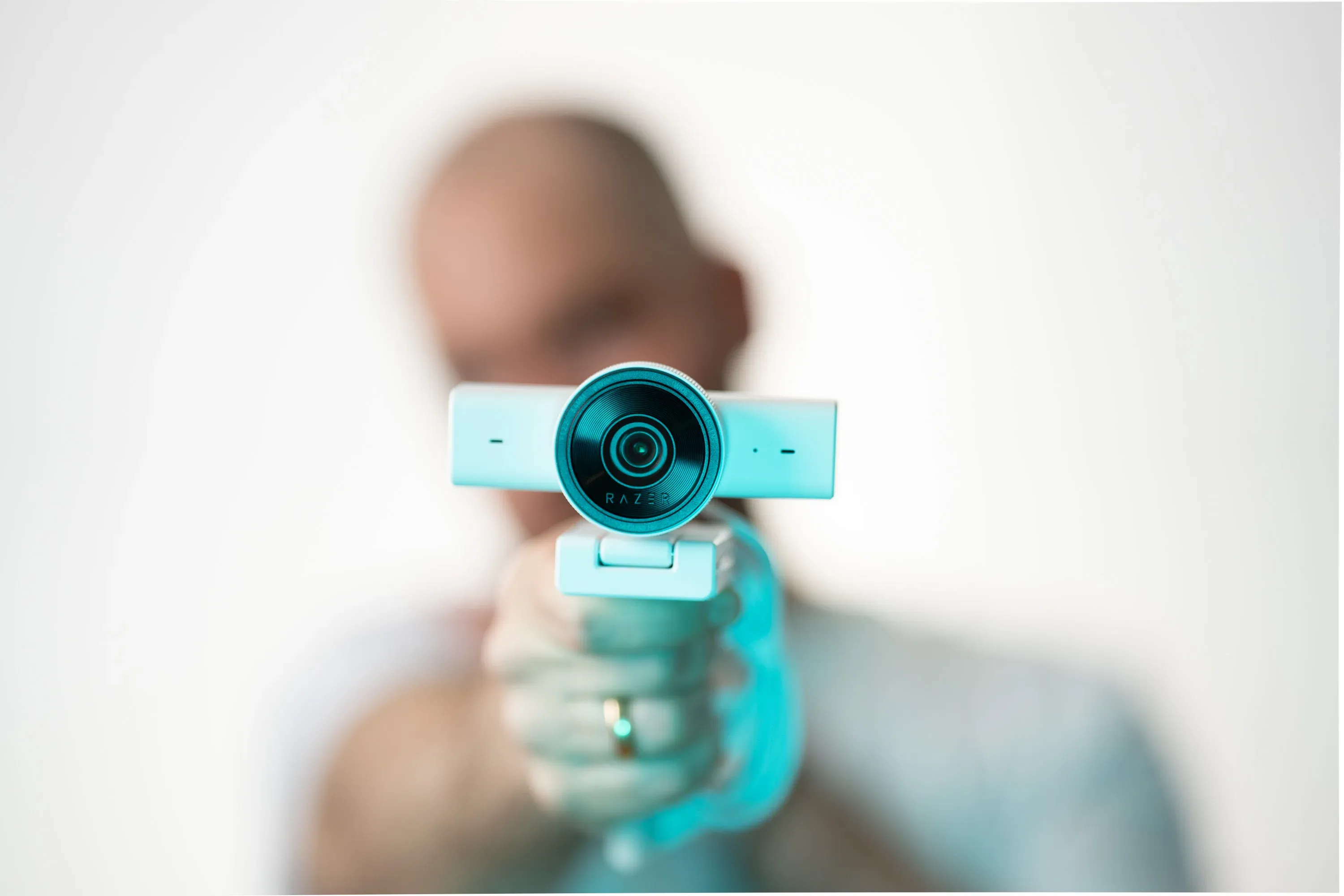 The lens, and that physical privacy ring, are the whole pitch.
After testing the Kiyo on my machines, and putting it through my paces and the way I work, it becomes clear that this device is not for me, nor is it a device I need in my workflow.
That makes a fair review quite hard to write. I have tried to test it fair, but the issues I was facing with Razer Synapse, the firmware updater failing and the “complimentary software” that Razer wants you to install to use all features just tells me that this device is not for me. Add in that it ships with a non-detachable USB-A cable, and it leaves me with a sour taste.
On a more positive note, I like the hardware, and the privacy shield implementation. Razer Synapse does work on Windows, and you get a lot of tweaking and adjusting you can do within it.
The overall image quality is good enough, for a webcam. If you are on Windows and comfortable in the Razer Synapse ecosystem, go ahead, I suspect you will be happy. If not, look elsewhere.
Disclaimer
Razer sent this webcam as a review sample. They do not see the article before publishing and have no say in what I write.
