
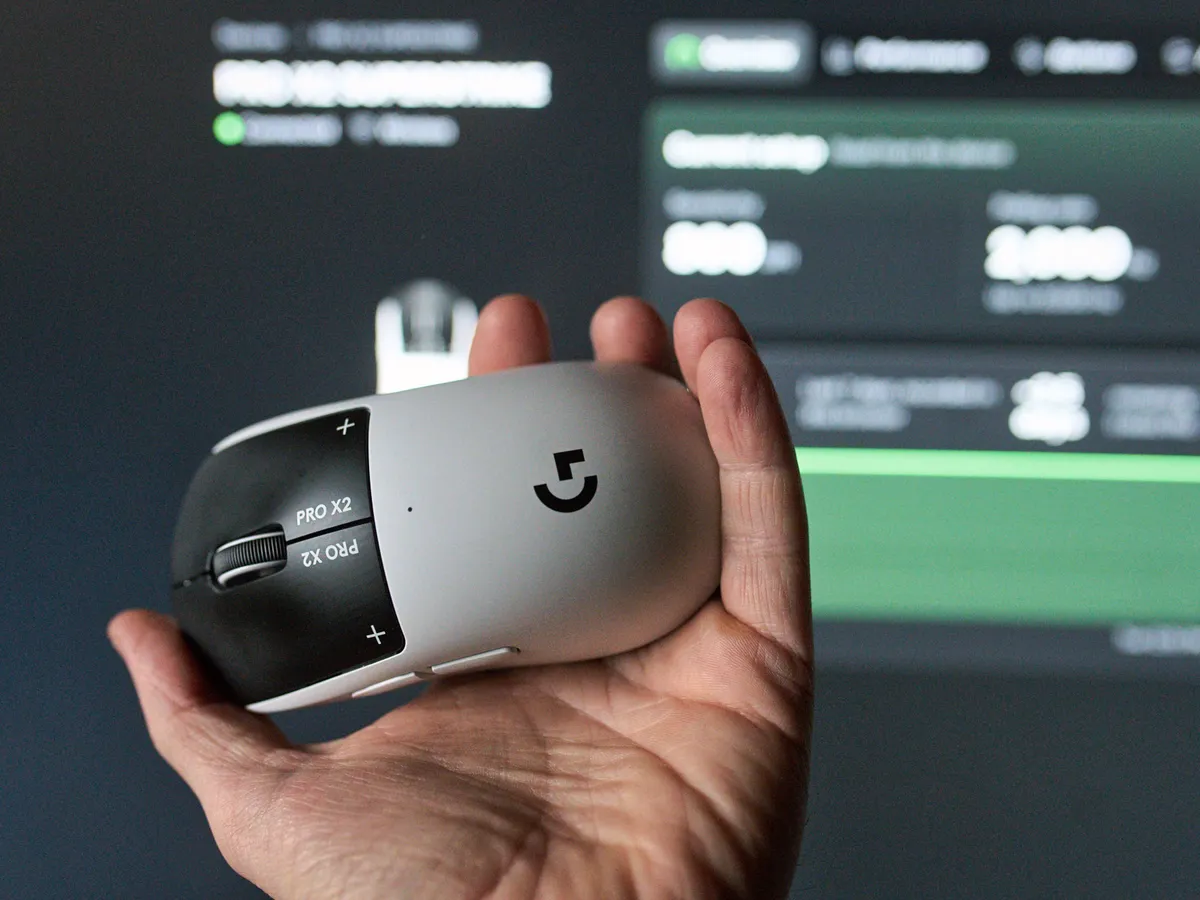
One app per manufacturer
I’ve been annoyed for a long time that hardware makers demand their own apps to configure their devices.
It bugs me because, at worst, manufacturers use those apps to collect data about you and your machine, and to sell you ads for products you don’t own. It’s also a problem for those of us on macOS or Linux, since these apps often don’t support anything but Windows.
Then there’s everyone sitting on a corporate machine, where an IT department has to approve every app you install. Do you think they love having Razer Synapse on every laptop?
Over the last few years we’ve thankfully seen some pushback, and manufacturers have started letting you configure mice, keyboards and other gear straight in the browser. That’s clever, because you don’t need an account with every brand, and you don’t have to download anything. Razer took that step with Synapse Web earlier this year, for example.
This news story is about a configurator that has popped up over the last few months: OpenMouse.
Almost 2,800 stars in three months
OpenMouse is a control panel for gaming mice that runs right in your browser, at control.openmouse.app. You connect your mouse, see info like battery and firmware, and change DPI, polling rate, lift-off distance and other settings, without installing a separate app for every brand.
The project was started by a developer who goes by snekxs on GitHub. The repo was created on 27 July 2026, and on 9 August the mouse protocols were split out into their own library so others can build on them. Today the project on GitHub has almost 2,800 stars and just over 180 forks. The code is open under AGPL-3.0.
In true 2026 fashion, if I may say so, this is software built for exactly your needs. Several of the changes in the codebase are marked as written together with Claude, Anthropic’s powerful AI model, which many of us keep working with on small side tasks.
The list of supported brands is already long. Razer, Logitech, SteelSeries, Endgame Gear, Finalmouse, Lamzu, Pulsar, Vaxee, G-Wolves, Glorious and a bunch of Chinese brands are covered to a greater or lesser degree. Keyboards from Wooting, Razer, Logitech and SteelSeries are recognised too.
Part of the problem
For this article, I wanted to verify that my changes on the X2 Superstrike had worked, so I had to download and install G HUB. It took a lot of steps: I was asked to log in, got ads for the X3 Superstrike, had to grant permissions on macOS, and joined Logitech’s Discord by mistake.
All of this shows clearly why I prefer configuring in the browser.
Viper V3 and Superstrike without Synapse and G HUB
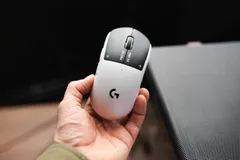
The news here is that it also supports mice like the Logitech G Pro X2 Superstrike, which normally needs Logitech G HUB to be configured.
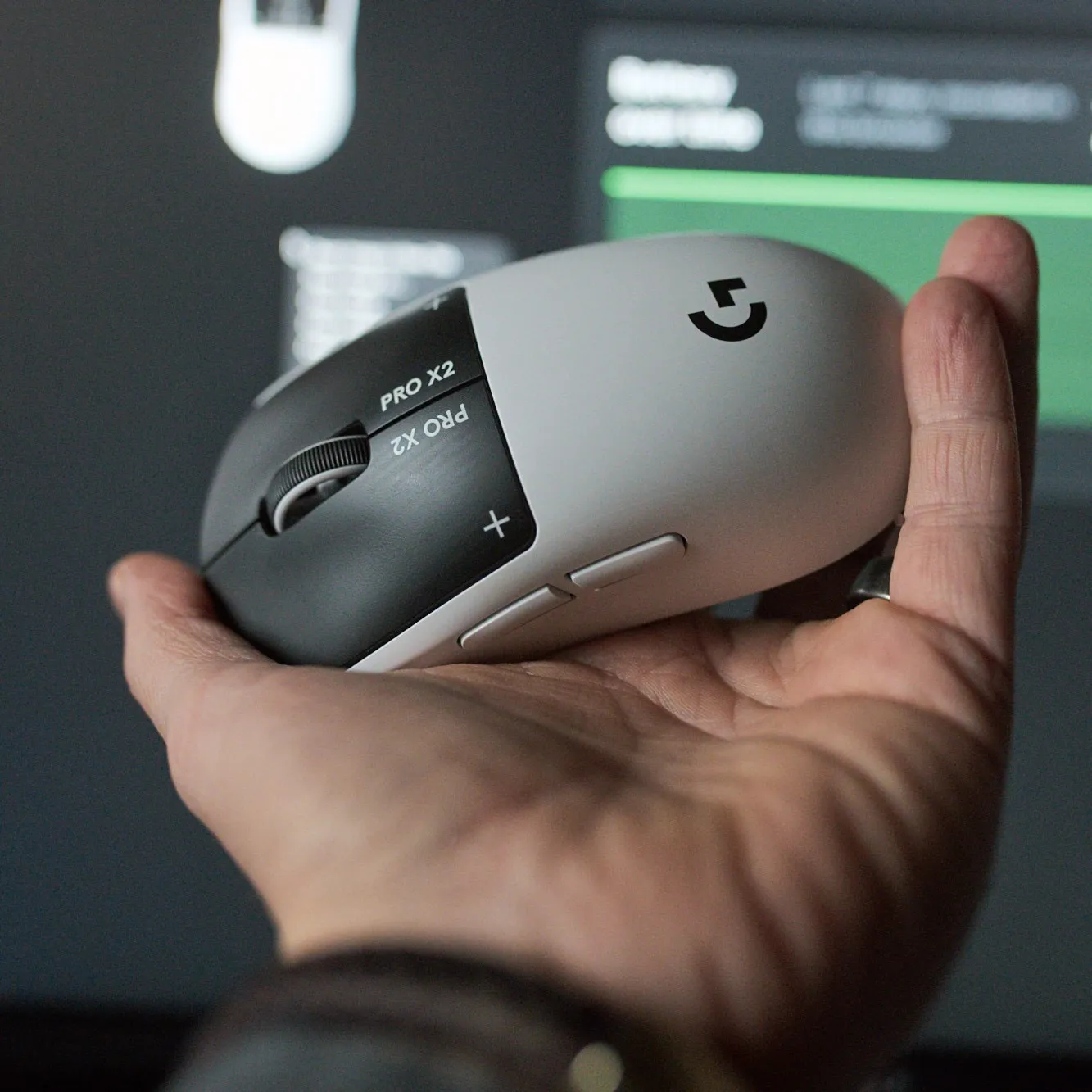 X2 Superstrike, configured without G HUB / Credit: kaytomas.com
I have the X2 Superstrike connected to the very machine I’m writing this on, with no G HUB installed, and I can still configure whatever I want through OpenMouse. I changed DPI and polling rate straight away, and on the X2, HITS tuning, haptics and more work too.
The project’s own test list only mentions the Superstrike over a USB cable, so naturally I tested it wirelessly. It lets me configure everything you see in the screenshots, but the settings aren’t saved to the mouse. For that, you need the cable. This isn’t clear at all to me as a user, which maybe illustrates why OpenMouse is still in beta and under development.
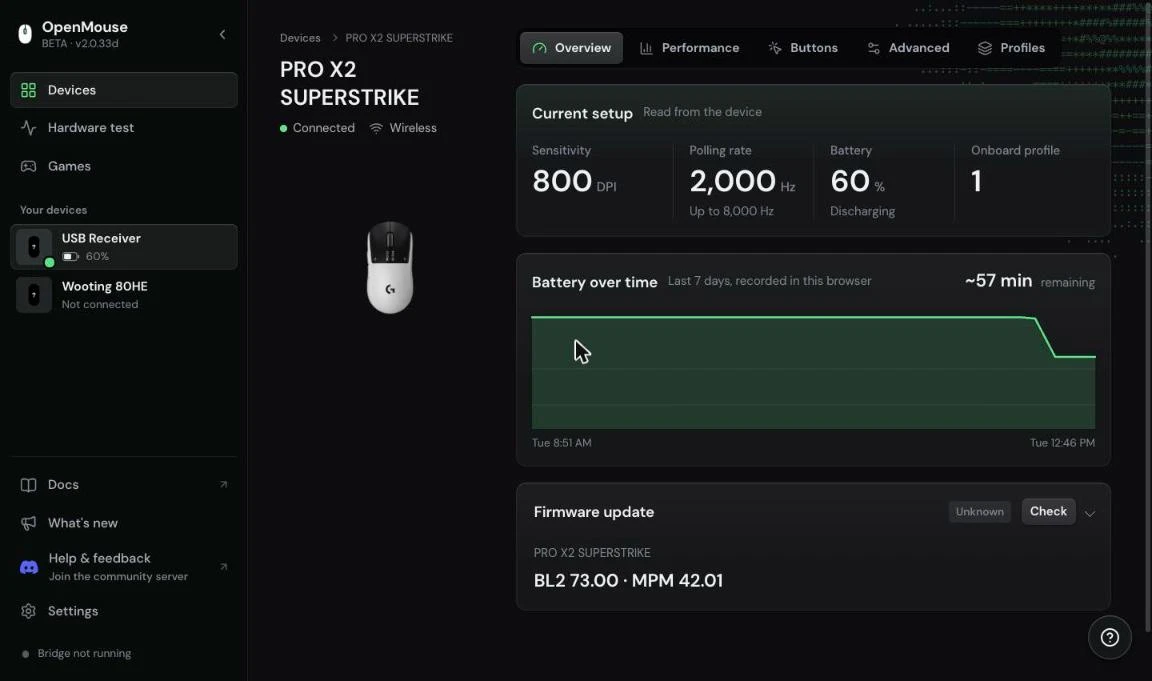
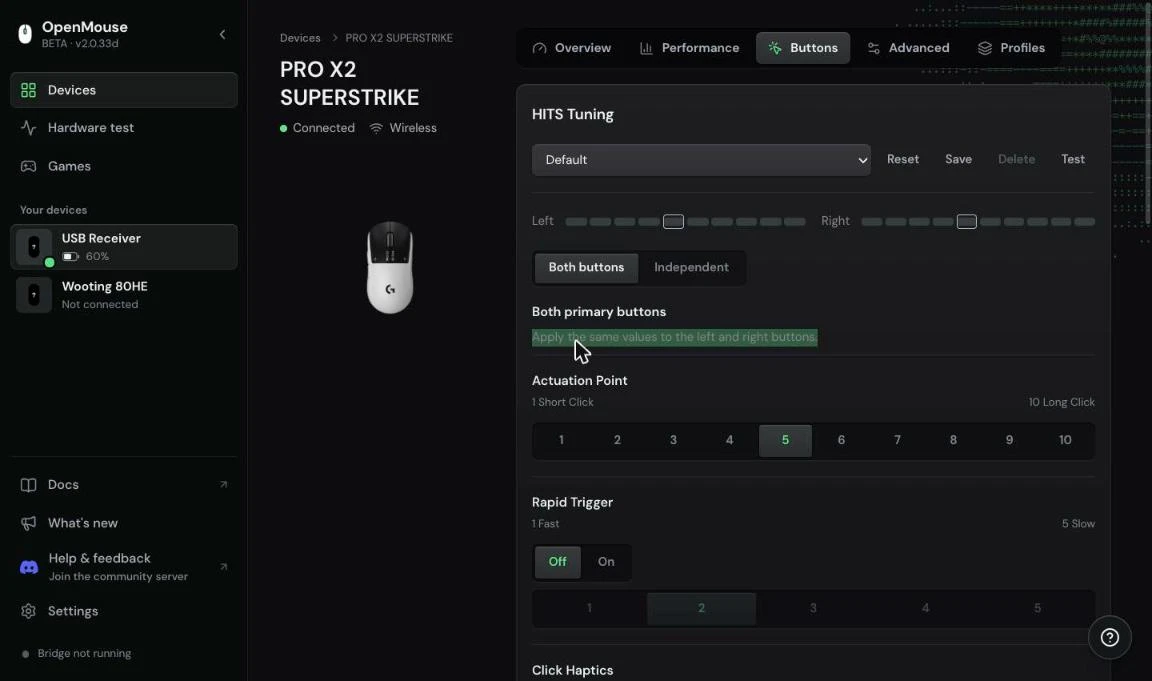
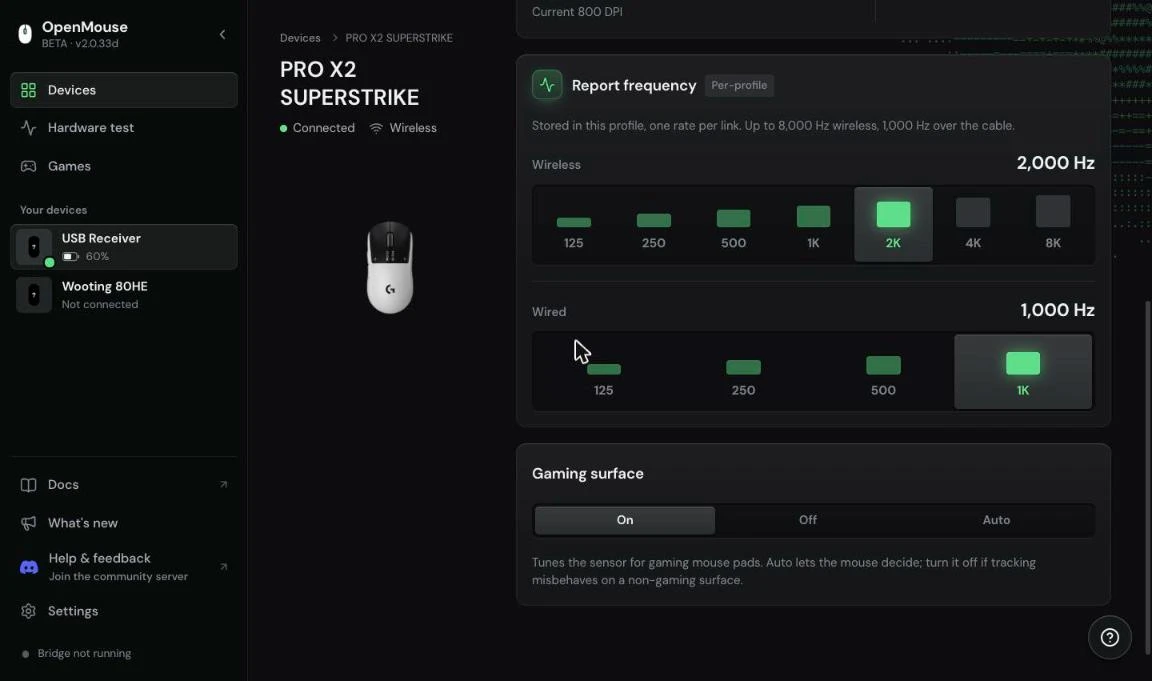
OpenMouse with the X2 Superstrike connected wirelessly: overview, HITS tuning and polling rate / Credit: kaytomas.com
The same goes for Razer. The Viper V3 Pro is supported both wired and through the HyperSpeed receiver, and the Viper V3 HyperSpeed has been tested for battery, DPI, lift-off distance and sleep timer. The DeathAdder V3 Pro is on the list too.
So the community, with GitHub and Claude Code leading the way, has given people something Logitech won’t.
Wooting 80HE is recognised, but keyboard support is early
OpenMouse also recognised my Wooting 80HE, which is plugged into the same machine I’m writing this on.
But even though the 80HE is recognised, it doesn’t work 100%. It reports as ANSI, but mine is ISO. It finds my two profiles, typing and gaming, but adjusting actuation doesn’t work for now. I can change RGB brightness, but not the colours. In other words, keyboard support is still early days.
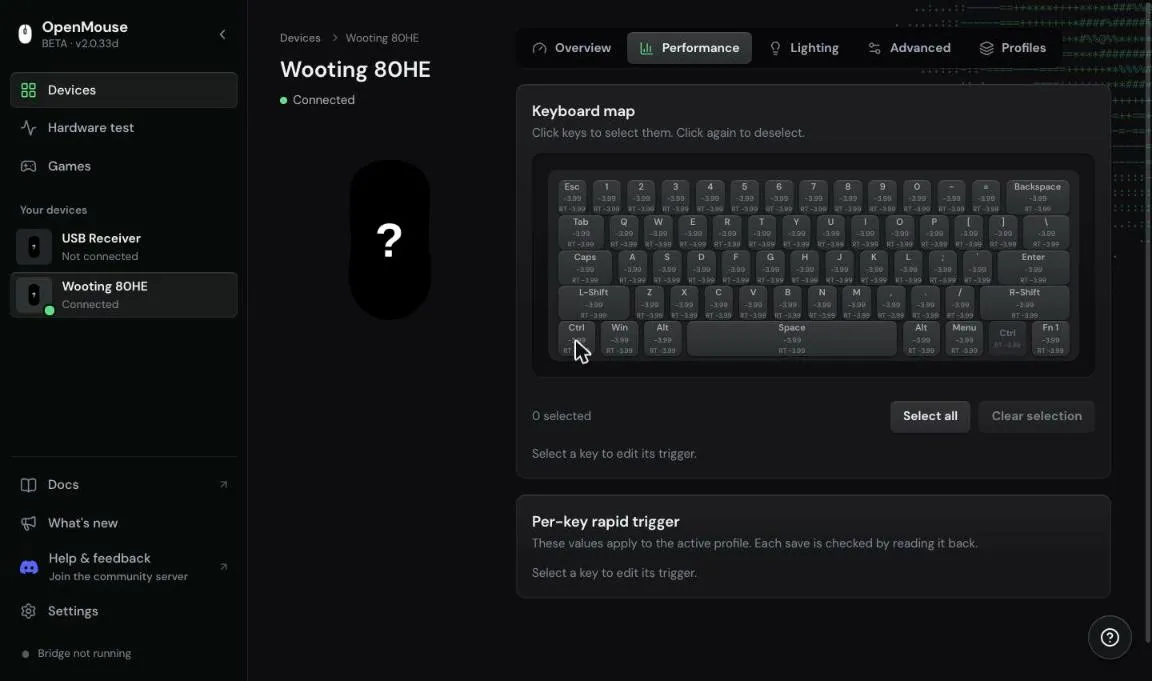 Wooting 80HE in OpenMouse. Note the ANSI layout, my keyboard is ISO / Credit: kaytomas.com
What to know before you plug in
OpenMouse uses WebHID, which only works in Chromium-based browsers like Chrome, Edge and Brave. Firefox and Safari are out.
For Razer mice on Chrome 153 and newer, Google has locked down the access the browser used to rely on. OpenMouse then needs a small local helper app, OpenMouse Bridge, to reach the mouse. A bit ironic, but the Bridge code is out in the open on GitHub too.
The project is also upfront that recognising a model doesn’t mean it’s been tested on real hardware. Some models were added from documentation and never connected, and changing the polling rate on the Superstrike is still listed as being in testing. If you change something, do one setting at a time.
An alternative to G HUB and Synapse
I think OpenMouse is a great example of what happens when developers build software to solve a concrete problem, without having to care about the manufacturers’ own ecosystems.
If the project keeps growing, it could become a very interesting alternative to G HUB, Synapse and all the other programs we have installed on our machines.
OpenMouse is free, open source and available at openmouse.app.
