

Corsair goes a different way than the competition
There’s a lot of exciting stuff happening with mice, and 2026 has brought several new things. Logitech led the way with the G Pro X2 Superstrike and its haptic clicks, followed by several other makers like Finalmouse and Keychron, who have buttons where you can adjust where in the press the click fires. A different technology than Logitech’s, but related all the same.
I think it’s interesting that Corsair chooses to go where they do with PureVector. Because PureVector does something else. Through calibration rounds in Aimlabs, PureVector puts a vectorized aim curve into the firmware of the mouse. Aimed directly at your weaknesses. Nobody is equally good at aiming in every direction, and it’s exactly the directions we’re bad in that Corsair and Aimlabs want to fix with PureVector.
That’s the revolutionary part here. Logitech, Finalmouse and Keychron are all trying to make the click itself faster. Corsair looks at a different part of the whole act of aiming, namely the movement before you click. Their point is that the click is the smallest part of the time from when you see a target until you shoot. Aiming, meaning movement plus correction, is the biggest, and that’s where there’s more to gain. That logic, I buy.
The question I wanted answered was pretty simple: Do I get better at aiming from this? And is the mouse worth 1990 NOK if I don’t?
About the product
I have the Sabre v3 Ultralight Ergo in white, meaning the ergonomic version in ABS at 41 grams. I’ve used it since a few days before the launch on October 20.
The sensor is Corsair’s new Marksman X, with up to 42,000 DPI. The mouse supports polling rates up to 8000 Hz, both wireless and wired.
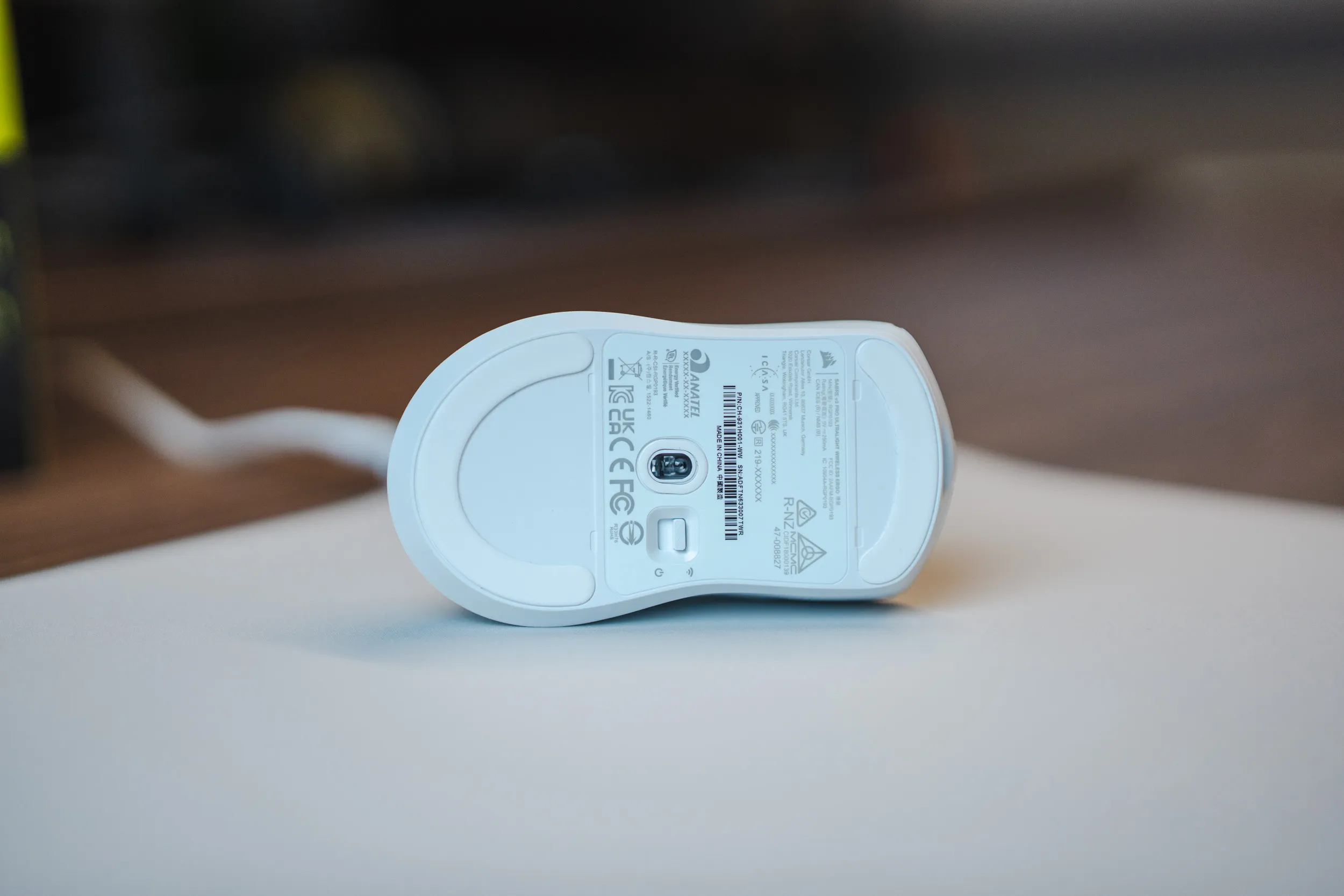 The underside with the Marksman X sensor. / Credit: kaytomas.com
The Sabre v3 Pro comes in no fewer than six versions. You’ll find all the models, weights and prices in the launch article.

All in white
The mouse is white, with white accessories. Which is of course very nice for those who like white. It doesn’t really match my setup, but I like the finish and that they match the accessories, including the cable and the grip tape.
The receiver, which is also white, is a small clip you can attach to the mousepad or place at the top of your desk. The upside of clipping it on is that it stays put. The logical thing is to put it at the top right of the mousepad, but then I’d have the white cable lying across the whole desk, so I placed it at the bottom of the mousepad and ran the cable under the desk. This gave me no obvious problems.
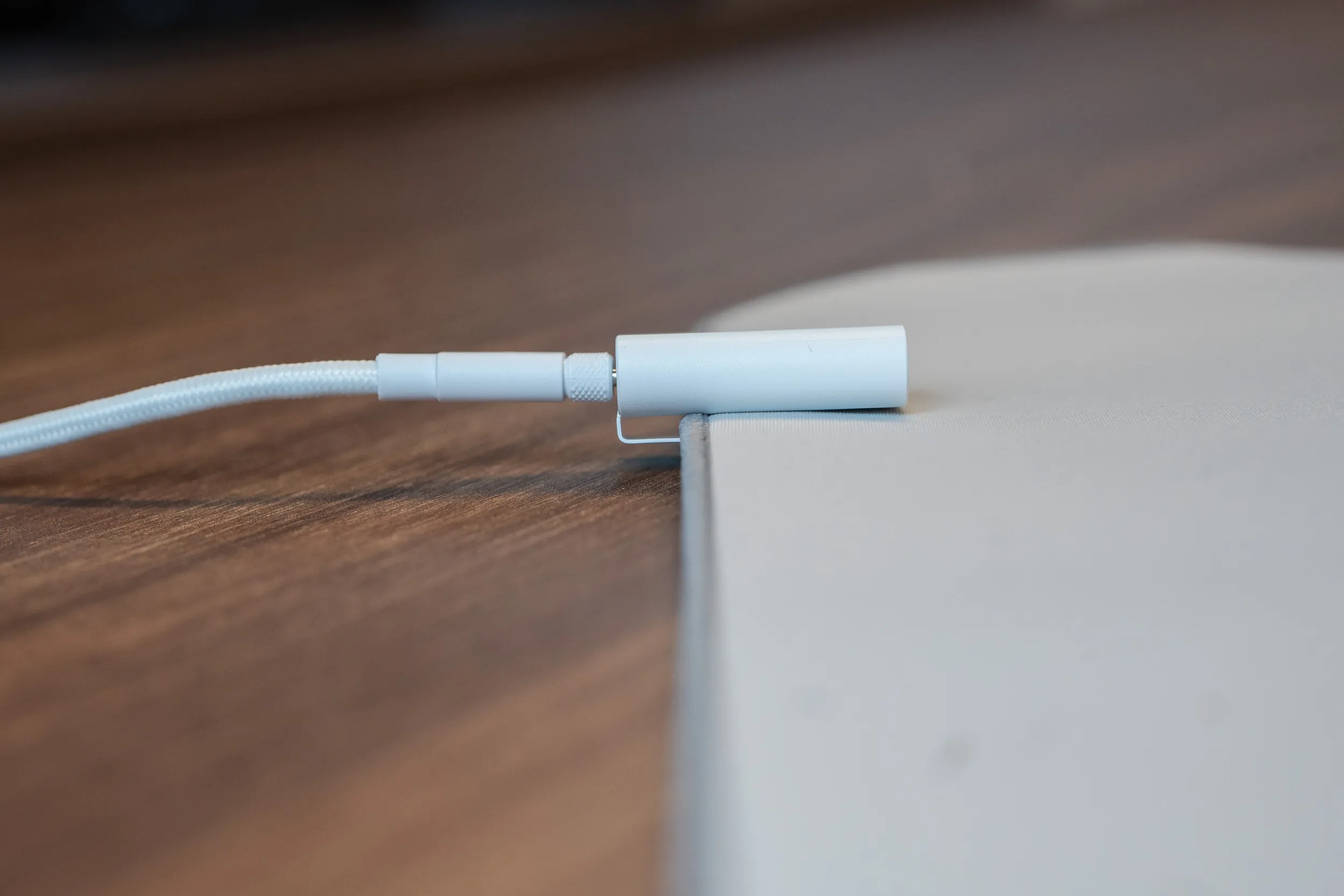 The receiver is white too. / Credit: kaytomas.com
There was grip tape in the box, in black and white. I put on the black one and found that this, naturally enough, gives a pretty good hold on the mouse. Whether you want to use grip tape or not is a matter of taste. I put mine on since it’s my duty as a reviewer, but I’ll take it off when I’m done. Simply because I don’t like how ‘jerry-rigged’ the mouse looks with the grip tape on. When you put on grip tape, even if you do it as carefully as possible, the mouse ends up looking a bit amateurish.
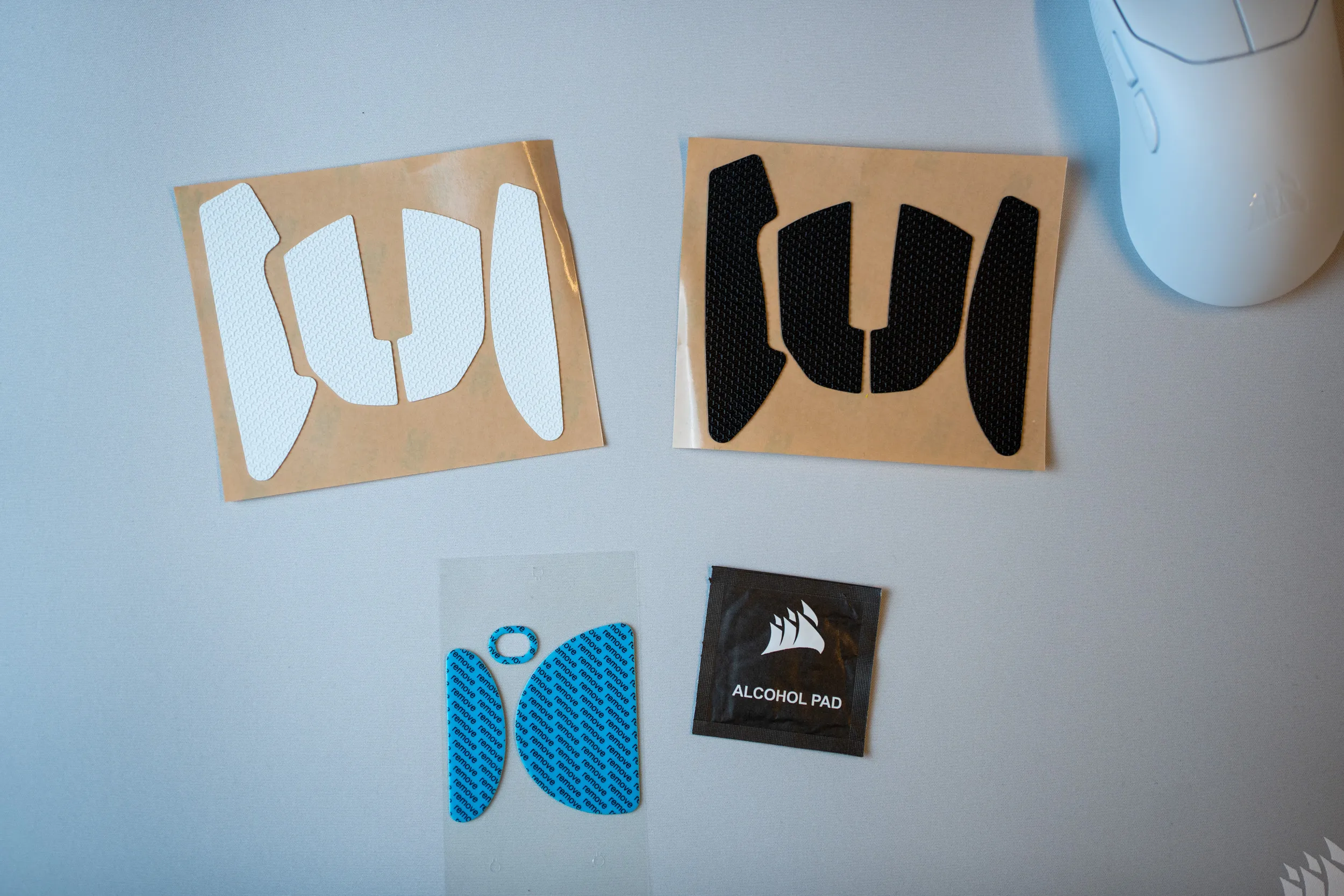 Grip tape in black and white, and a set of larger mouse feet. / Credit: kaytomas.com
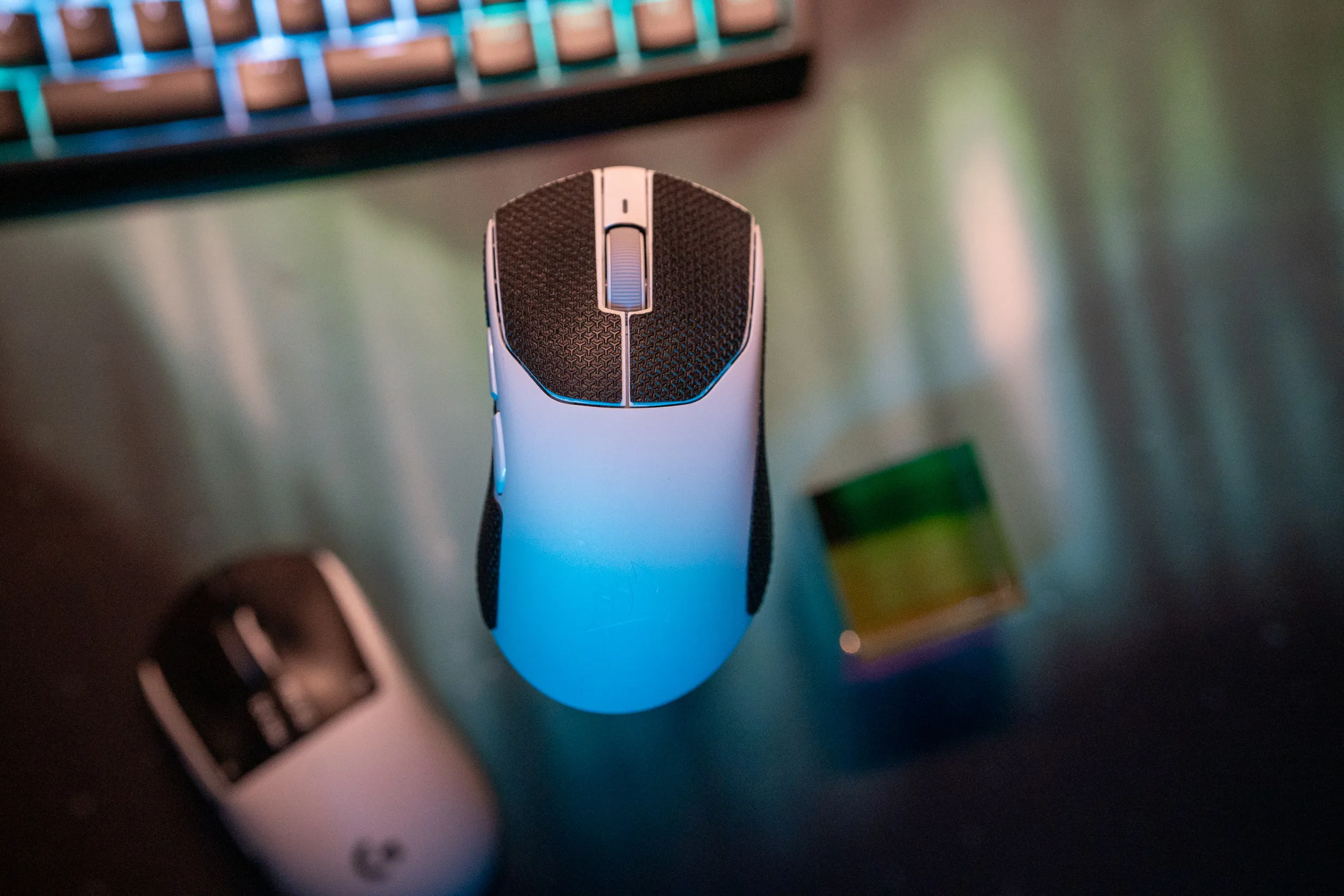 With black grip tape on the buttons. / Credit: kaytomas.com
The mouse feet I’ve only run on default. The larger set that comes with it, I haven’t tested.
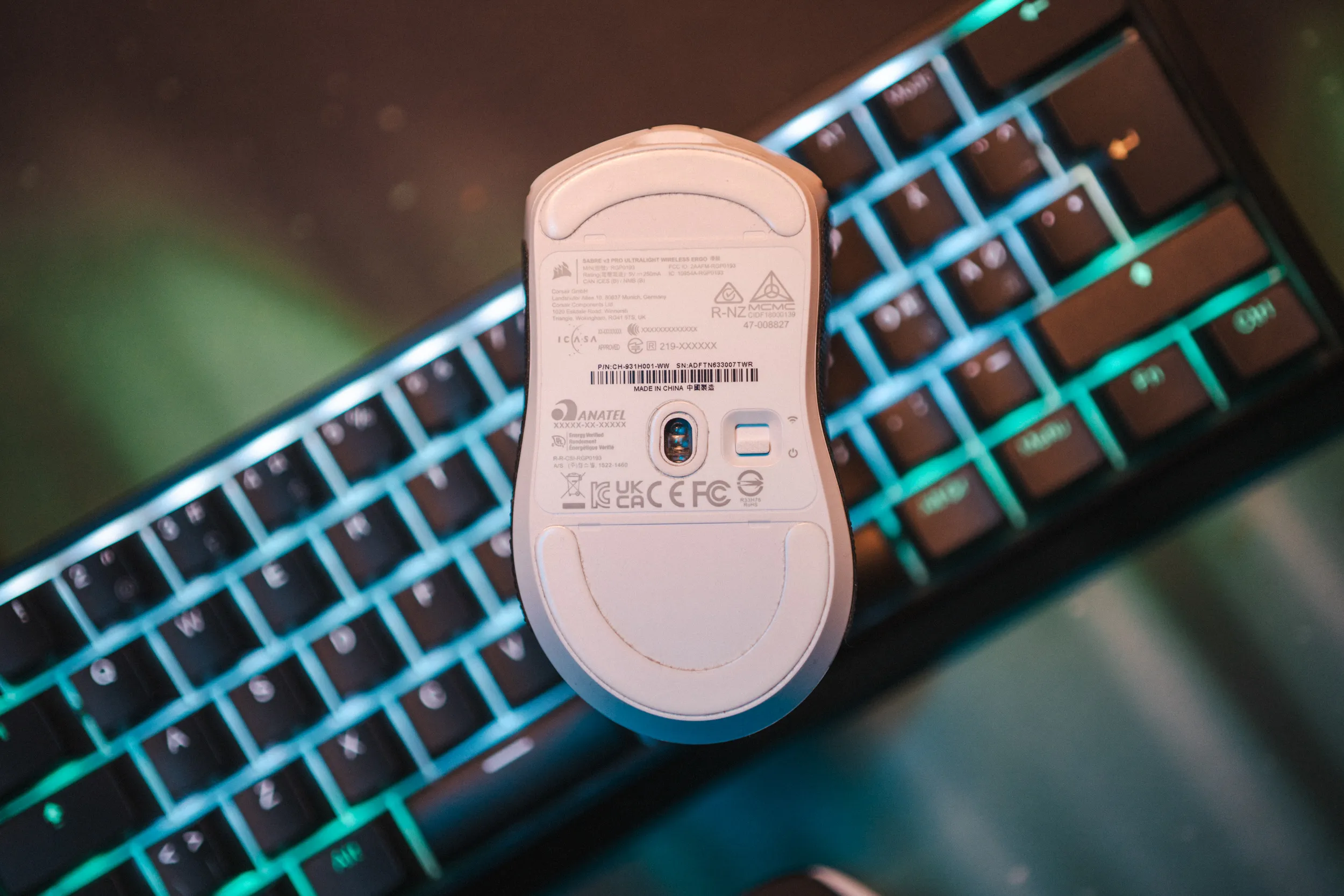 The standard feet after a month of use. / Credit: kaytomas.com
Grip: light and good to hold
I have the Ultralight version at 41 grams, and it’s good to hold. Low weight can make something feel cheap, as if it’s made of plastic. The Sabre v3 Ultralight (but not all models of the Sabre v3) is after all made of ABS, and you can feel it. The quality doesn’t come across as bad, but it gives up some structural rigidity. Do you notice it when you play? No, but at the same time I can understand that some people prefer a different material.
The carbon fiber version of the Sabre v3 is somewhat heavier and more expensive, and will feel more solid, even though that one has a plastic bottom too.
My grip on the Sabre v3 is almost like fingertip. I don’t hold it with my palm, but with my fingers: thumb, ring finger and pinky on the sides, and the fingers on top. In the test period I’ve used the X2 Superstrike alongside it, and the little Keychron M4 (which is a pure fingertip mouse), and switching between them has gone fine.
Clicks, scroll wheel and side buttons
The clicks are good. Some describe them as a bit mushy. When I sit here clicking them while writing this, they’re a little slower than on certain other mice, and there’s a bit more travel on M1 and M2 than you’re used to from other hyper-competitive mice.
The main buttons use Corsair’s own optical switches, and the actuation point can’t be adjusted.
The scroll wheel I think is perfectly fine. It’s maybe a bit heavier than on the X2 Superstrike, which I have sitting right next to it here, but it isn’t stiff. The side buttons are good, and it’s no problem to hit them or click them in the middle of a fight.
What is PureVector?
The sensor in a mouse tracks the same in every direction, but our hands, muscles and brains don’t move with the same accuracy in every direction. The vast, vast majority are more accurate in one direction and less accurate in another. You stop neatly on target one way, and move your hand past it and have to pull back the other way. Maybe you have to fine-tune, or move your hand a little extra in some directions. This is pure human physiology, it’s just how we humans are.
PureVector is Corsair and Aimlabs’ answer to exactly this. Instead of one sensitivity value, the mouse gets a sensitivity curve, calibrated in every direction and tuned to you specifically and your movements. You run five rounds of aiming in Aimlabs, which measures where you miss, and then the correction is stored in the firmware of the mouse. According to Corsair and Aimlabs, the bias is stable for each individual, over hours, days and weeks. They promise up to 81 milliseconds faster aiming, or 33 percent, and in their beta test beginners got a 30 percent better score in Aimlabs and pro players 8 percent. Those are their own numbers, and I haven’t been able to verify them myself with a clear before and after.
The whole explanation, with the man behind Aimlabs and the question of cheating, I’ve written a separate article about, which you can read below.

PureVector: I don’t notice the difference
I know I’m not the best aimer out there. I’ve never been good at flicking and obvious aim games like CS, Valorant or hit scan heroes like Widowmaker or McCree / Cassidy in Overwatch. Sadly I’m not that good at game sense either, so strictly speaking I need all the help I can get.
So I was very excited about what PureVector would do for me. I’ve tested turning PureVector off and on during the period, and I don’t notice any big difference.
The calibration and the first match
I ran the calibration in Aimlabs a couple of times when I got the mouse. It’s the DPI you have when you start the calibration that becomes the starting point for PureVector. I started mine at 1200, so that’s the starting point. It’s also recommended to use one and the same surface for calibrating and playing. If you change surface, you should run the calibration again.
Afterwards I tested a round of Arc Raiders. It felt natural and like my shots landed where they should, but it wasn’t anything revolutionary.
What might be a little revolutionary is that the first match with a new mouse felt natural and good. As if the adjustment period with PureVector on is shorter than what you’d normally expect, and get, with a new mouse.
A month later
That’s how it has continued. I’ve used the mouse primarily for Arc Raiders, which is the only competitive game I’ve played in the period, and otherwise just for regular use in Windows. The Sabre v3 is satisfying to use in Arc Raiders, with the aiming and the shooting, but I can’t say that I aim noticeably better. It’s hard to point to what exactly PureVector has done, one way or the other.
What I have felt is that the DPI I got from PureVector in Corsair Web Hub has been too sensitive in Windows. It has felt a bit wrong when I moved the mouse. During the first setup I disabled PureVector, set a different DPI and ran the calibration again, and I’ve run several rounds over the period. Now it feels natural and good.
From what I can see, it’s not like you have to keep running the calibration in Aimlabs. And after you’ve been through that loop once, you’re pretty fed up and just want to get in game.
So Corsair and Aimlabs say the biases are stable over time. To be completely honest, I don’t know if mine are. Are they the same every time, or do they change? How much does my form on the day affect my aim curve? These are questions I can’t answer, even after more than a month with the Sabre v3 on my desk.
Not much feedback from Aimlabs
Part of the problem is that I get little back from the calibration. I see my bias, but I don’t see what the DPI is after PureVector has adjusted it, and I would have liked to know. I wish I got more feedback between the rounds and a more detailed report on what PureVector has done and in which directions I in particular am weak.
I also told it that I flick, but I’m not sure that’s what I do, and I don’t get why Aimlabs can’t figure this out itself through some mapping or a few test rounds. The calibration is built around flicks, meaning quick movements from one target to another. According to Aimlabs, the biases are smaller when you follow a target, so-called tracking.
I’ve asked before whether this is cheating. In my own head, and based on these results, I wouldn’t define it as cheating.
Battery and everyday use
In the period I’ve had the mouse, I’ve charged it twice. I’ve run it at 1000 Hz the whole time, without noticing anything. Corsair quotes up to 140 hours at 1000 Hz for the Ultralight models, and 25 hours at 8000 Hz.
I’ve had no trouble or problems at all. The setup happens in Corsair Web Hub in the browser, with nothing to install. It requires a browser with WebHID, so Firefox and Safari are out.
There are several interesting things inside Web Hub. Under device settings you can adjust lift-off distance, and you can choose surface type. Corsair’s own mousepads are in there of course, including their glass pad. Then there’s something called motion sync, which makes the movement of the pointer feel smoother because it’s synchronized with your system, and something called ripple control, which is for adjusting small jitter at high DPI. Otherwise it’s very simple and straightforward.
You can still have several DPI steps with PureVector on, even if it doesn’t look that way in Web Hub. The other steps can still be turned on and set lower.
The charging cable is USB-C to USB-A. If you have a laptop with only USB-C, you can’t charge the mouse with it.
The alternatives on my desk
Logitech G Pro X2 Superstrike. I’ve had the X2 Superstrike next to it the whole way and jumped back and forth between them. The Superstrike feels completely different with its haptic mouse clicks, and the solution Logitech has gone for can in theory be faster. The question is whether you spend the time on the click itself or on the aiming itself? Still, I don’t think the Sabre v3 falls short of the Superstrike. Right as I’m finishing this review, the X2 Superstrike is dirt cheap on Black Friday deals, and has been down to 1200 to 1300 NOK. In that case I’d rather pick it over the Sabre v3.
At full price it’s hard for me to recommend the Sabre v3. I know that not everyone likes the haptic feedback on the Superstrike, even though I personally had no problems getting used to it. If you dislike haptic feedback, you should of course look for a different mouse than the X3 and X2 Superstrike, like for example the Sabre v3.
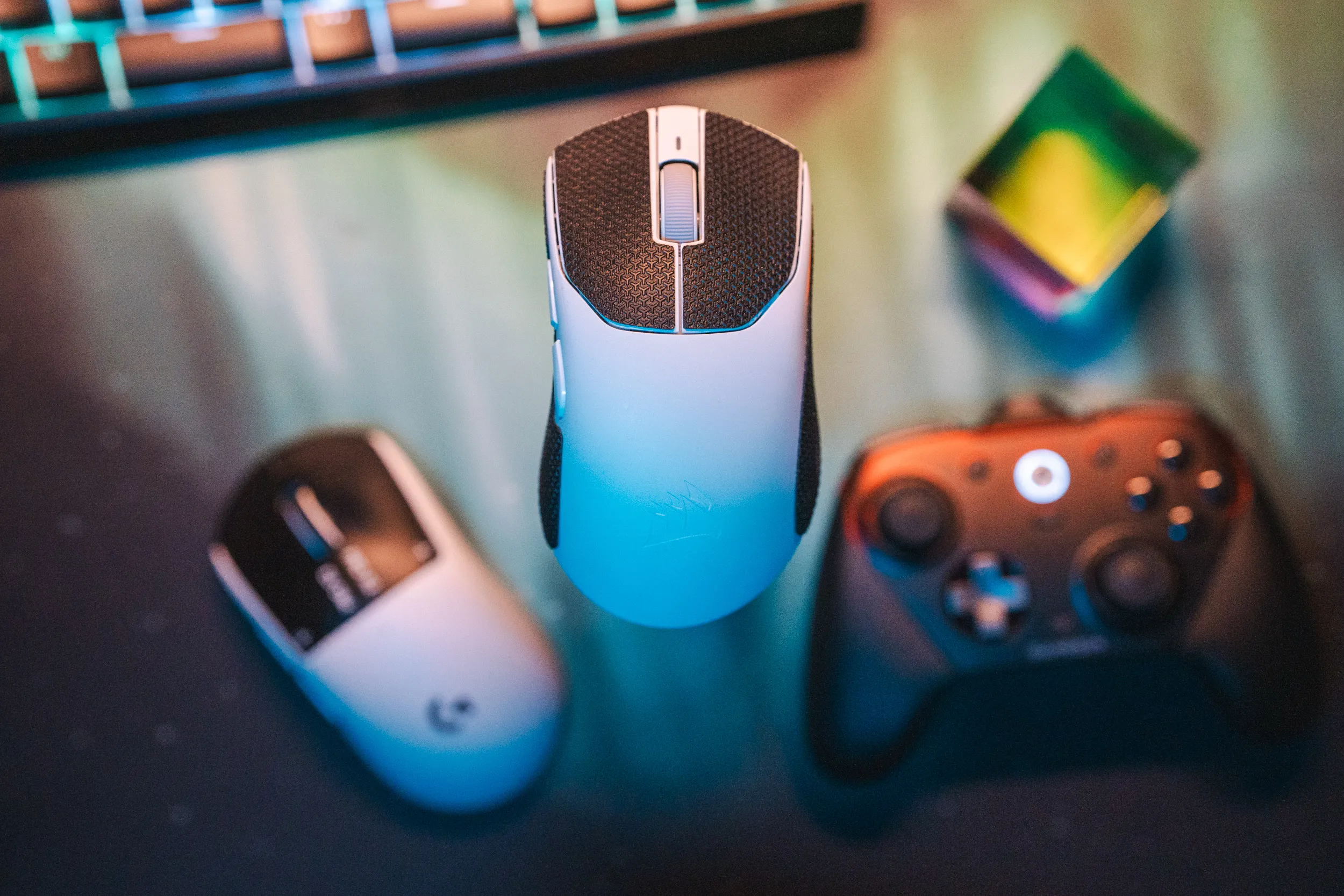 The Sabre v3 on my desk, with the Logitech mouse next to it. / Credit: kaytomas.com

Finalmouse SLX. I have that one on my desk too. There you get a completely different build quality than the Sabre v3, and they’ve used other materials. Finalmouse has made a big deal out of the materials being ‘aerospace grade’. If I try to bend the SLX, I can’t bend it at all, while the Sabre v3 gives more and moves more. Comparing them one to one, I maybe prefer the SLX on that point. At the same time the SLX has a different kind of logic in the buttons, where it combines regular switches with a TMR sensor, and it’s more expensive.
With the mice that have an adjustable actuation point, you can find that it clicks when you’re just resting your finger on the buttons. You don’t get that problem with the Sabre v3.
A word about reviewers
Remember too that those of us who review mice tend to have a lot of them, and the vast majority are very good. So we reviewers almost have to hunt for tiny differences between one mouse and the other. A person who buys a mouse and keeps it for years will probably be happy with most of the mice we review. You learn the grip, the button weight and the sensor placement, and adjust your muscle memory over time to the mouse you use a lot. So take my recommendations and those of other reviewers as opinions, and nothing more.
A good mouse, with or without PureVector
Did I get better at aiming? I can’t put a number on being better. After many calibrations and use since the launch, I don’t notice a difference.
But I’ve thought all along that this is a very good mouse. It’s light, good to hold and easy to start using, without much of an adjustment period. And it doesn’t fall short of the X2 Superstrike.
I love that Corsair looks at a different part of the shot than the competition. While the others work on the buttons and the press itself, Corsair chooses to do something with the aim curve and vectorize it. That part needs improving too, after all. I also really like that they enter a commercial collaboration with the people who have a whole lot of data on how people aim, namely Aimlabs. The idea is very good, but it’s hard to point to how much it gives you.
So is it worth 1990 NOK, just as a mouse? I still think that’s expensive, and I think all gear is expensive these days. There’s nothing wrong with this mouse. The problem is the insane selection out there, especially with the X2 Superstrike and the solutions from Keychron and Finalmouse, which I’ve tested myself.
If you’re curious about PureVector and believe in it, it’s worth it. For me, I don’t get so noticeably much better that I’d buy this mouse for PureVector alone. So my advice is: buy it on sale, and don’t buy it just for PureVector.
It lands on a 4 out of 6. I like the mouse, I really like the technology Corsair is going for, and the Sabre v3 is staying on my desk going forward as the default mouse on the gaming rig here at home. But the market is very competitive these days. For around 1300 NOK you get, for example, an adjustable actuation point and a replaceable battery from Keychron. At 1990 NOK it’s therefore hard to give the Sabre v3 a clear-cut recommendation.
Disclaimer
Corsair sent me the mouse as a test unit. They have had no influence on the content of the review.
